© 2018 MA Lighting Technology GmbH - Dachdeckerstr. 16 - 97297 Waldbüttelbrunn - Germany
Phone +49 5251 688865-27 - support@ma-dot2.com - www.malighting.com
Overwrite:
Tap to overwrite the existing cue with the programmer values. The previous values from the existing cue are
deleted.
Create second cue:
Tap to create a cue 2 with the programmer values. This will create a cue list.
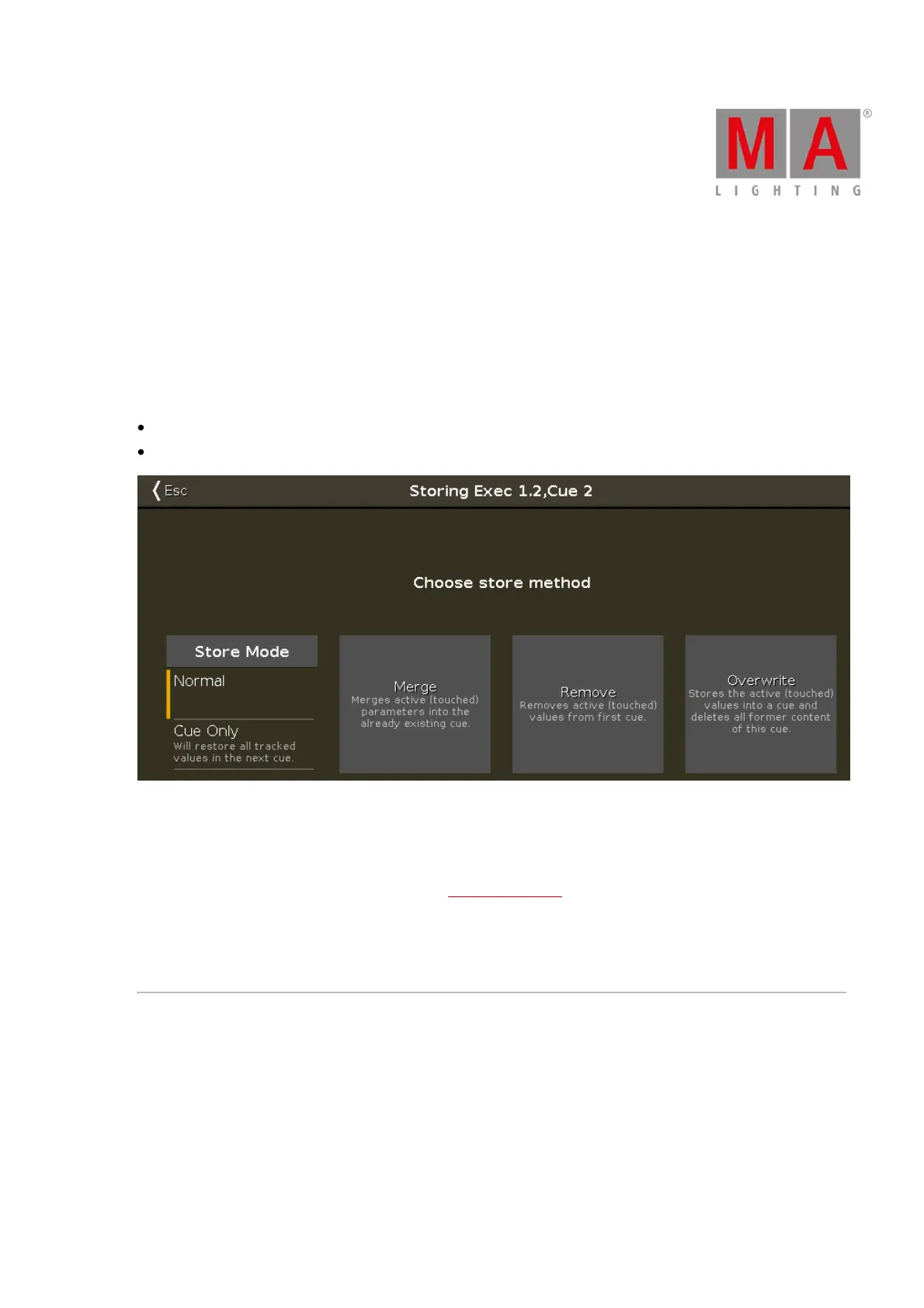
If you store new programmer values in an existing cue, the store method window has additional the options
Normal
Cue Only
Figure 2: Choose store method window - store in an existing cue
Additional to the methods Merge, Remove, and Overwrite, you can select the Store Mode.
Store Mode Normal:
Tap to store the cue with tracking shield. Refer to, What is Tracking?
Store Mode Cue Only:
Tap if to store the cue between two other cues. The stored cue will not affect the following cues with tracking
values.



 To Next Page