© 2018 MA Lighting Technology GmbH - Dachdeckerstr. 16 - 97297 Waldbüttelbrunn - Germany
Phone +49 5251 688865-27 - support@ma-dot2.com - www.malighting.com
6.53. Presets Pools View
To go to the Presets Pools View on screen 1: Press Preset on the console.
To go to the Presets Pools View on screen 2: Tap Presets on the view bar.
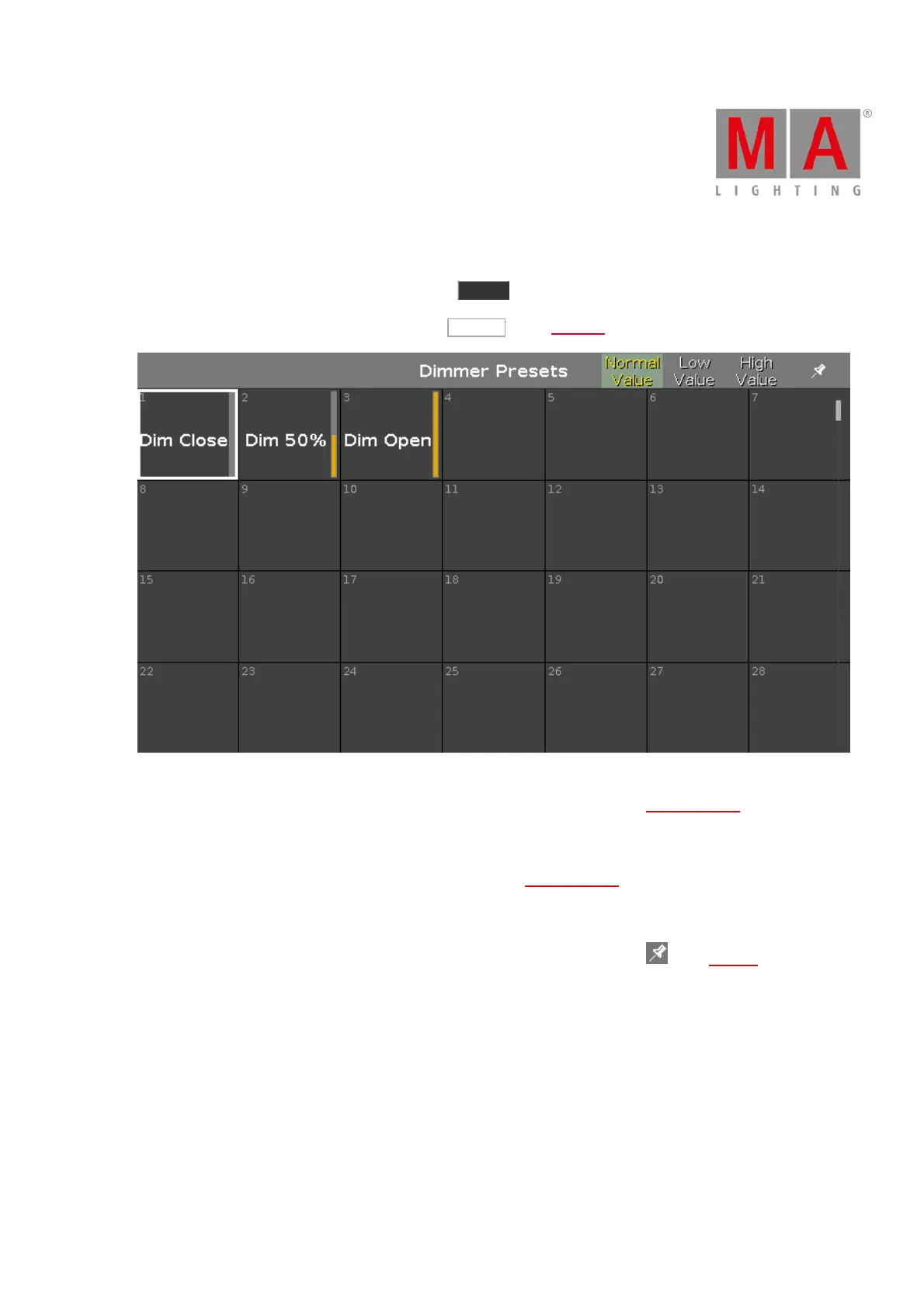
Figure 1: Dimmer Presets Pool
In this view you see the preset pools, depending on the selected preset type in the preset type bar.
There is a presets pool for each preset type available.
To go to the Dimmer Presets Pools View, select Dimmer in the preset type bar.
The title bar displays in which preset view you are.
Pin the current view and deactivate the dynamic view mode with a tap on the pin in the title bar.
The preset pool view is not following the selected preset type in the preset type bar anymore.
You can store 999 preset objects in each preset pool.
To scroll in the presets pool view, slide the vertical scroll bar or slide up and down in the view.
If you store a new object, the console will ask you to label it.



 To Next Page