© 2018 MA Lighting Technology GmbH - Dachdeckerstr. 16 - 97297 Waldbüttelbrunn - Germany
Phone +49 5251 688865-27 - support@ma-dot2.com - www.malighting.com
6.76. Status and Messages Window
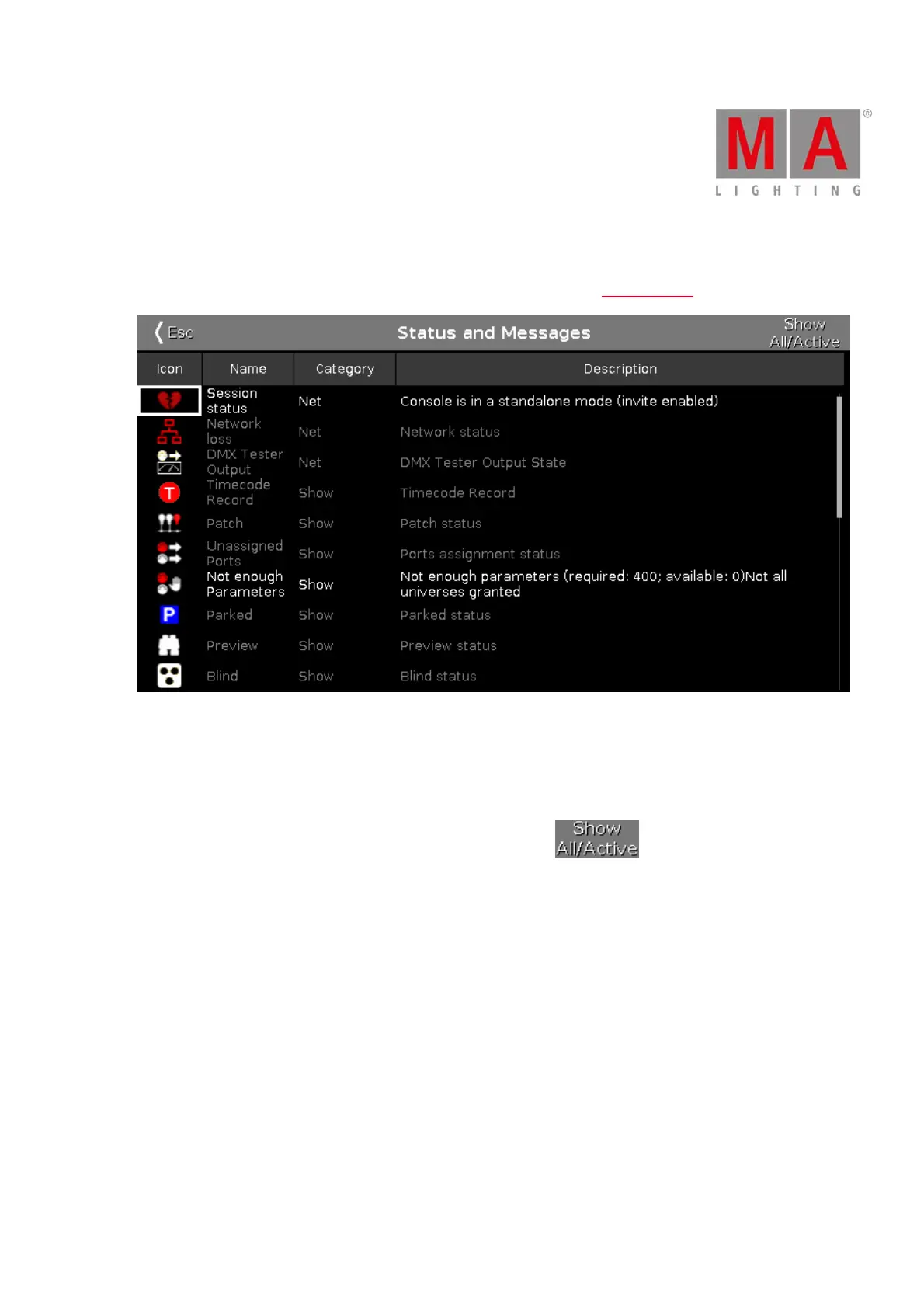
To open the Status and Messages Window, tap at an icon right beside the command line.
Figure 1: Status and Messages Windows - Show All
The Status and Messages window gives you information about the displayed icons right beside the command
line.
All current active status and messages are displayed in white lettering.
To get an overview about all possible status and messages, tap at in the title bar. All possible
status and messages are displayed.
The table has four columns.
Icon:
Displays the icon to the status or message. This is the icon what appears right beside the command line.
Name:
Displays the status or message name.
Category:
Displays the category from the status or message. There are two categories available Show and Net (Network).
All show category messages are stored in the show file and will be loaded with the show file.
All net category messages are irrespective of the show file and are available with different show files.
Description:
Displays detailed information to the status or message.



 To Next Page