© 2018 MA Lighting Technology GmbH - Dachdeckerstr. 16 - 97297 Waldbüttelbrunn - Germany
Phone +49 5251 688865-27 - support@ma-dot2.com - www.malighting.com
6.29. Fixture Schedule Overview Window
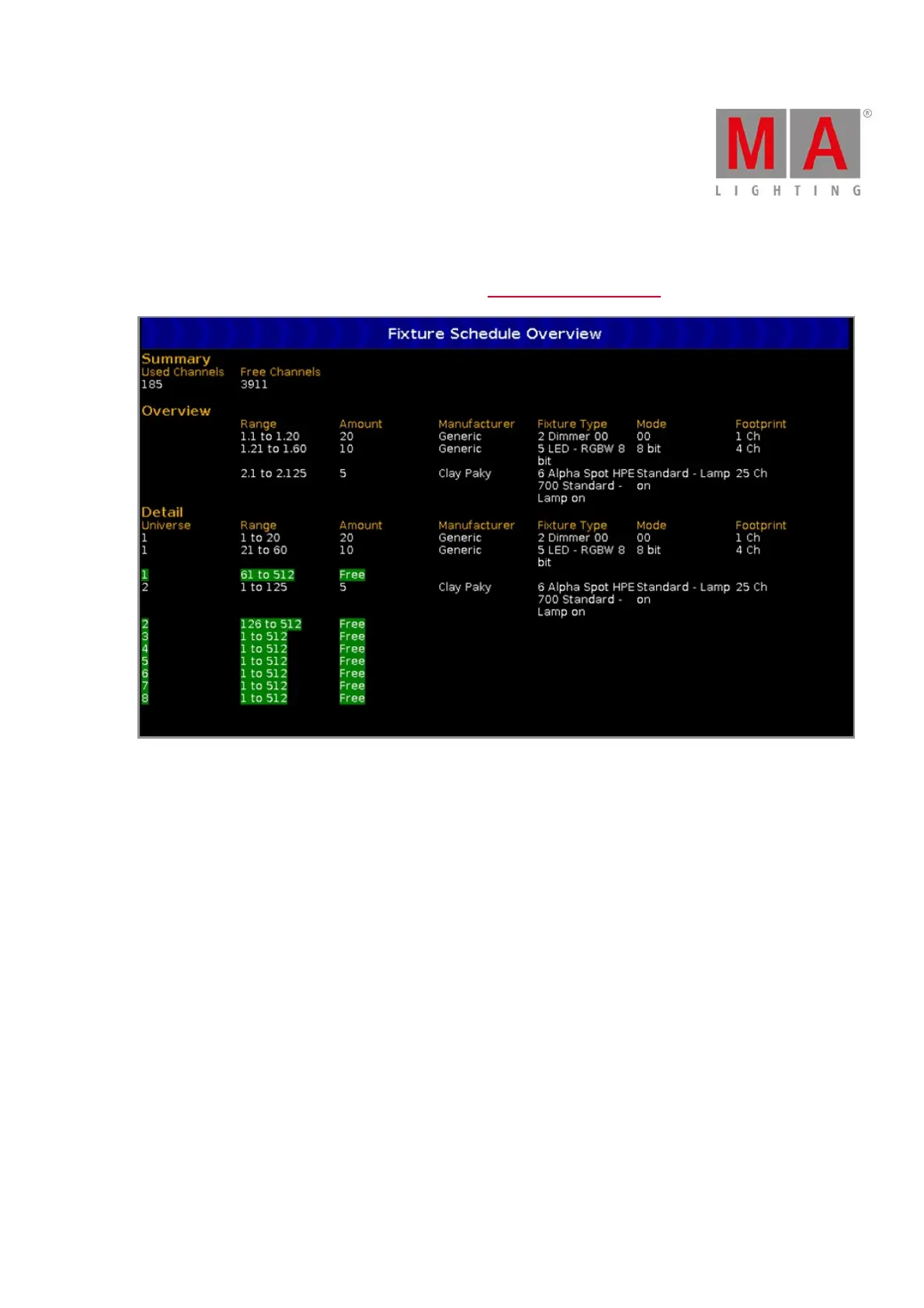
The Fixture Schedule Overview Window is located in the Patch and Fixture Schedule at screen 2.
This view gives you an overview about the imported fixture types from the show file.
The fixture schedule overview is fragmented in three parts: Summary, Overview and Detail.
Summary
The summary displays how many DMX channels are in use and how many DMX channels are free.
Overview
The overview is sorted by fixture types and includes six columns.
Range:
Displays the range from the first start DMX address till the last used DMX address of this fixture type.
Amount:
Displays the how many of this fixture types are imported into the show file.
Manufacturer:
Displays the manufacturer.
Fixture Type:
Displays the consecutive number and the fixture type.



 To Next Page