© 2018 MA Lighting Technology GmbH - Dachdeckerstr. 16 - 97297 Waldbüttelbrunn - Germany
Phone +49 5251 688865-27 - support@ma-dot2.com - www.malighting.com
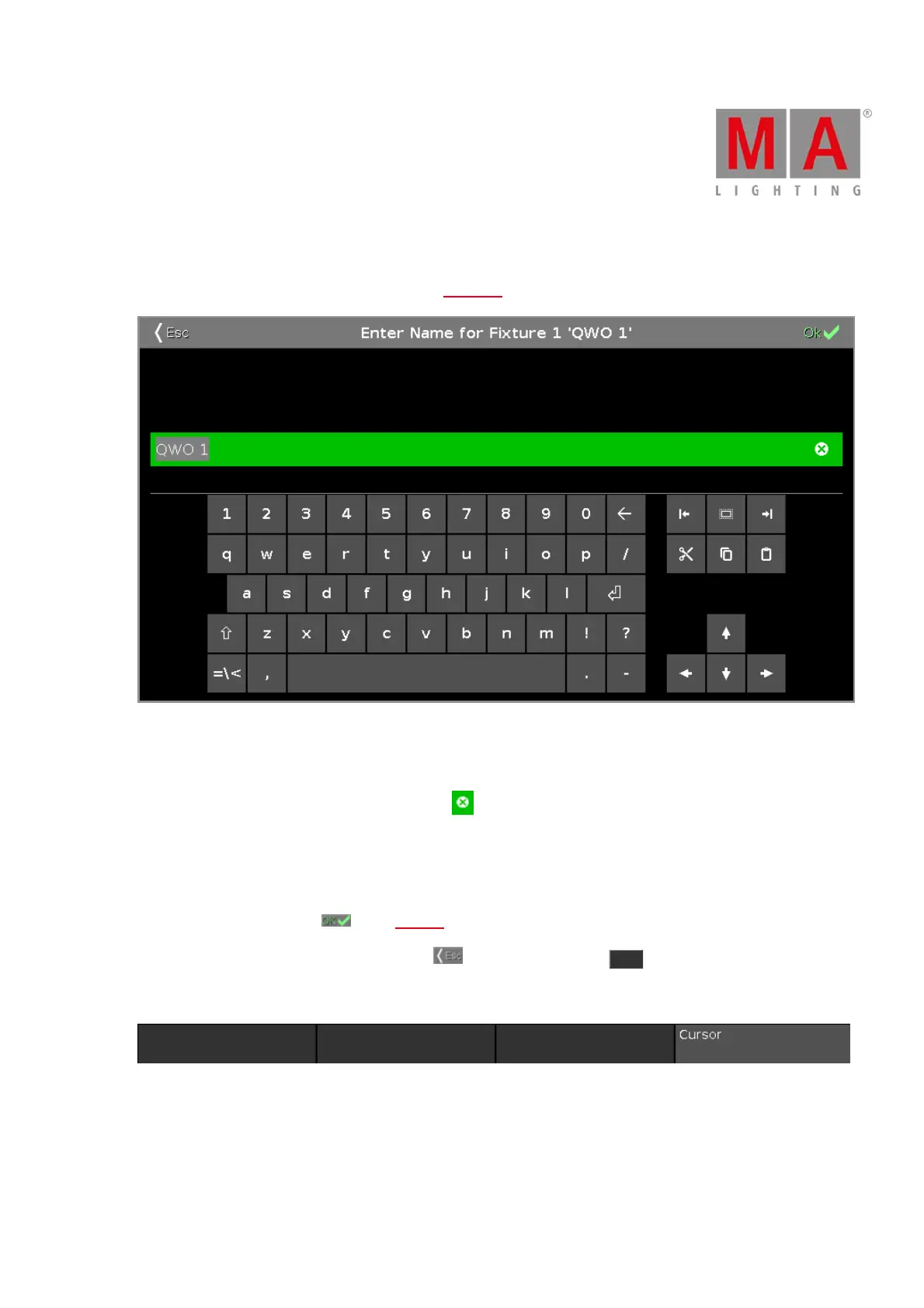
6.25. Enter Name for... Window
To go to the Enter Name for... Window, press the Label key and the object you like to label, e.g. Fixture 1.
In this view, you can edit names of objects.
In the title is displayed what object you edit.
To delete the content in the green edit line, tap the rightmost of the edit line.
To edit the name, tap in the green edit line.
Use the virtual keyboard and number pad below.
To confirm the name, tap OK in the title bar.
To leave the Enter Name for... Window, tap Esc in the title bar or press Esc on the console.
Encoder Bar Functions
Cursor:
To move the cursor to the left or right, turn the encoder left or right.
To confirm the name in the green edit line, press the encoder.
Related Links



 To Next Page