© 2018 MA Lighting Technology GmbH - Dachdeckerstr. 16 - 97297 Waldbüttelbrunn - Germany
Phone +49 5251 688865-27 - support@ma-dot2.com - www.malighting.com
4.9. How to work with cues
Cues contain values for some or all fixtures. If you are looking for more general knowledge about the what cues
are, then please have a look at the What are cues help page.
In this help page we are going to have look at how to work with the cues.
Create cues
Cues are organized in a cue list on an executor. You can store cues on any executor that isn't a group master or a
special master.
You need some fixtures and some values in your programmer. If you don't know what I'm talking about please
have a look at the What is the Programmer and How to add and patch fixtures help pages.
With some active values in your programmer you can choose to store this information in a cue. This can be on
the main executor or on one of the other executors. If you don't know what executors are please read the What
are executors help page.
If you want to store your values in a cue on the main executor press Store Please . This will store the first
available cue number. If you don't have anything on the main executor before doing this then you'll now have cue
number 1. If you have cue number 1, then you'll not store the values directly. Instead you'll be asked what you
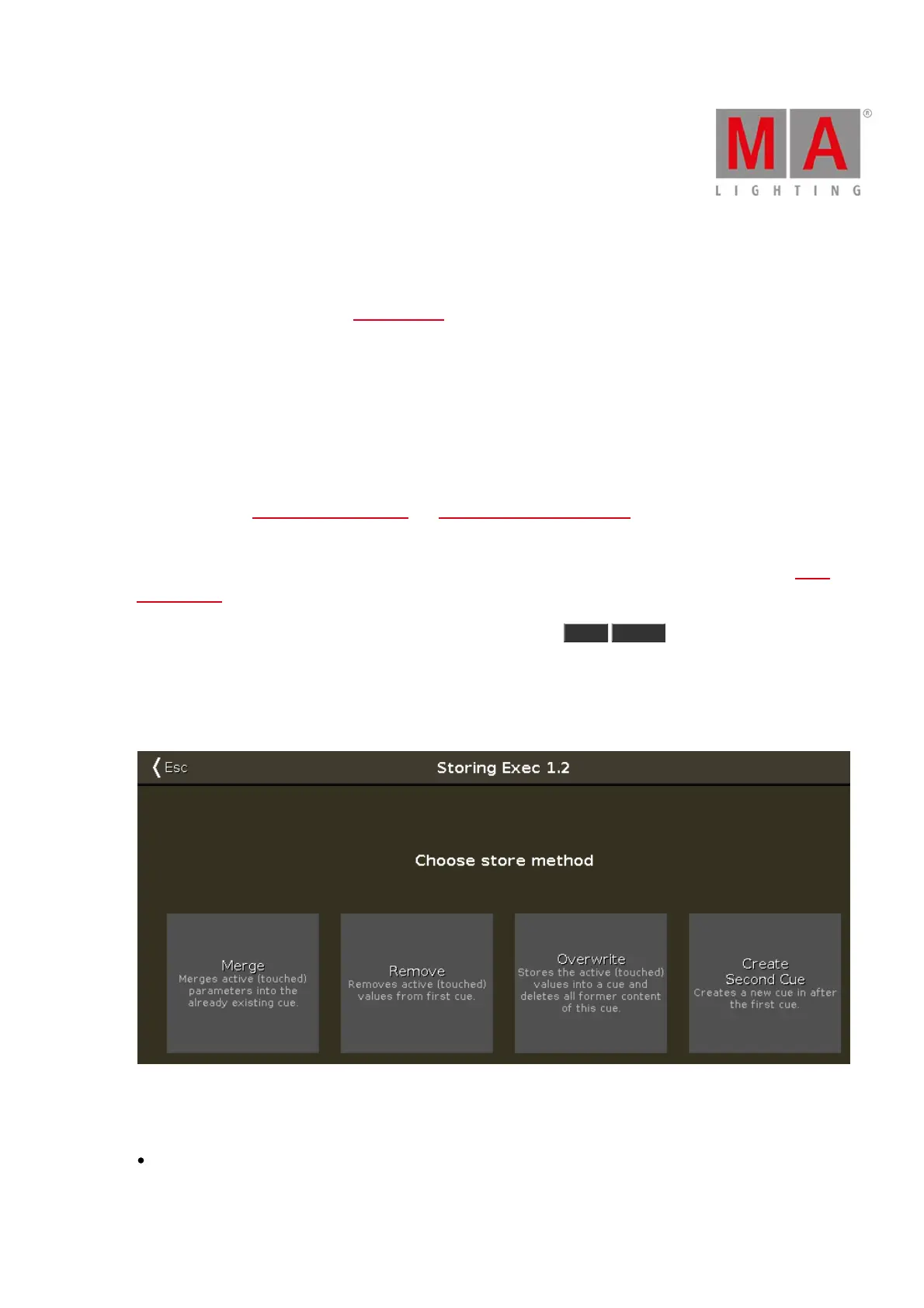
want to do. This is generally the case the second time you store a cue on an executor. You'll get this Choose Store
Method window:
Figure 1: Choose store method.
There are four options here:
Merge - This option will add the values to the existing values in the cue.



 To Next Page