© 2018 MA Lighting Technology GmbH - Dachdeckerstr. 16 - 97297 Waldbüttelbrunn - Germany
Phone +49 5251 688865-27 - support@ma-dot2.com - www.malighting.com
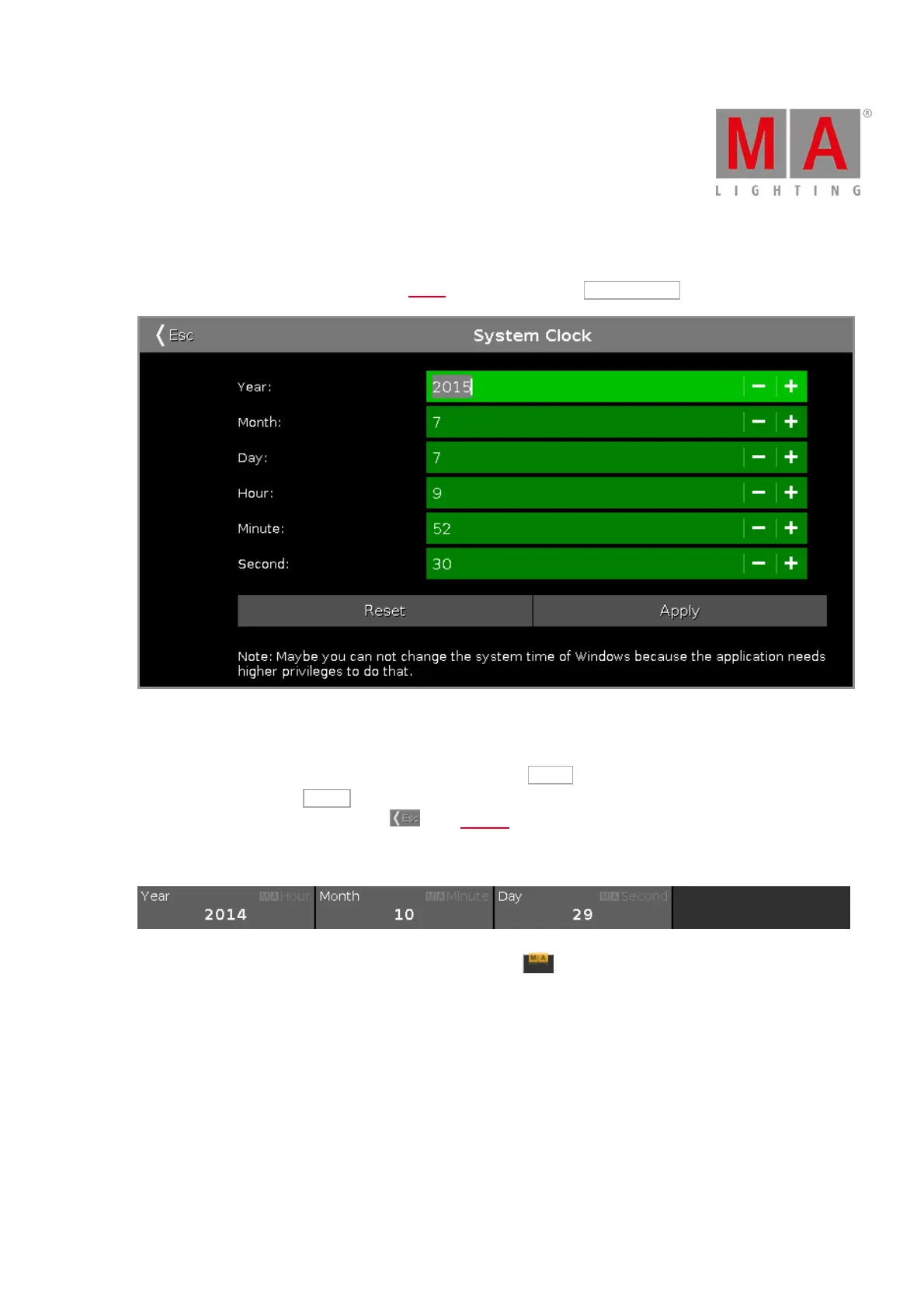
6.77. System Clock Window
The System Clock Window is located in the Setup, column Console, tap System Clock .
In this view, you adjust the system clock.
To adjust the system clock, tap the plus or minus.
To reset the system clock to the last applied system clock, tap Reset .
To apply the changes, tap Apply .
To leave the System Clock Window. Tap in the title bar.
Encoder Bar Functions
To use the second function of an encoder, press and hold the key.
Year or Hour:
To select the year or the hour, turn the encoder left or right.
Month or Minute:
To select the month or the minute, turn the encoder left or right.
Day or Second:
To select the day or the second, turn the encoder left or right.
Related Links



 To Next Page