© 2018 MA Lighting Technology GmbH - Dachdeckerstr. 16 - 97297 Waldbüttelbrunn - Germany
Phone +49 5251 688865-27 - support@ma-dot2.com - www.malighting.com
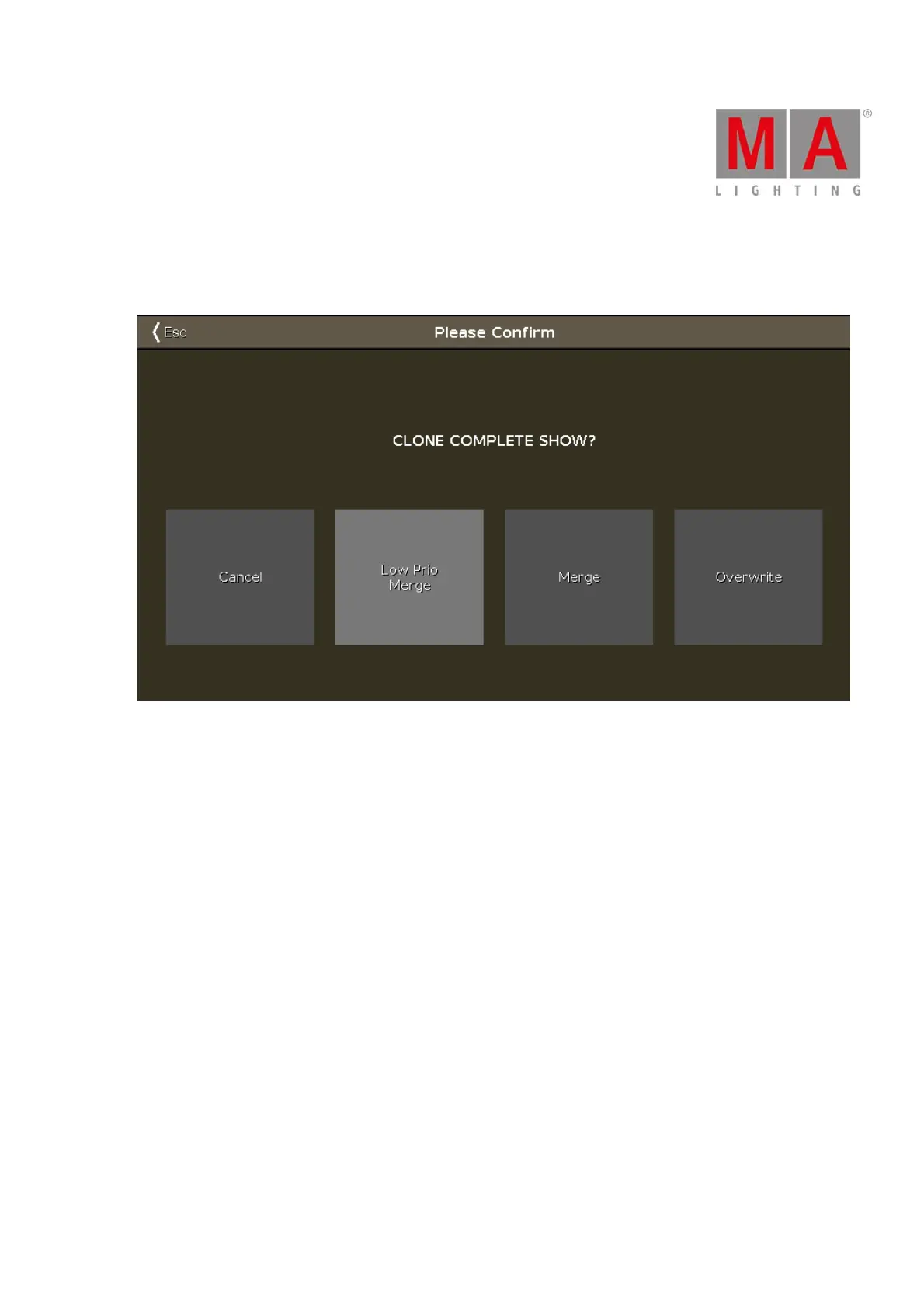
6.9. Choose Clone Method Window
If you try to clone a fixture, the console ask to choose the clone method.
Figure 1: Choose clone method window
There are four options available.
Cancel:
Tap to cancel the clone command.
Low Prio Merge:
Tap to add the values from the source fixture to the destination fixture.
If the destination fixture has previous defined values, they will stay.
If the destination fixture has no previous defined values, the fixture will get the values from the source fixture.
Merge:
Tap to add values from the source fixture on the top of the destination fixture.
Overwrite:
Tap to overwrite the existing values from the destination fixture with the values from the source fixture.
Previous defined values will be deleted.
Example Low Prio Merge
Fixture 1 stored on executor 2 - cue 1, has a defined color red and a gobo.
Fixture 2 stored on executor 3 - cue 1, has a defined position pan and tilt.



 To Next Page