6.1.3. Executor Bar
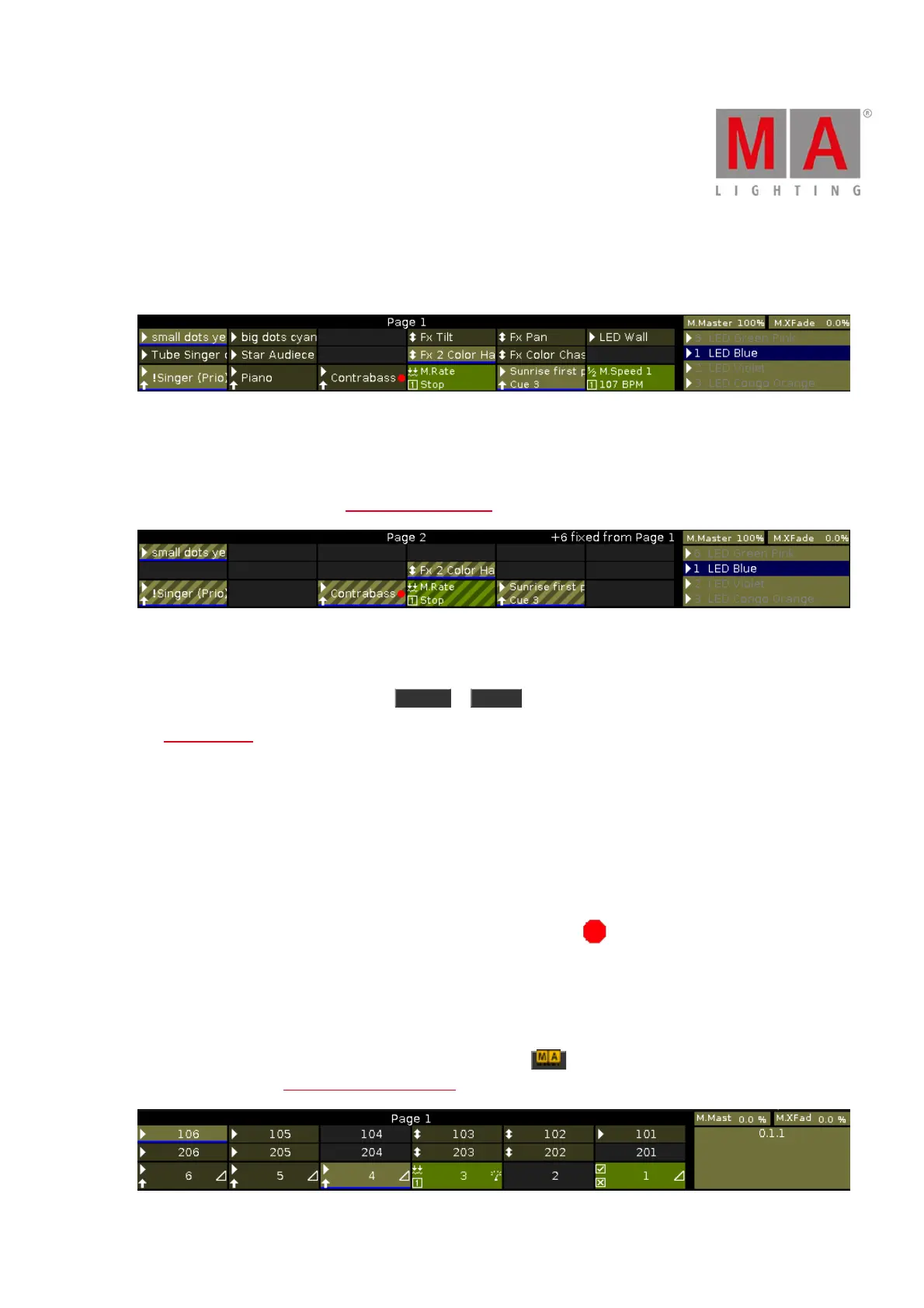
The Executor Bar is always visible at the bottom of screen 2 and all other wing screens.
Figure 1: Executor Bar Page 1
The executor bar displays information about the stored executor.
The top of the executor bar displays the current page and if an executor is fixed from another page.
To turn off global autofix refer to global settings window.
Figure 2: Executor Bar Page 2 with fixed executors
The executor bar consists of up to 999 pages.
To switch over between the pages: Press Page + or Page - .
The executor color displays the type of an executor.
The executor bar is divided into the main executor (right), 12 normal executor buttons (first two lines) and 6 fader
executor buttons (bottom line).
If you store a cue on an executor, the console asks you to label the executor.
If you do not tap the label pop-up, the executor will be called Exec.
The blue bar displays the fade time of a cue from 0 % to 100 %.
If a timecode record is running on an executor, the flashing record icon is visible.
If the position of a hardware fader differs from the position in the software, a small fader bar displays the
position of the fader in the software. Take the hardware fader and bring it to its software position.
The main executor also shows the faders if one of the hardware faders is not on the correct position.
To see the executor number and the fader icon, press and hold . For more information about the fader icons
and their functions see Select Function of Executor.



 To Next Page