© 2018 MA Lighting Technology GmbH - Dachdeckerstr. 16 - 97297 Waldbüttelbrunn - Germany
Phone +49 5251 688865-27 - support@ma-dot2.com - www.malighting.com
Figure 3: Executor bar – MA key enabled
To open the executor bar window, tap the executor bar.
Main Executor
The main executor is displayed on the right of the executor bar along with the two 100 mm faders.
Figure 4: Main Executor On
It is constructed as follows:
The trigger icon is displayed first. It is then followed by the cue number along with the cue name.
Set as default, the first fader bar displays the position of the master fader and the second fader bar displays that
of the XFader.
The current cue is displayed in the second line so that the cues before and after the current cue are visible.
If the executor is on, the executor button is highlighted and the current cue is displayed in the second line in
white.
If the executor is off, an [Off] is displayed in the second line.
Figure 5: Main Executor Off
Fader Executor
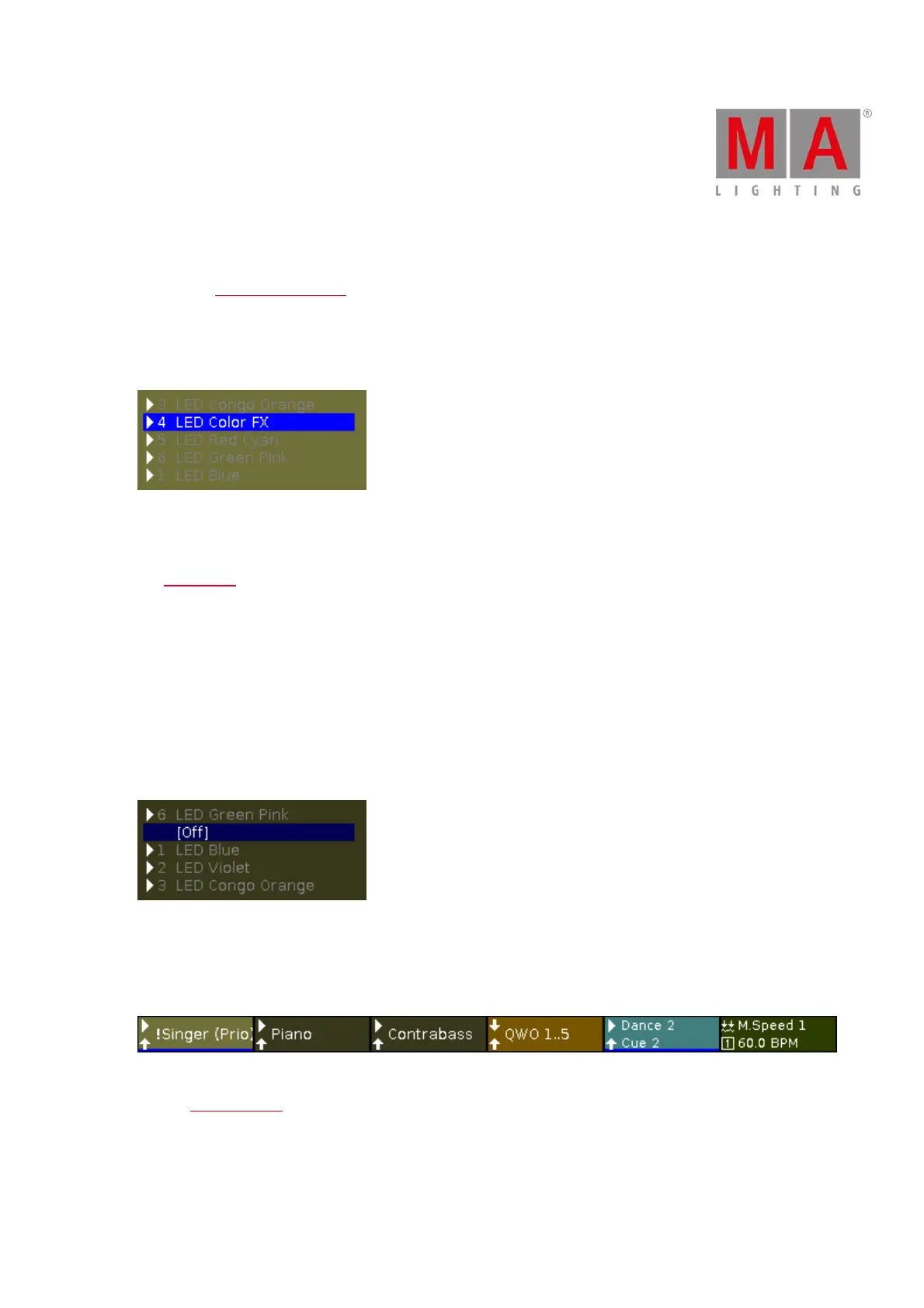
The six fader executors are visible in the line displayed lowermost in the executor bar.
Figure 6: Line displayed lowermost in the executor bar
The two executor icons and the name of the executor are visible for the respective executor button on the
console.
If an executor is assigned to a cue list that is enabled, the number of the cue is displayed in the second line.



 To Next Page