© 2018 MA Lighting Technology GmbH - Dachdeckerstr. 16 - 97297 Waldbüttelbrunn - Germany
Phone +49 5251 688865-27 - support@ma-dot2.com - www.malighting.com
4.4. How to save and load your show
Your shows can be saved to the internal drive of the dot2 console. But it can also be saved to an external USB
drive. When you have shows stored, you can load them into console and play them back.
The Backup menu
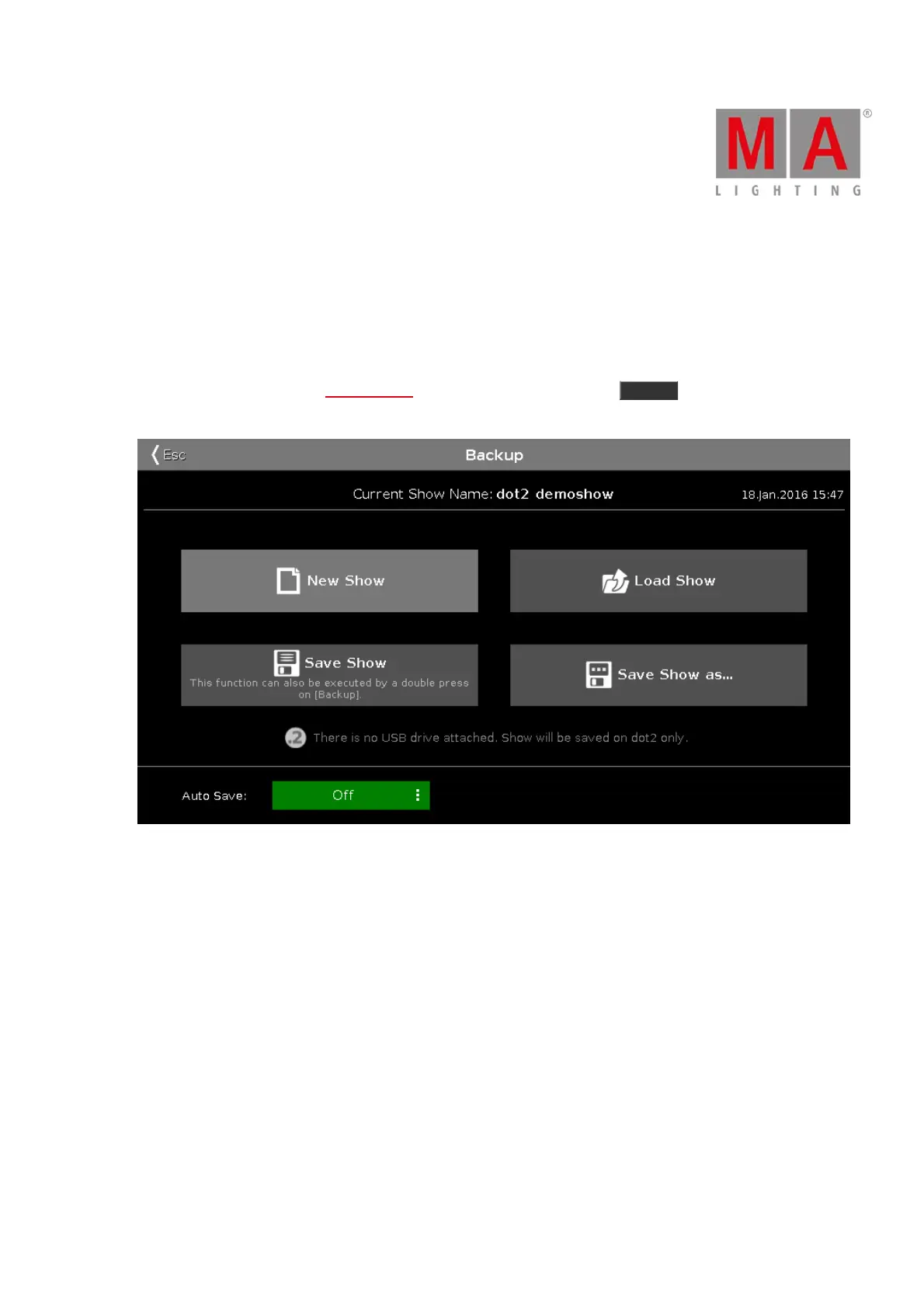
All this is controlled using the Backup menu. You access this by pressing the Backup key. The menu can look
like this:
Figure 1: Backup Window
At the heart of this menu are the four big buttons.
Above these buttons you can see the name of your currently loaded show and the last time it was saved.
The right encoder allows you to choose between the four buttons.
Below the four buttons you are told if there's an USB drive attached to your console or not. If there's an USB drive
attached then saving your show will save the show both on the internal drive and on the external drive.
Below this is an Auto Save function. Here you can choose a time interval which will be used as a countdown for
when the console will automatically save the show.



 To Next Page