© 2018 MA Lighting Technology GmbH - Dachdeckerstr. 16 - 97297 Waldbüttelbrunn - Germany
Phone +49 5251 688865-27 - support@ma-dot2.com - www.malighting.com
6.20. Dimmer Preset Type View
To go to the Dimmer Preset Type View, tap Dimmer in the Preset Type Bar.
- or -
Press and hold and press 1 , for preset type 1 (= Dimmer).
The dimmer preset type view has one default tab dimmer view and depending on the fixture type raw dimmer
view.
To open the dimmer effects view at screen 1, tap at in the title bar.
If an effect is running on a selected fixture, the dimmer preset type view change into an effect mode and get a
blue effect mode title bar.
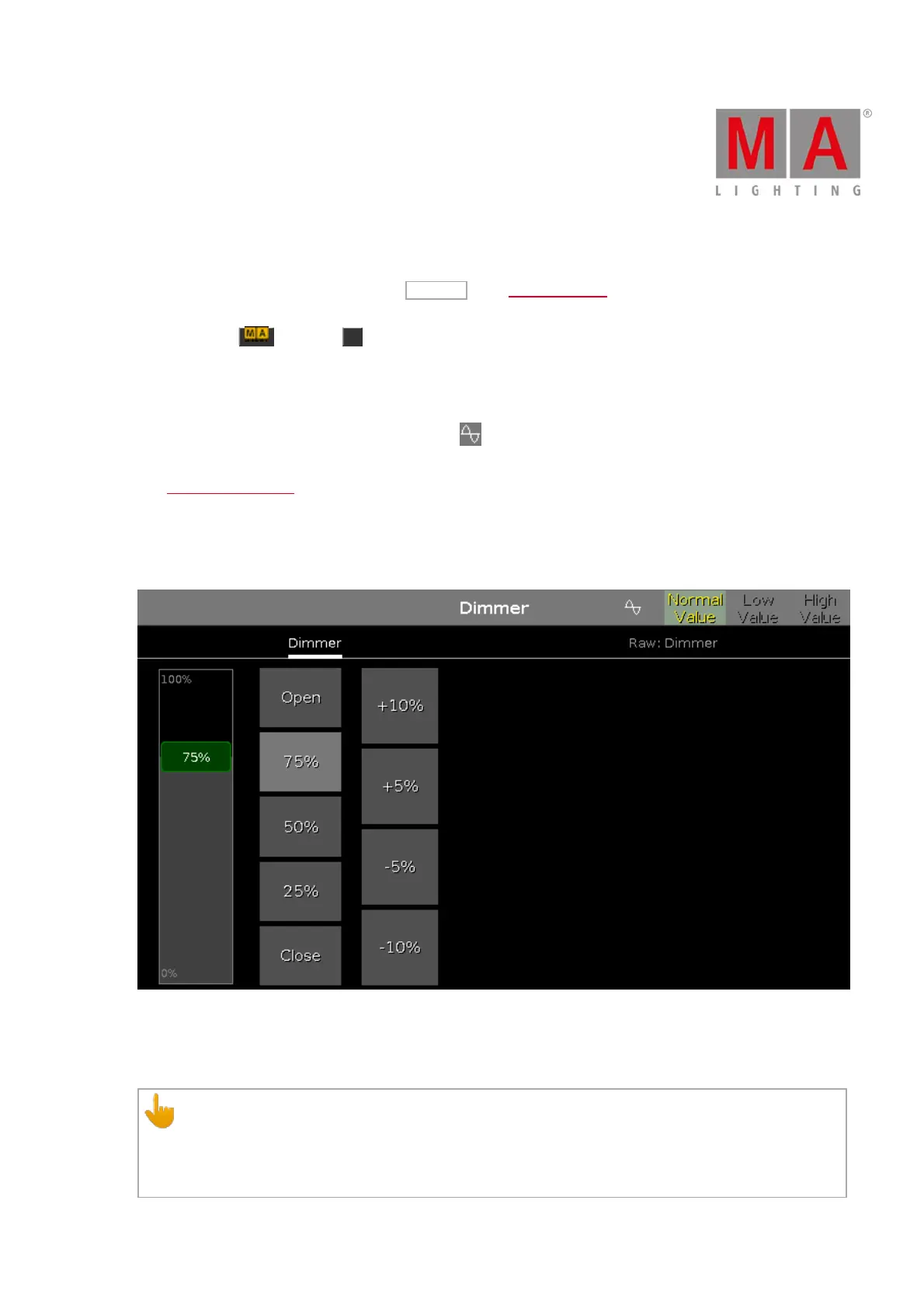
Dimmer View
The dimmer view is the first tab of the dimmer preset type view.
In the dimmer view, you control the dimmer values in percent.
To select a dimmer value move the dimmer slider up or down.
Important:
The dimmer slider works absolute. A tap on the dimmer slider sets a new dimmer value and does not
follow the already set dimmer values.
The dimmer wheel and the respective encoder works relative to the already set dimmer values.



 To Next Page