© 2018 MA Lighting Technology GmbH - Dachdeckerstr. 16 - 97297 Waldbüttelbrunn - Germany
Phone +49 5251 688865-27 - support@ma-dot2.com - www.malighting.com
6.24. Empty Executor Window
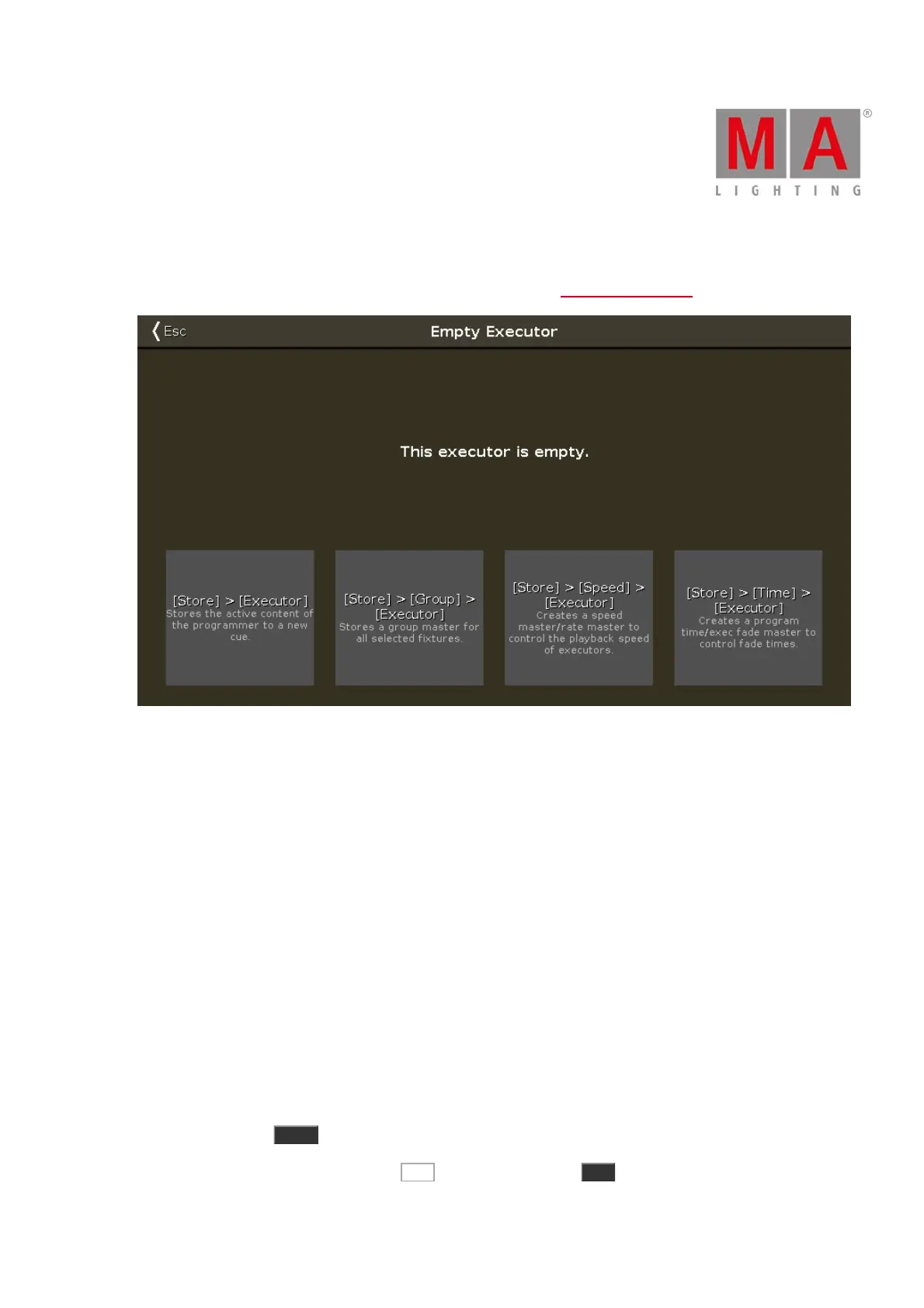
To get to the Empty Executor Window, tap an empty executor in the executor bar window.
Figure 1: Empty Executor Window
There are four executor options:
Store Executor:
Tap to store the active programmer values as a cue on the executor.
Store Group Executor:
Tap to store the selected fixture as a group master on the executor.
Store Speed Executor:
Tap to make this executor one of four speed masters or a rate master.
A speed master controls the speed of effects in cues and the playback speed of chasers.
The rate master multiplies the cue timing by the factor that was set by the rate master fader.
Store Time Executor:
Tap to make this executor as an executor time master or program time master.
The executor time master overrides cue fade, on/off times, and sets the cue delay to zero.
The program time master controls the fade times of all program values between 0 and 10 seconds.
This affects both, the adding of new values into the programmer, and the removing of values from the
programmer with the Clear key.
To leave the Empty Executor Window, tap Esc in the title bar or press Esc on the console.



 To Next Page