© 2018 MA Lighting Technology GmbH - Dachdeckerstr. 16 - 97297 Waldbüttelbrunn - Germany
Phone +49 5251 688865-27 - support@ma-dot2.com - www.malighting.com
6.1.2. Encoder Bar
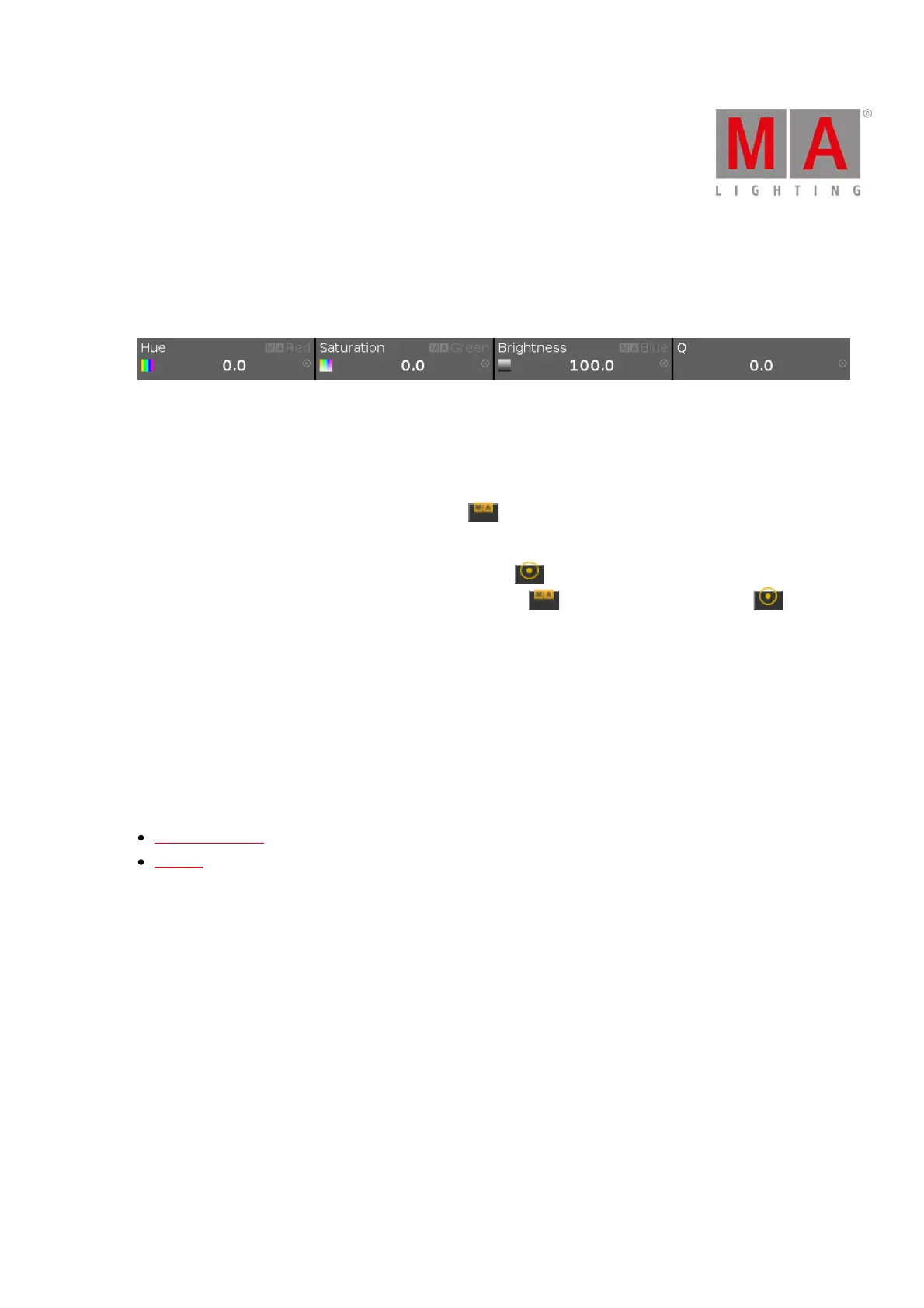
The encoder bar is visible always on screen 1. It shows information about the function from the respective
encoder.
One encoder can have 2 functions. The default function of an encoder is displayed in the upper left corner in
white.
If an encoder has a second function, it is displayed in the upper right corner in gray.
To switch between the functions: Press and hold the key.
The default encoder speed is without decimal place.
To change the encoder speed to slow, press the encoder key . The encoder speed is with decimal place.
To change the encoder speed to ultra slow, press and hold the key and press the encoder key . The
encoder speed equals one DMX step.
If the encoder is just dark gray, the encoder has no function.
Depending on the view, the encoders can have the following functions.
Scroll, Attributes, Quantity, Fixture ID and many more.
To edit the function of the respective encoder: Tap the encoder button or press the encoder.
Related Links
Control Elements
MA Key



 To Next Page