© 2018 MA Lighting Technology GmbH - Dachdeckerstr. 16 - 97297 Waldbüttelbrunn - Germany
Phone +49 5251 688865-27 - support@ma-dot2.com - www.malighting.com
5.36. MA key
The key is a modifier key. When it's pressed with other keys, they get an alternate function.
The alternate functions are described under each key.
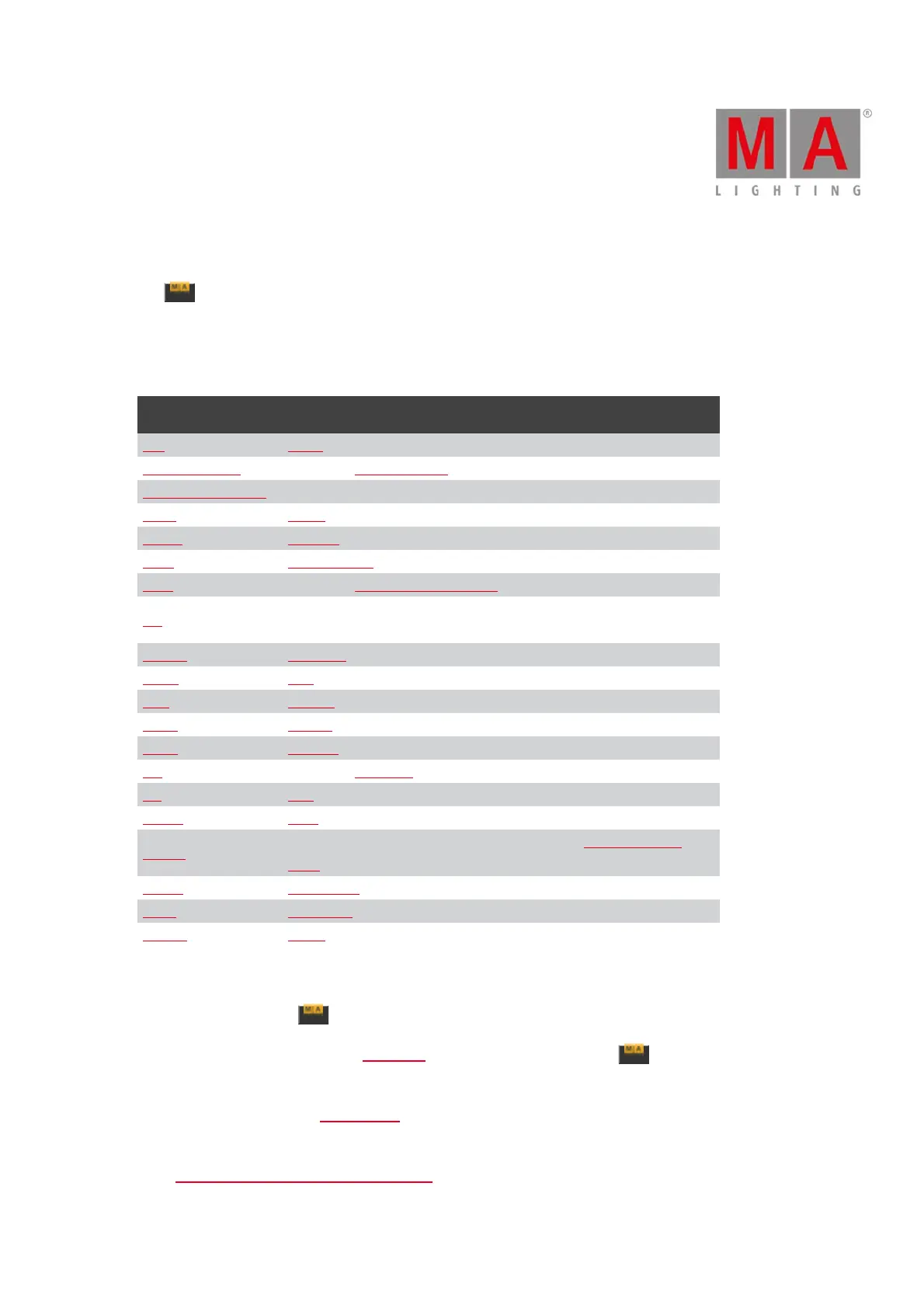
This is a list of all the Keys that have an alternative function:
Key: Alternative command or function:
<<< Black command.
0 [Numeric key] Opens the All Preset Pool.
1 - 9 [Numeric keys] Opens the matching Preset Controls on the right screen.
Copy Clone command.
Delete Remove command.
DMX DMXUniverse command.
Exec Opens the Virtual Playbacks view.
Fix
Locks the console. It can be unlocked using the same key
combination.
Fixture Selection command.
Flash Top command.
Go+ Unpark command.
Label Assign command.
Move Replace command.
Off Opens the Off Menu.
On Call command.
Pause Park command.
Please
Sets focus to the command line and opens the Command Line
View.
Preset PresetType command.
Store StoreLook command.
Toggle Temp command.
Pressing and holding the also gives a few other changes on the screens:
It makes a temporary change in the DMX view. When you press and hold the key, then you see the DMX
address instead of the DMX value.
There is also a change in the Executor Bar. Here you'll see the executor numbers and the keys and faders function
symbols, on the area where you normally see the cues and content of the executor.
In the Fixture Symbol and Fixture Layout Views you can see the currently active color and gobo in each symbol



 To Next Page