© 2018 MA Lighting Technology GmbH - Dachdeckerstr. 16 - 97297 Waldbüttelbrunn - Germany
Phone +49 5251 688865-27 - support@ma-dot2.com - www.malighting.com
6.48. Off... Window
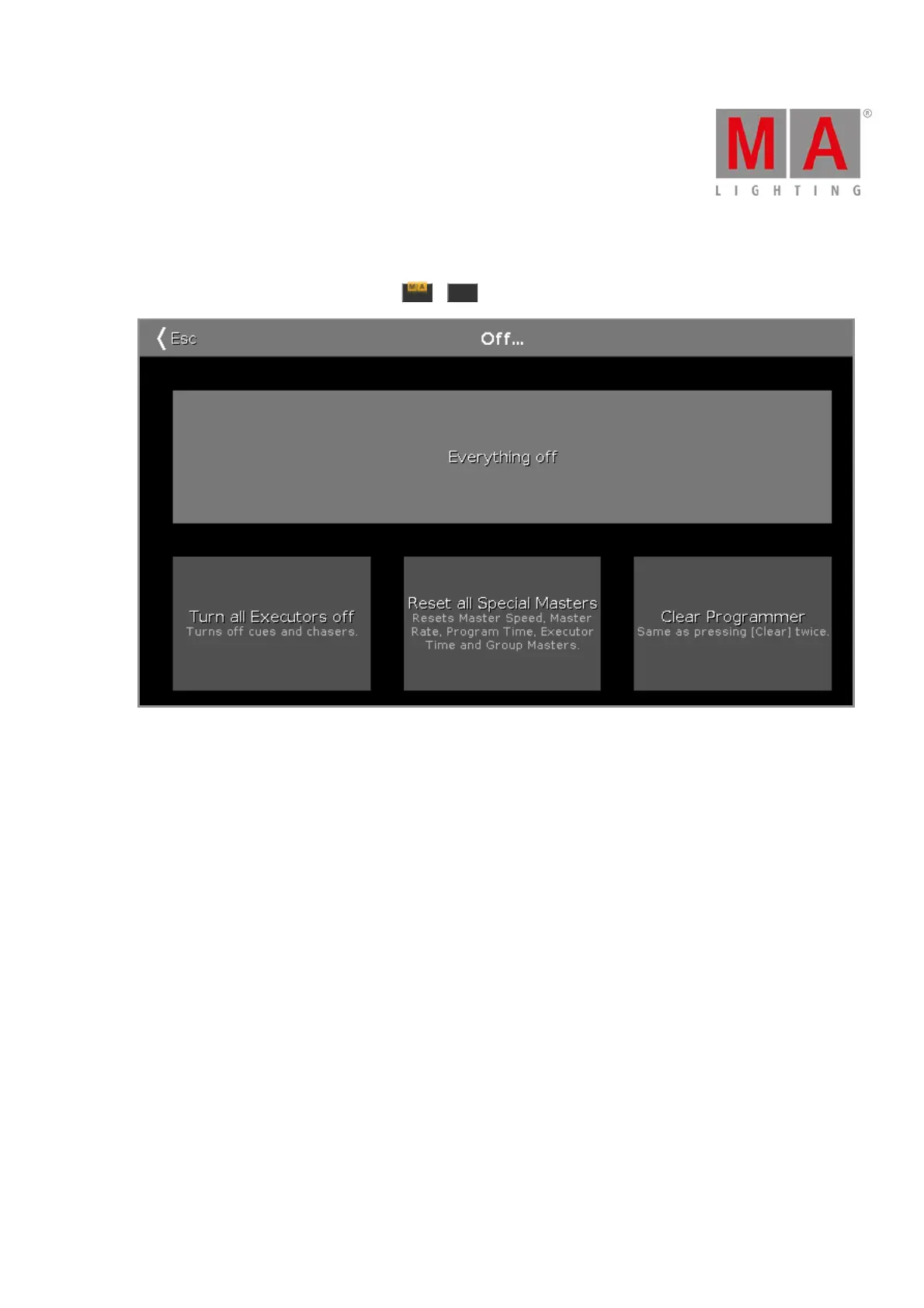
To open the Off... Window, press and hold + Off at the console. The Off... Window opens at screen 1.
Figure 1: Off Window
To apply a off function, tap at the button or press the encoder.
In the Off... Window are four buttons available:
Everything off:
Turns all executor off, resets all special masters and clears the programmer.
Turn all Executors off:
Turns off all running cues and chasers.
Reset all Special Masters:
Turns off the program time master and executor master.
Resets the master speed to 60 BPM.
Resets the master rate to 1:1.
Resets the group master to 100%.
Clear Programmer:
Deselect the selected fixtures in the fixtures view.
Deletes all values in the programmer and set them back to the default values or to values from executors.



 To Next Page