© 2018 MA Lighting Technology GmbH - Dachdeckerstr. 16 - 97297 Waldbüttelbrunn - Germany
Phone +49 5251 688865-27 - support@ma-dot2.com - www.malighting.com
6.2. Icons Used in Views & Windows
The following icons are used in the dot2 console.
Normal Executor Icons
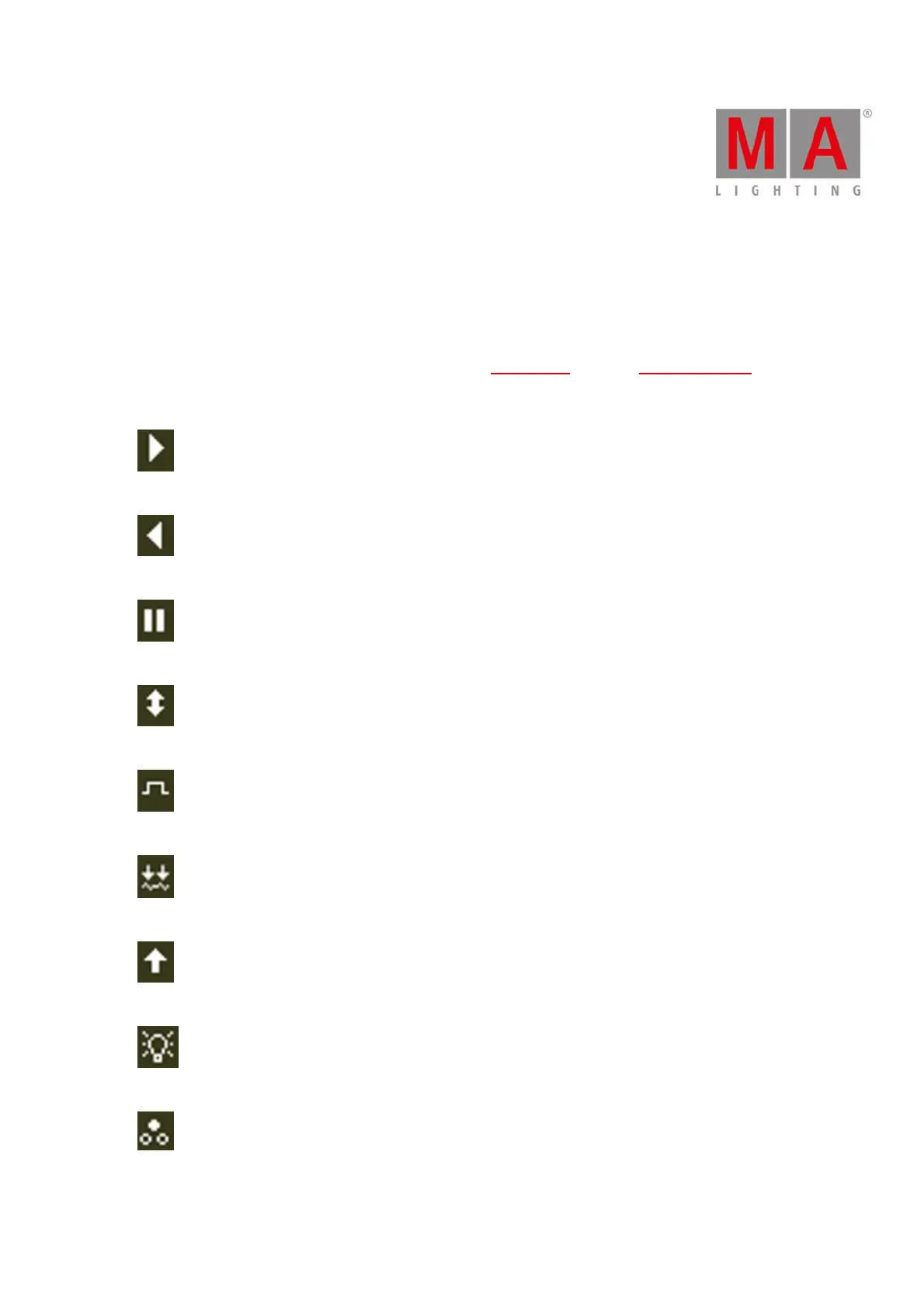
Executor icons are located in all normal executors in the executor bar and in the magic speed view.
The icons display the function of an executor.
Go: The executor calls the next cue.
Go Back: The executor calls the previous cue.
Pause: The executor stops an x-fade and effects in the current cue.
Toggle: Turns the executor on or off.
Temp: Turns the executor on as long as you press the button. Follows master fader and timings.
Learn: The executor learns a tact (BPM).
Flash: Turns the executor to full as long as you press the button. Timings will be ignored.
Select: The executor selects all fixtures of the cue list.
Swop: Turns the executor to full as long as you press the button. All dimmer values in other executors will be set
to zero, if not swop-protected.



 To Next Page