© 2018 MA Lighting Technology GmbH - Dachdeckerstr. 16 - 97297 Waldbüttelbrunn - Germany
Phone +49 5251 688865-27 - support@ma-dot2.com - www.malighting.com
6.56. Select DMX Address... Window
The Select DMX Address... Window is located at the Setup, tap Patch & Fixture Schedule.
1. For existing fixtures:
press and hold in the column Patch the cell from the fixture you want patch.
2. For new fixtures:
tap Add New Fixtures, tap at the last field Patch the Select button.
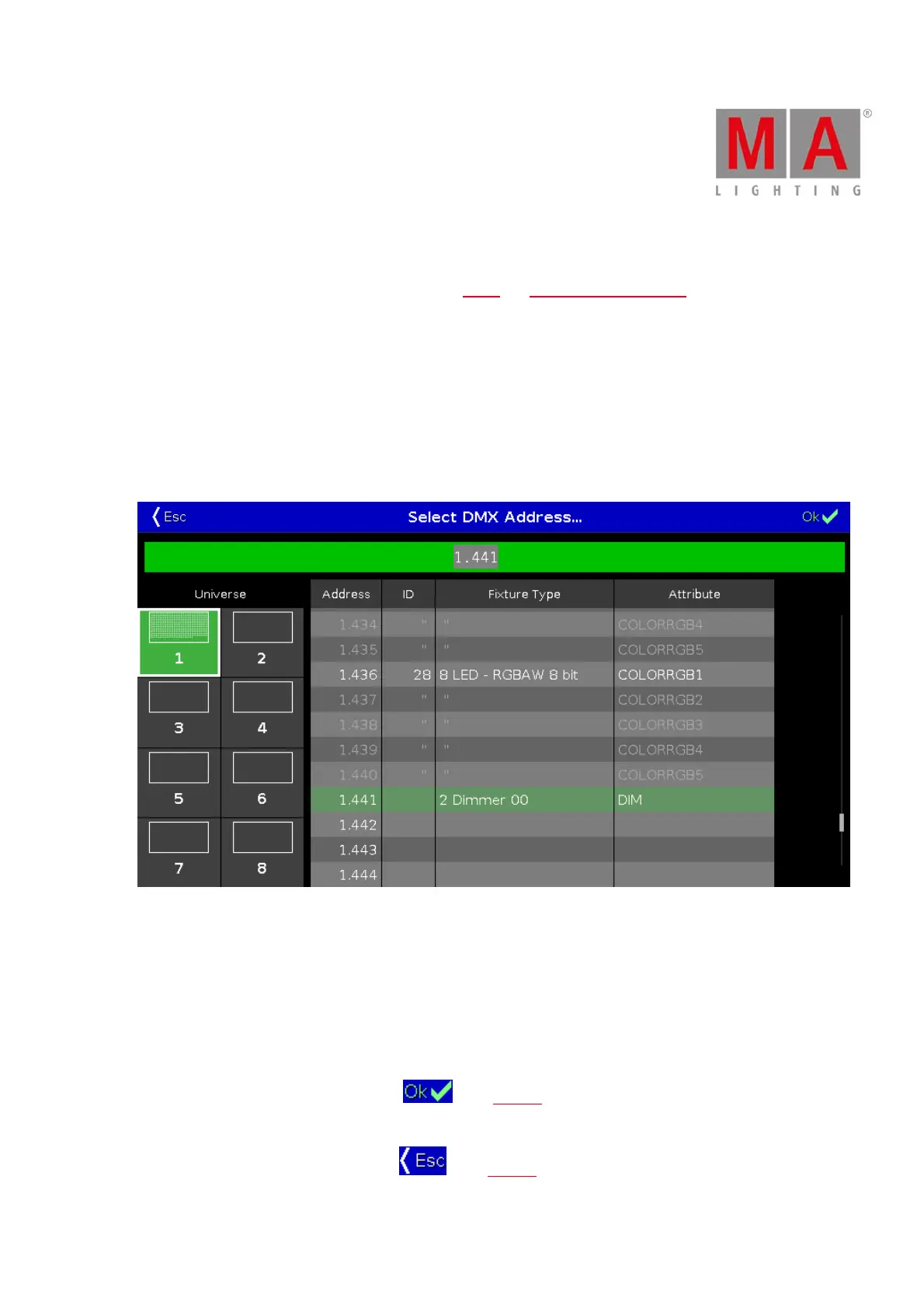
The Select DMX Address... Window opens.
Figure 1: Select DMX Address... Window
In this window, you patch fixtures and select a DMX address.
Below the title bar is the green edit line.
To jump to a DMX address, type the DMX address in the edit line.
The edit line displays also the selected DMX address from the table.
To confirm a selected DMX address, press in the title bar. The window closes and you are back in the
previous window.
To leave the DMX Address Window, press in the title bar. You are back in the previous window.



 To Next Page