© 2018 MA Lighting Technology GmbH - Dachdeckerstr. 16 - 97297 Waldbüttelbrunn - Germany
Phone +49 5251 688865-27 - support@ma-dot2.com - www.malighting.com
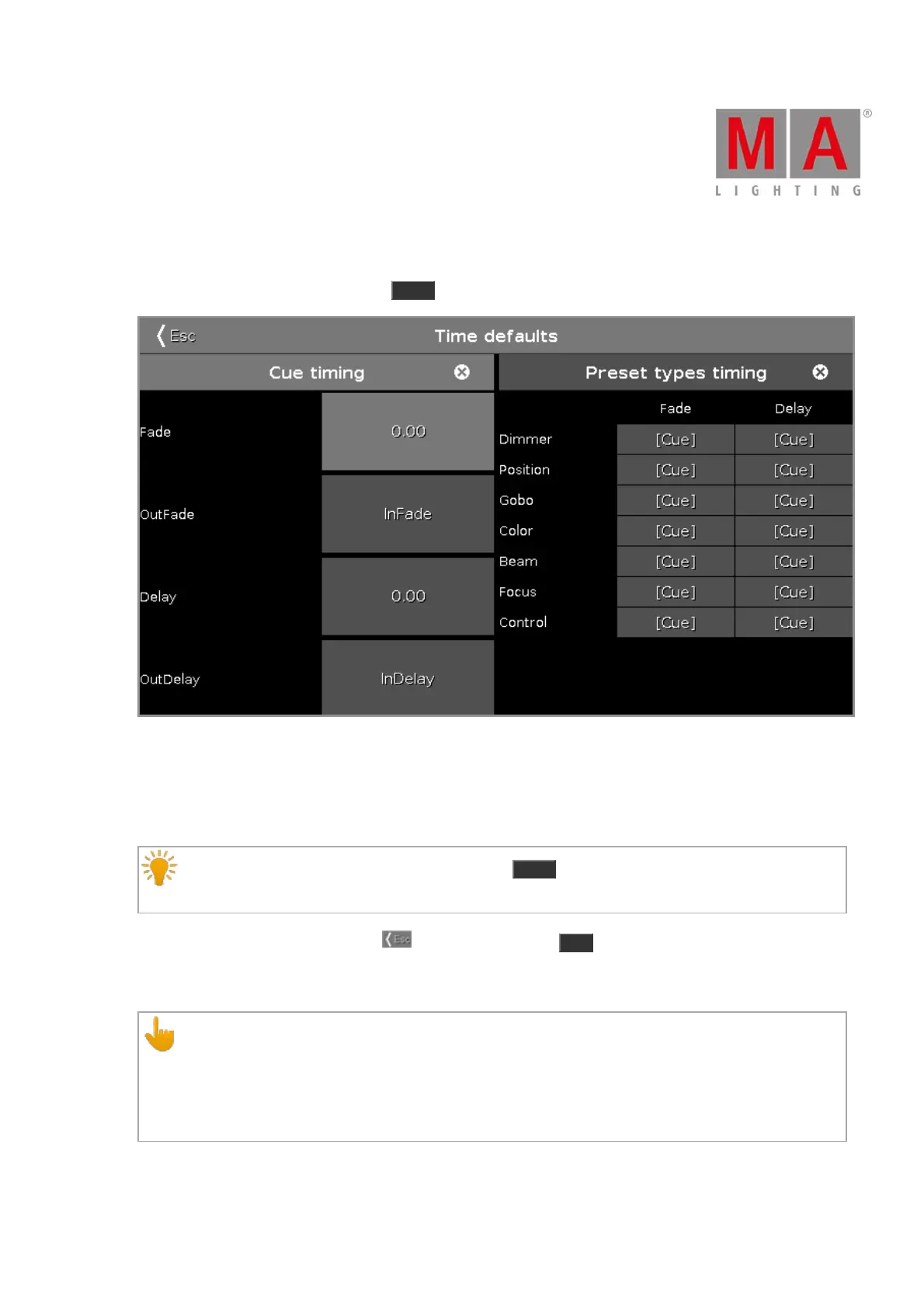
6.79. Time defaults Window
To open the time defaults window, press Time on the console.
The time defaults window opens at screen 1.
In this window, you can set default timing for cues and preset types.
If a default timing is set, this time is always used for the following actions, e.g. store a cue.
If a time default is set and you try to store a cue, the Time key will blinking to remind you at the stored
time defaults.
To leave the time defaults window, tap at the title bar or press Esc on the console.
Cue Timing
Cue timings have a lower priority than preset type timings. Cue timings will be replaced by preset type
timings.
Example:
If you have a cue stored with a cue timing and including a preset type timing, the cue timing will be
replaced for that preset from the preset type timing.
The following default cue timings are possible:



 To Next Page