© 2018 MA Lighting Technology GmbH - Dachdeckerstr. 16 - 97297 Waldbüttelbrunn - Germany
Phone +49 5251 688865-27 - support@ma-dot2.com - www.malighting.com
6.44. Network Interface Window
This window is only available on the dot2 onPC.
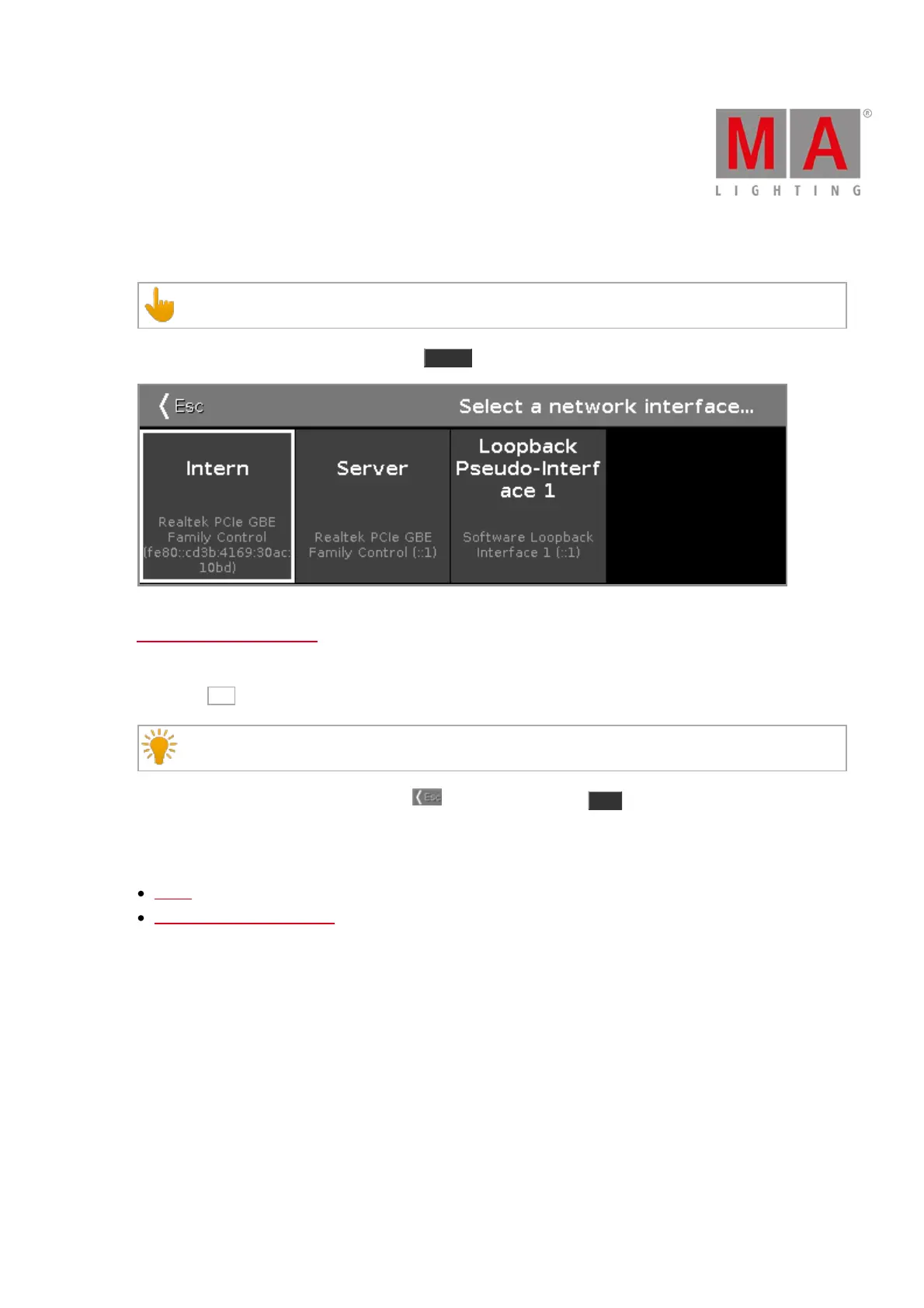
To open the Network Interface Window, press Setup and tap in the column DMX/Network at Network Interface.
In this window, you select the network interface for the dot2 onPC. To see the current network interface, open the
System Information Window.
To select a network interface, tap on the respective tile. The console asks to confirm the settings and restart the
onPC. Tap Ok .
It is not necessary to save the show file.
To leave the Network Interface Window, tap in the title bar or press Esc on the console. You are back in the
Setup.
Related Links
Setup
System Information Window



 To Next Page