© 2018 MA Lighting Technology GmbH - Dachdeckerstr. 16 - 97297 Waldbüttelbrunn - Germany
Phone +49 5251 688865-27 - support@ma-dot2.com - www.malighting.com
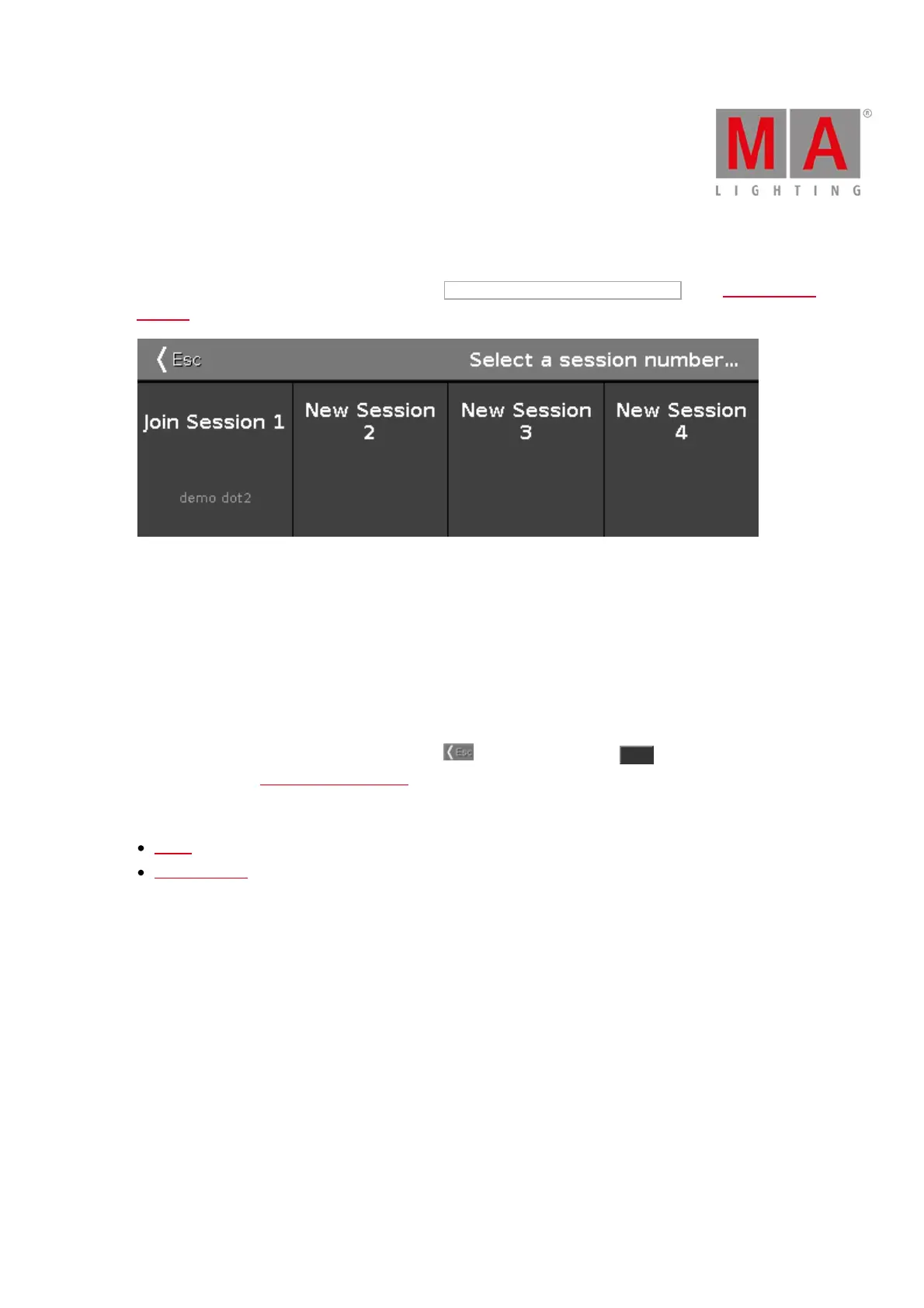
6.63. Select Session Number Window
To go to the Select Session Number Window, tap Start new or join an existing session in the Network Setup
Window.
This window displays all available sessions.
The upper limit is four sessions.
If a session exist, the session is displayed as Join Session along with the name of the show file.
To join or start a new session, tap on the respective tile.
If you join a session, the show file of the master will be downloaded to the device.
To leave the Select Session Number Window, tap in the title bar or press Esc on the console.
You are back in the Network Setup Window.
Related Links
Setup
Network Setup



 To Next Page