© 2018 MA Lighting Technology GmbH - Dachdeckerstr. 16 - 97297 Waldbüttelbrunn - Germany
Phone +49 5251 688865-27 - support@ma-dot2.com - www.malighting.com
6.28. Fixtures View
To go to the Fixture View on screen 1: Press Fixture on the console.
To go to the Fixture View on screen 2 or all further screens: Tap Fixtures on the view bar.
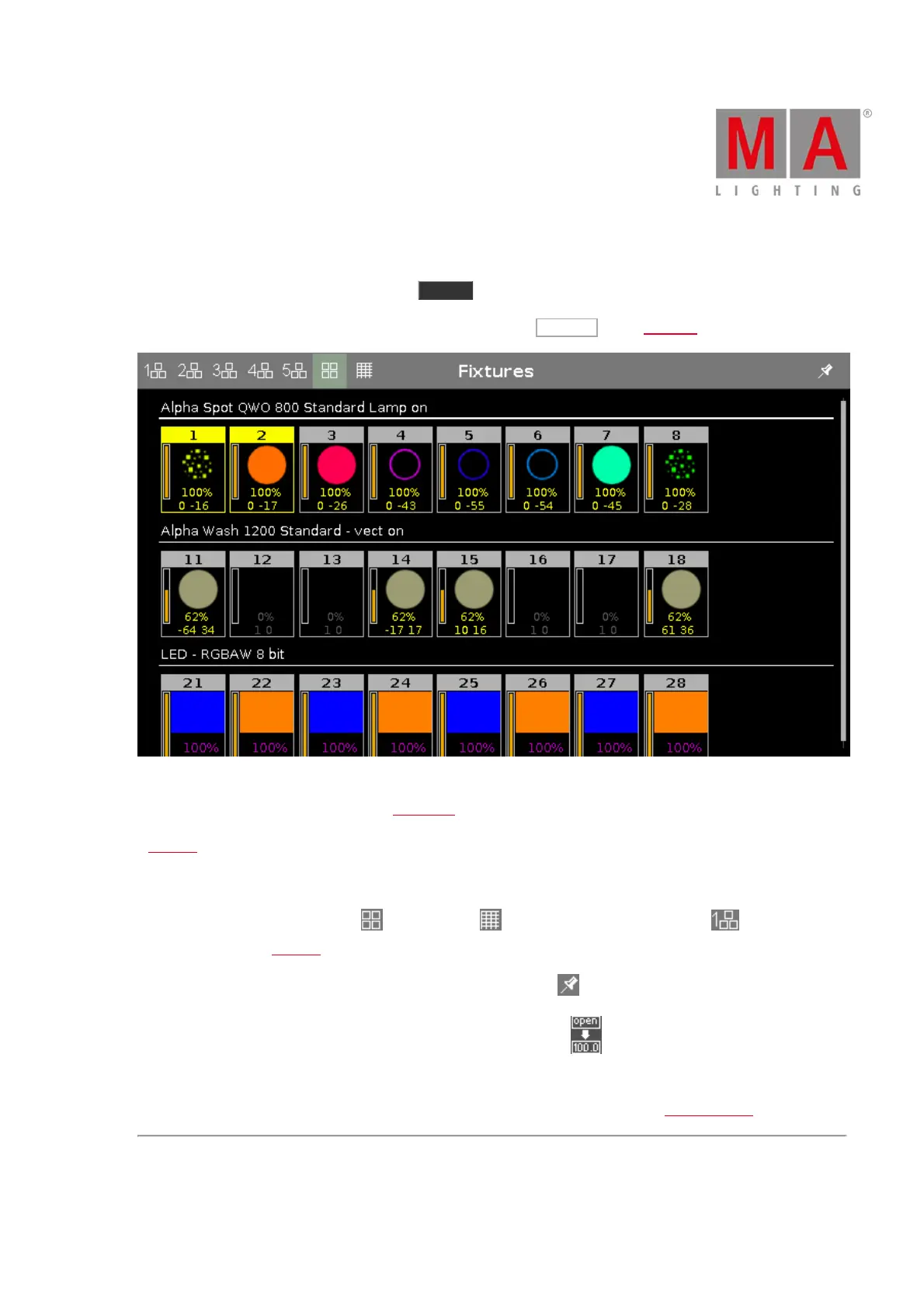
Figure 1: Fixtures view - symbol view
In this view you see all imported fixtures, attributes and their output.
If preview is active, you see the values.
Swipe to select and deselect fixtures.
To switch between the symbol view , the sheet view , or to one of the five layout views , tap on the
respective icon in the title bar.
To pin the view and deactivate the dynamic view mode, tap the pin .
To toggle between names of preset and channel sets and values, tap in the upper right corner of the sheet
view, on the left of the pin.
The fixtures types and values can have different colors. For more about colors go to system colors.



 To Next Page