© 2018 MA Lighting Technology GmbH - Dachdeckerstr. 16 - 97297 Waldbüttelbrunn - Germany
Phone +49 5251 688865-27 - support@ma-dot2.com - www.malighting.com
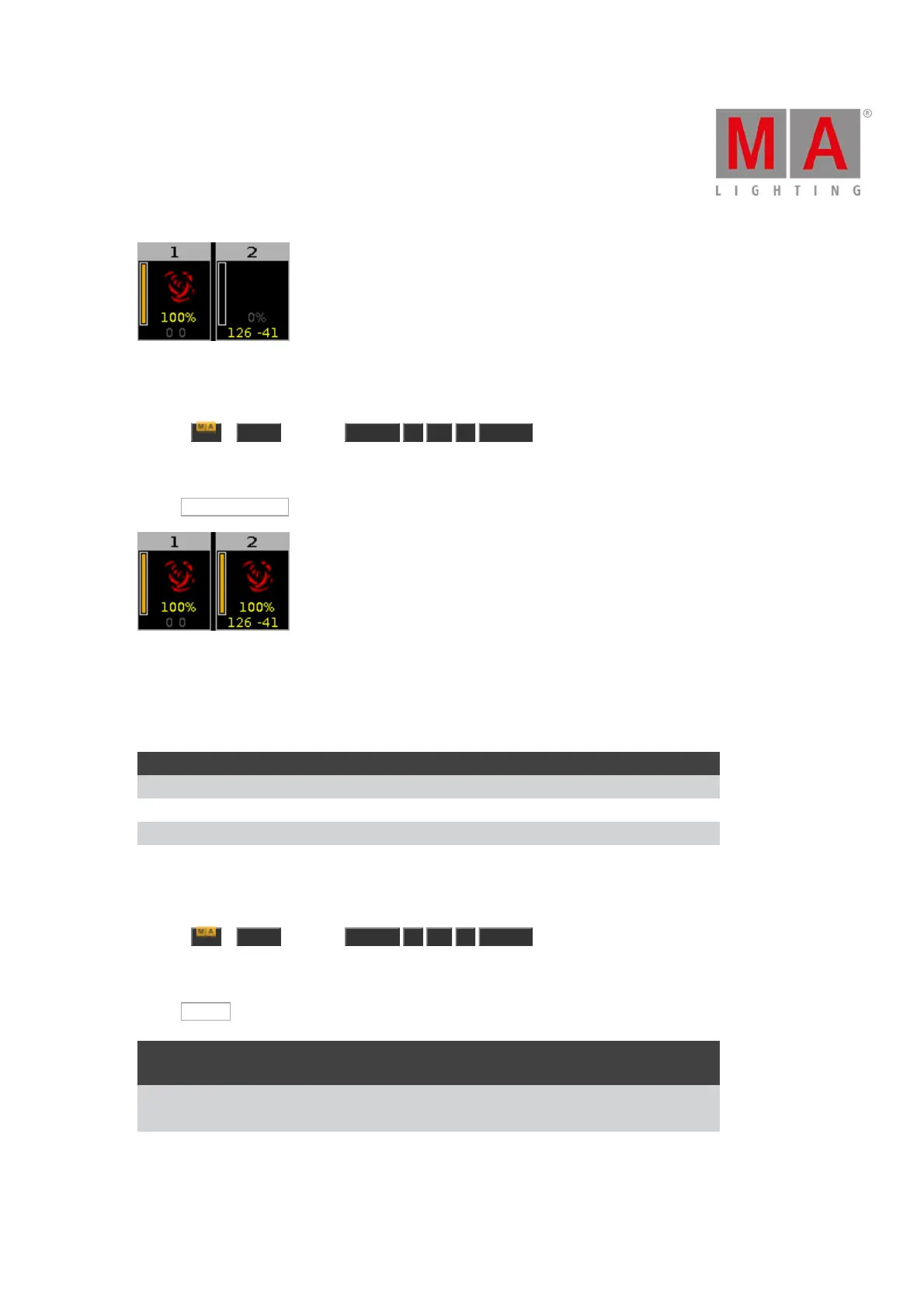
Figure 2: Fixture 1 and 2 before clone
Let´s assume, you will clone fixture 1 at 2 and you will keep the defined position of fixture 2.
1. Press + Copy (= Clone) Fixture 1 At 2 Please .
The console will ask you to choose the clone method.
2. Tap Low Prio Merge .
Figure 3: Fixture 1 and 2 after low prio merge clone
Fixture 2 has now the same values as fixture 1 and the previous defined values (position).
Example Merge
Cue Fixture 1 Fixture 2
1 Dimmer open (entered value)
2 Dimmer open (entered value) Dimmer 50 % (entered value)
3 Dimmer open (tracked value) Dimmer 50 % (entered value)
Let´s assume, you will clone fixture 1 at fixture 2 and add only the previous defined values and not the tracked
values.
1. Press + Copy (= Clone) Fixture 1 At 2 Please .
The console will ask you to choose the clone method.
2. Tap Merge .
Cue
Fixture 1
(before merge)
Fixture 2
(before merge)
Fixture 2
(after merge)
1
Dimmer open (entered
value)
Dimmer open
2
Dimmer open (entered
value)
Dimmer 50 % (entered
value)
Dimmer open (because
this was an entered
value from fixture 1)



 To Next Page