Remove - This will remove the existing values of the same type that you currently have active in your
programmer.
Overwrite - This will delete the current content of the cue and add your active value to the cue.
Create Second Cue - This option is only available when you have a cue list with only one cue. Pressing this will
add your currently active values to a new cue number 2.
If you want to store a specific cue number then you can use a more precise command input. E.g. you want to
store cue number 5. Then you can use the follow key presses: Store Cue 5 Please . You can even add a cue
timing while storing it. E.g. you want to store cue number 5 with a fade time of 3 seconds. To do this press the
following keys: Store Cue 5 Time (= Fade command) 3 Please .
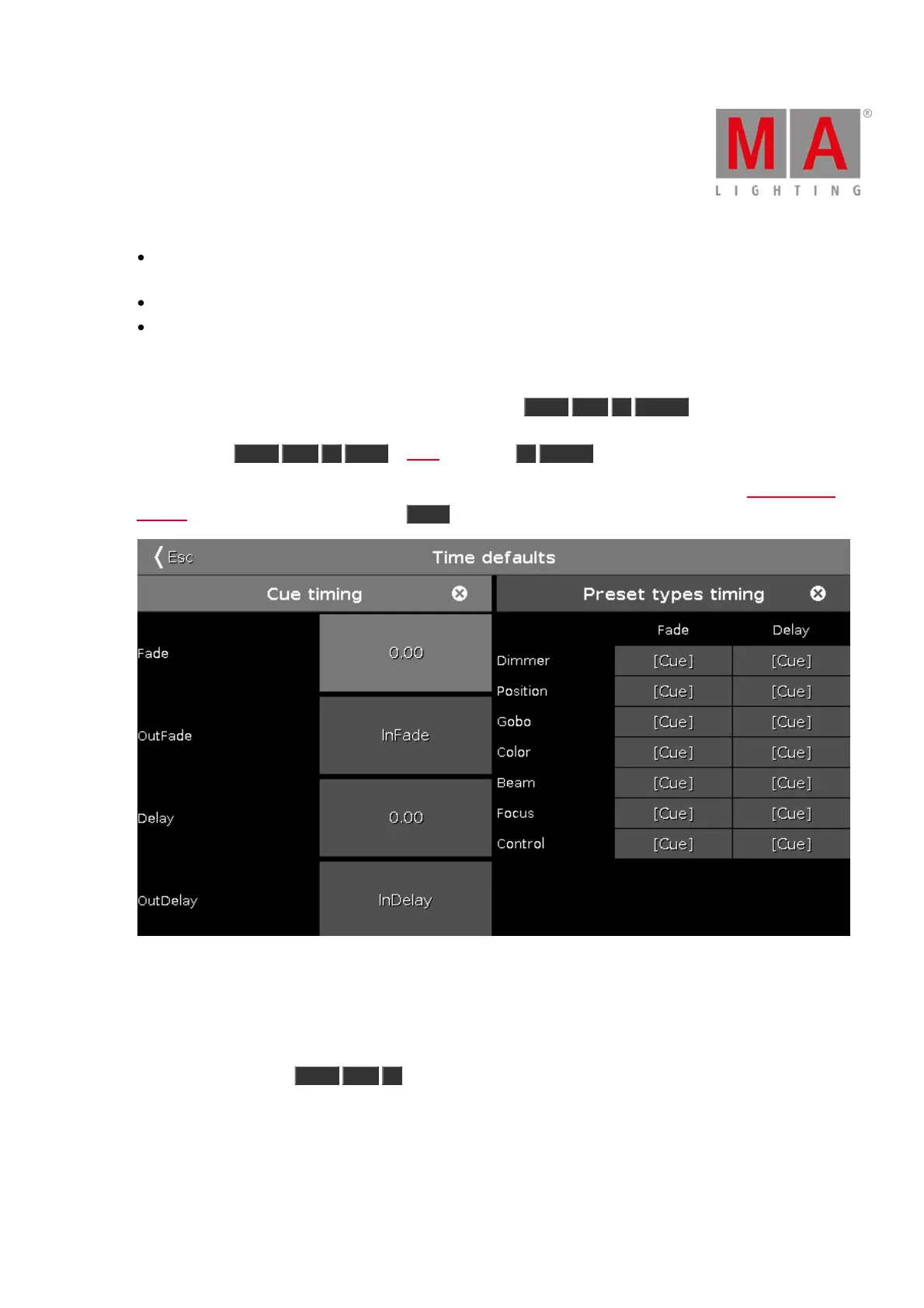
If you don't specify the cue timing when you store the cue, then it uses the default times set in the Time Defaults
window. You can set these by pressing the Time key (with an empty command line). It could look like this:
Figure 2: Time defaults window.
If you want to store your cue on a different executor (not the main executor), the you need to press a key
associated with the executor. E.g. you want to store cue number 2 on a specific executor. Then you'll need to
press the following keys: Store Cue 2 and then press one of the keys associated with the executor where you
want the cue.
Storing a cue will do an Auto Unblock. This means that after you have stored a cue all unchanged values are
removed. Please use the Protect function (read below) if you want to "block" a cue.



 To Next Page