© 2018 MA Lighting Technology GmbH - Dachdeckerstr. 16 - 97297 Waldbüttelbrunn - Germany
Phone +49 5251 688865-27 - support@ma-dot2.com - www.malighting.com
In this view, you select the color from the color picker.
You have access to all attributes of the color mix system or the color wheels.
The x-axis of the color picker, displays the hue from 0 to 360 degrees.
The y-axis of the color picker, displays the saturation from 0 % to 100 %.
The cross hairs shows which color is selected.
To select the brightness, swipe the Bright.-Fader up or down.
To select from which color attributes should the selected color mostly be mixed from, swipe the Q-Fader up or
down.
Primary = The selected color will be mixed only from RGB attributes.
Max = The selected color will be mixed from RGB attributes and if available from additional attributes, e.g. white
or amber.
Pure = The selected color will be mostly mixed from additional color attributes.
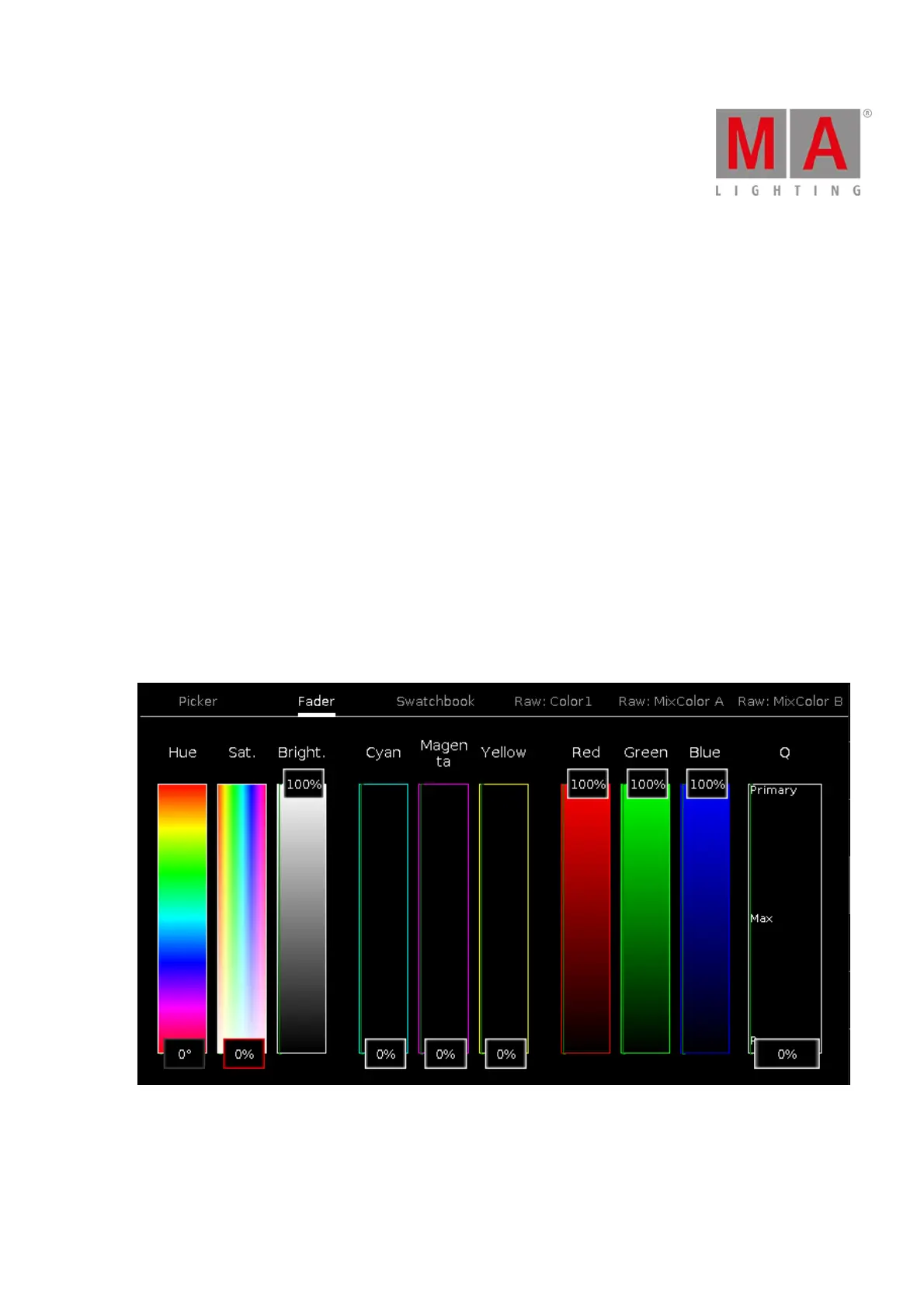
Fader View
The fader view is the second tab of the color preset type view.
Figure 2: Fader View
In this view, you select the color from the color faders.
There are three different ways of the color mix system, each with three faders.



 To Next Page