Encoder Bar Functions
The default encoder speed is without decimal place.
To change the encoder speed to slow, press the encoder key . The encoder speed is with decimal place.
To change the encoder speed to ultra slow, press and hold the key and press the encoder key . The
encoder speed equals one DMX step.
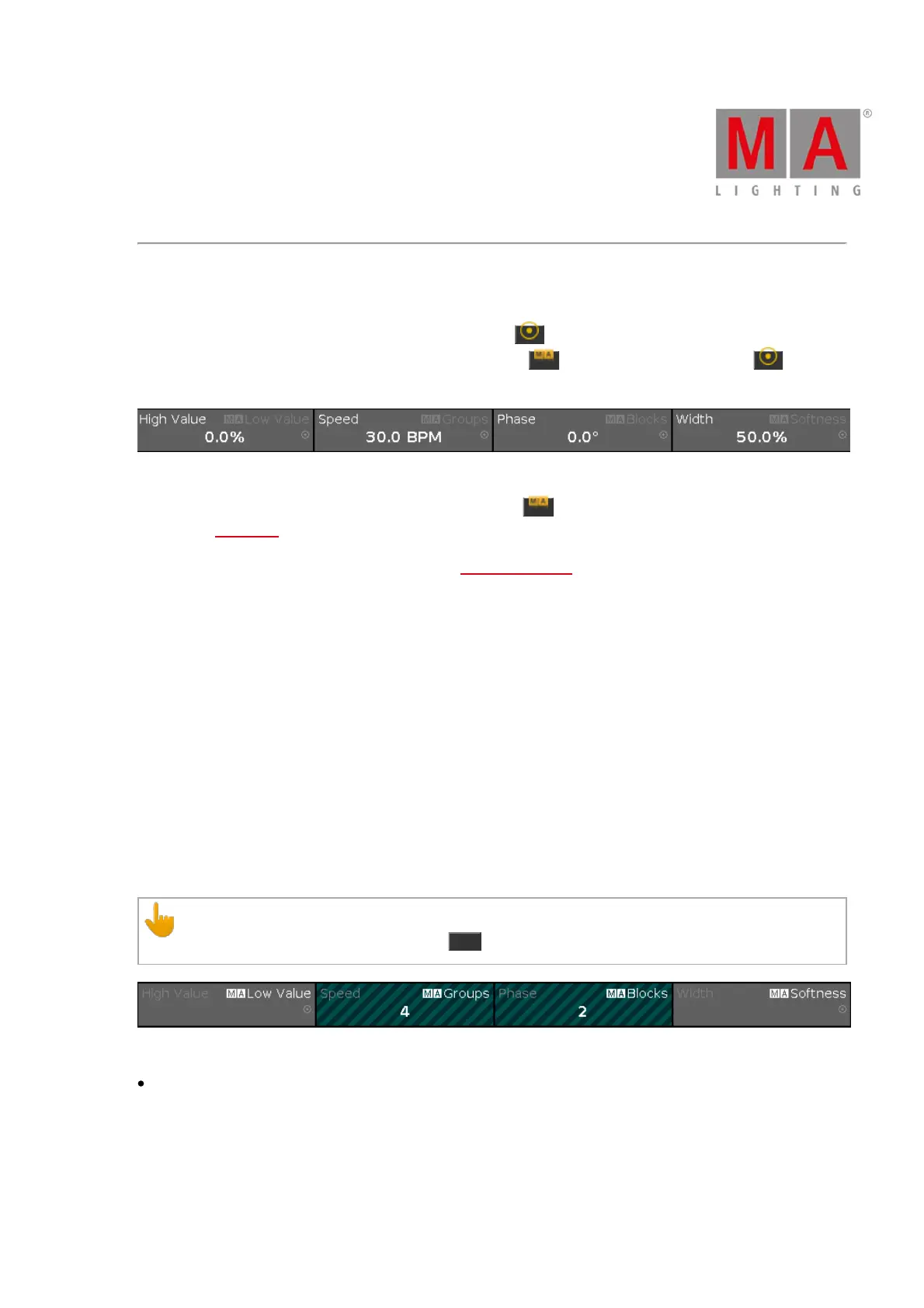
Figure 18: Effect encoder bar
To use the second function of an encoder, press and hold the key.
To open the calculator, press the encoder.
For detailed information about the settings, refer to What are Effects?.
High Value or Low Value:
To select the high or low value, turn the encoder left or right.
Speed:
To select the speed in BPM (beats per minute), turn the encoder left or right.
Phase:
To select the phase, turn the encoder left or right.
Width or Softness:
To select the width or softness, turn the encoder left or right.
Groups and Blocks
It is possible to enable Groups and Blocks in the effect encoder bar.
Important:
To make Groups and Blocks visible, press MA .
Figure 19: Effect encoder bar – groups and blocks
To enter numbers in the calculator, tap Groups or Blocks.
Groups:
Groups divide selected fixtures into groups that move in the same direction.



 To Next Page