© 2018 MA Lighting Technology GmbH - Dachdeckerstr. 16 - 97297 Waldbüttelbrunn - Germany
Phone +49 5251 688865-27 - support@ma-dot2.com - www.malighting.com
6. Align ><:
Selects the align mode ><. Refer to, Align Key.
7. Align Off:
Turns the align mode off. Refer to, Align Key.
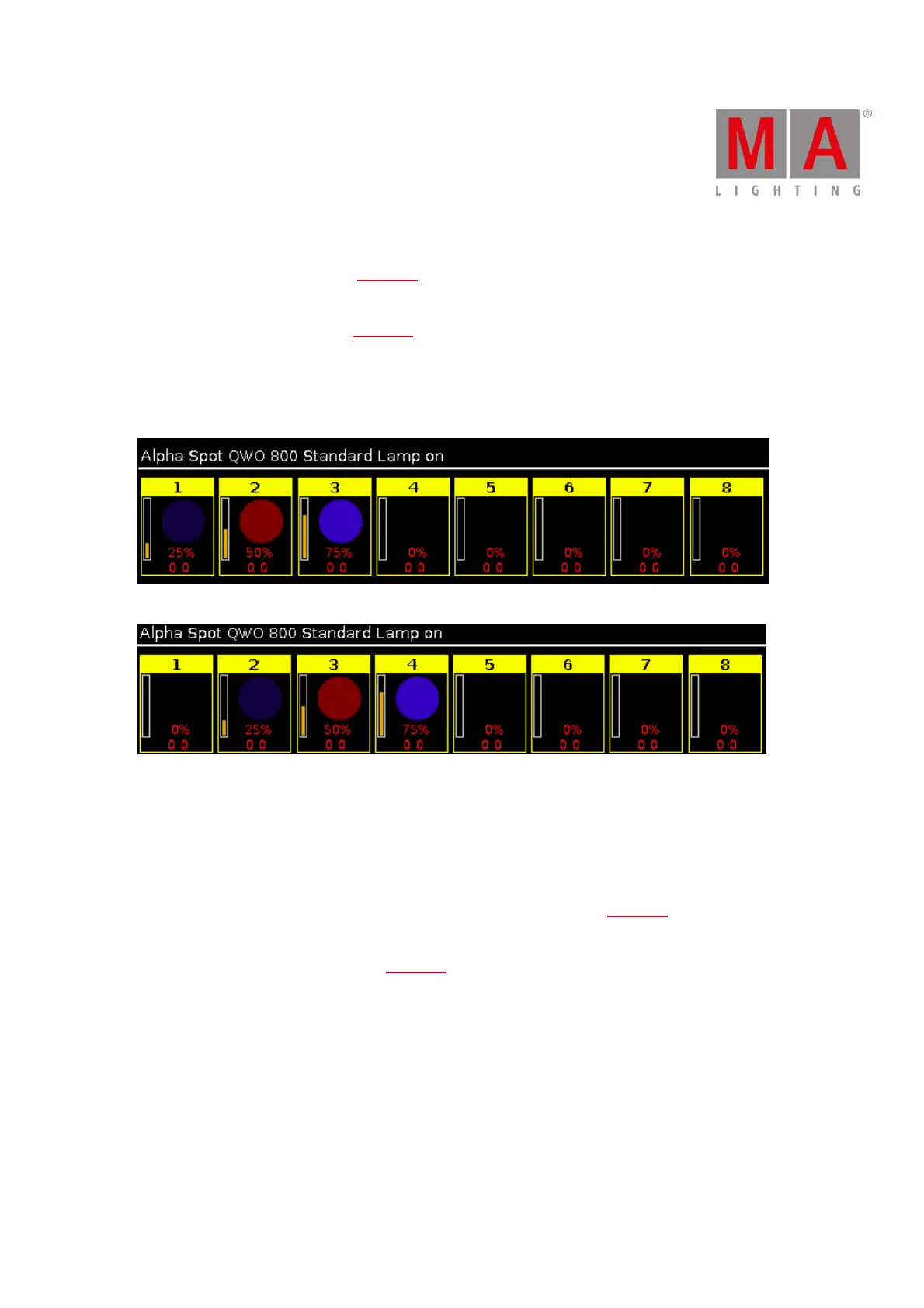
8. Circular Copy >:
Copies all values of the selected fixtures one step to the right.
This is useful to create a chaser.
Figure 2: Before circular copy >
Figure 3: After circular copy >
9. Circular Copy <:
Copies all values of the selected fixtures one step to the left.
This is useful to create a chaser.
10. Clear All:
Clears the selection and removes all values from the programmer. Refer to, Clear Key.
11. Clear Selection:
Clears the selection of fixtures. Refer to, Clear Key.
12. Clone single Preset Type:
Clones a single preset types from one fixture to another fixture.
Useful if you have an existing show and you get additional fixtures in the show.
Example:
Fixture 1 thru 4 uses color preset light cyan.



 To Next Page