© 2018 MA Lighting Technology GmbH - Dachdeckerstr. 16 - 97297 Waldbüttelbrunn - Germany
Phone +49 5251 688865-27 - support@ma-dot2.com - www.malighting.com
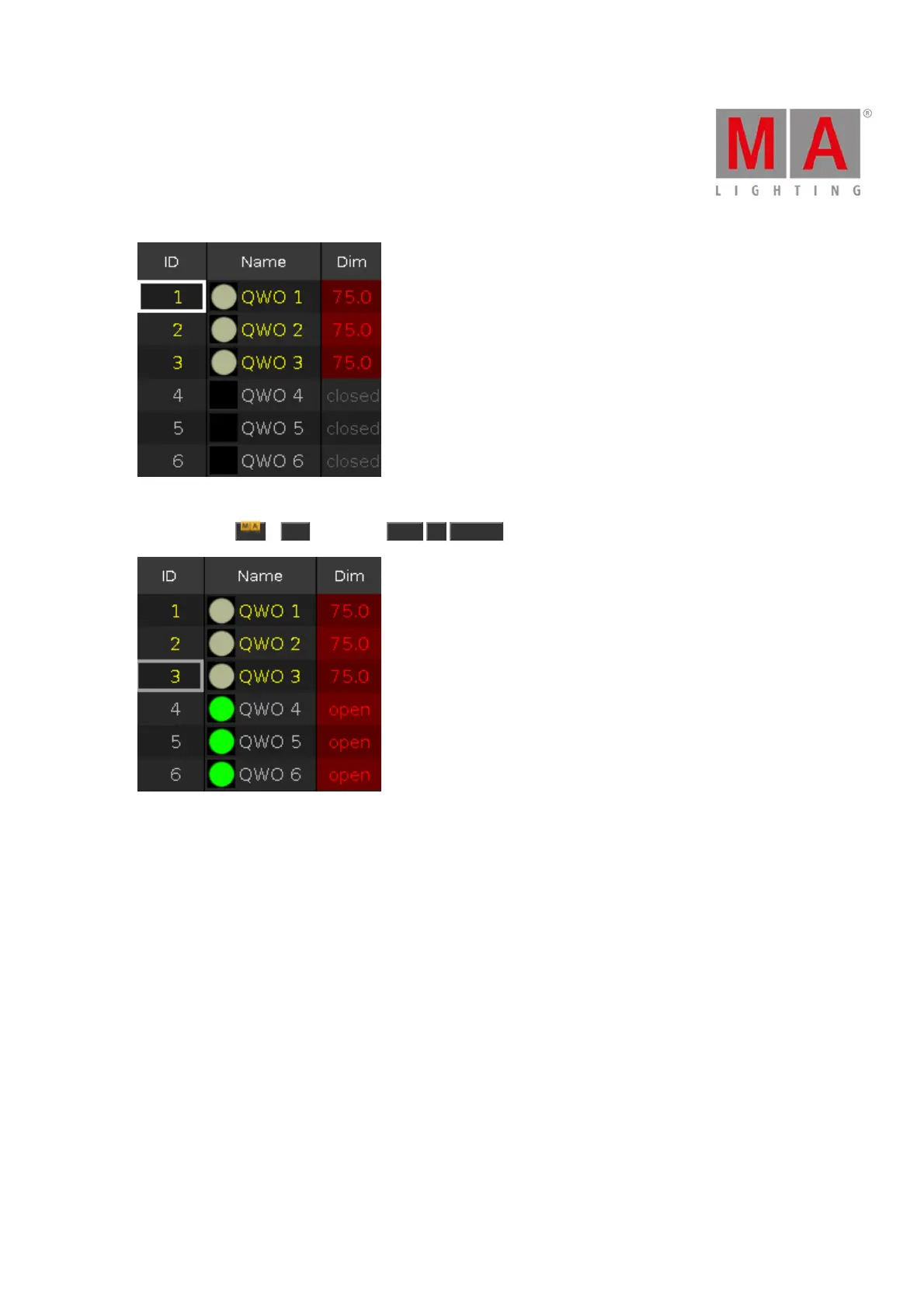
Figure 1: Light for actor on stage in the programmer
Press and hold + On (=Call) and Cue 3 Please .
Figure 2: Light for actor on stage and cue 3 values are in the programmer
The cue 3 is called and you see the actual output along with your previous selections of fixtures and their values.
All values of cue 3 are in the programmer and they are storable.
No fixture from cue 3 is selected.
You can still adjust the values of the fixture selection.
If everything looks nice, store cue 4 (=green background with actor on stage) on an executor.



 To Next Page