© 2018 MA Lighting Technology GmbH - Dachdeckerstr. 16 - 97297 Waldbüttelbrunn - Germany
Phone +49 5251 688865-27 - support@ma-dot2.com - www.malighting.com
Press Full .
The full command will be directly executed.
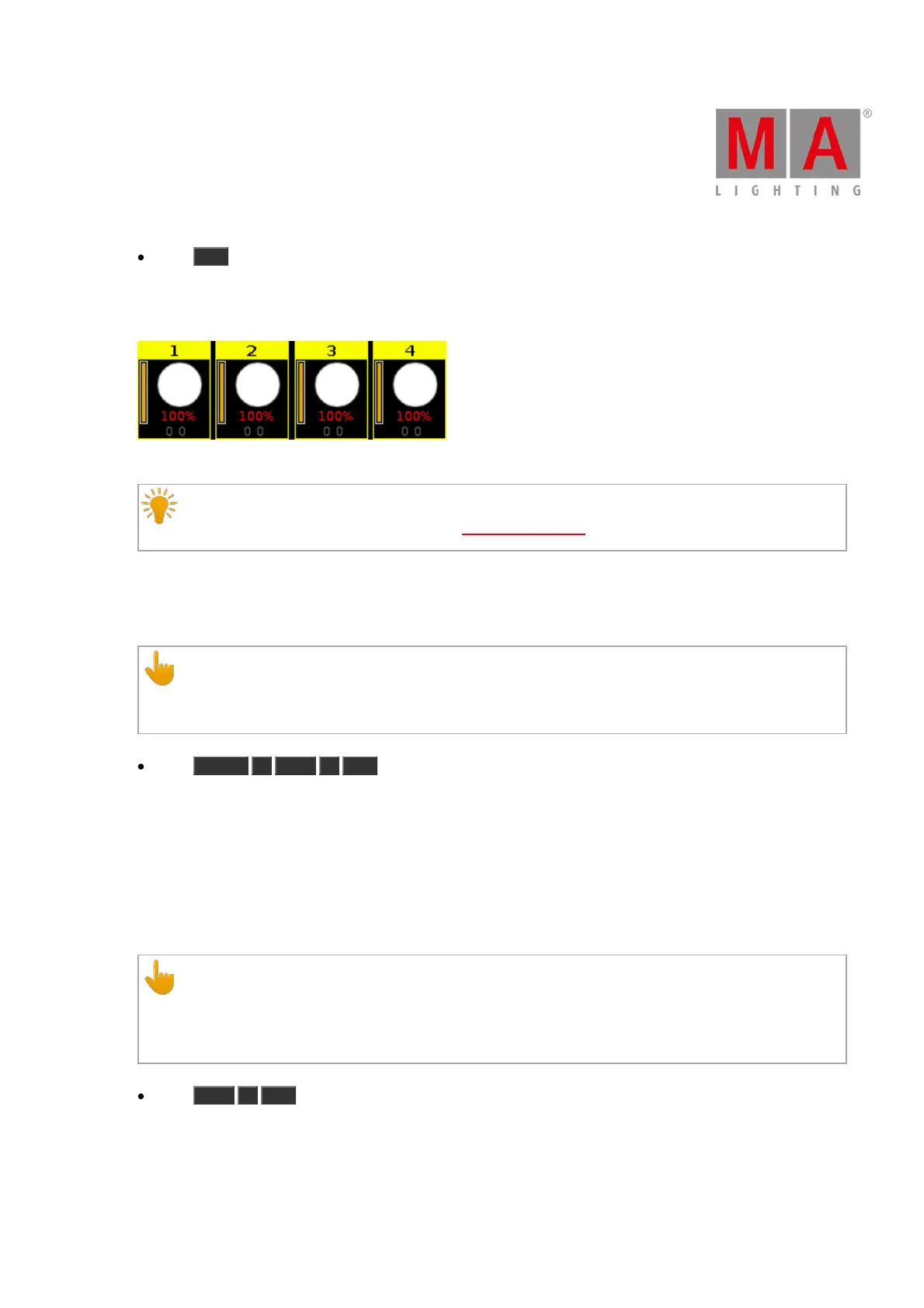
The values of the selected fixtures are set to 100 % and they are active in the programmer.
Figure 2: Fixtures at full
Hint:
Double-check the executed command in the command line view.
Example 2
Let´s assume you will set the intensity of the fixtures 1 thru 3 to 100 %.
Important:
Make sure, that no fixtures are selected. If fixtures are selected, the full command will be always execute
to all selected fixtures.
Press Fixture 1 Thru 3 Full .
The full command will be directly executed.
The values of the fixtures 1 thru 3 are set to 100 % and they are active in the programmer.
Example 3
Let´s assume you will set the intensity of the executor 1 to 100 %.
This is the same if you would move the fader of executor 1 upwards to the top (= 100 %).
Important:
The physical fader doesn´t move.
To grab the fader after the executed full command, move the fader once to the top by yourself.
The fader works again.
Press Exec 1 Full .
The full command will be directly executed.
The intensity of the executor is set to 100 %.



 To Next Page