© 2018 MA Lighting Technology GmbH - Dachdeckerstr. 16 - 97297 Waldbüttelbrunn - Germany
Phone +49 5251 688865-27 - support@ma-dot2.com - www.malighting.com
Example
Let´s assume, you will send a MIDI note on a specific cue to trigger a sound station.
Requirements:
Connected sound station device e.g. computer on the MIDI Out connector.
Stored cue on an executor.
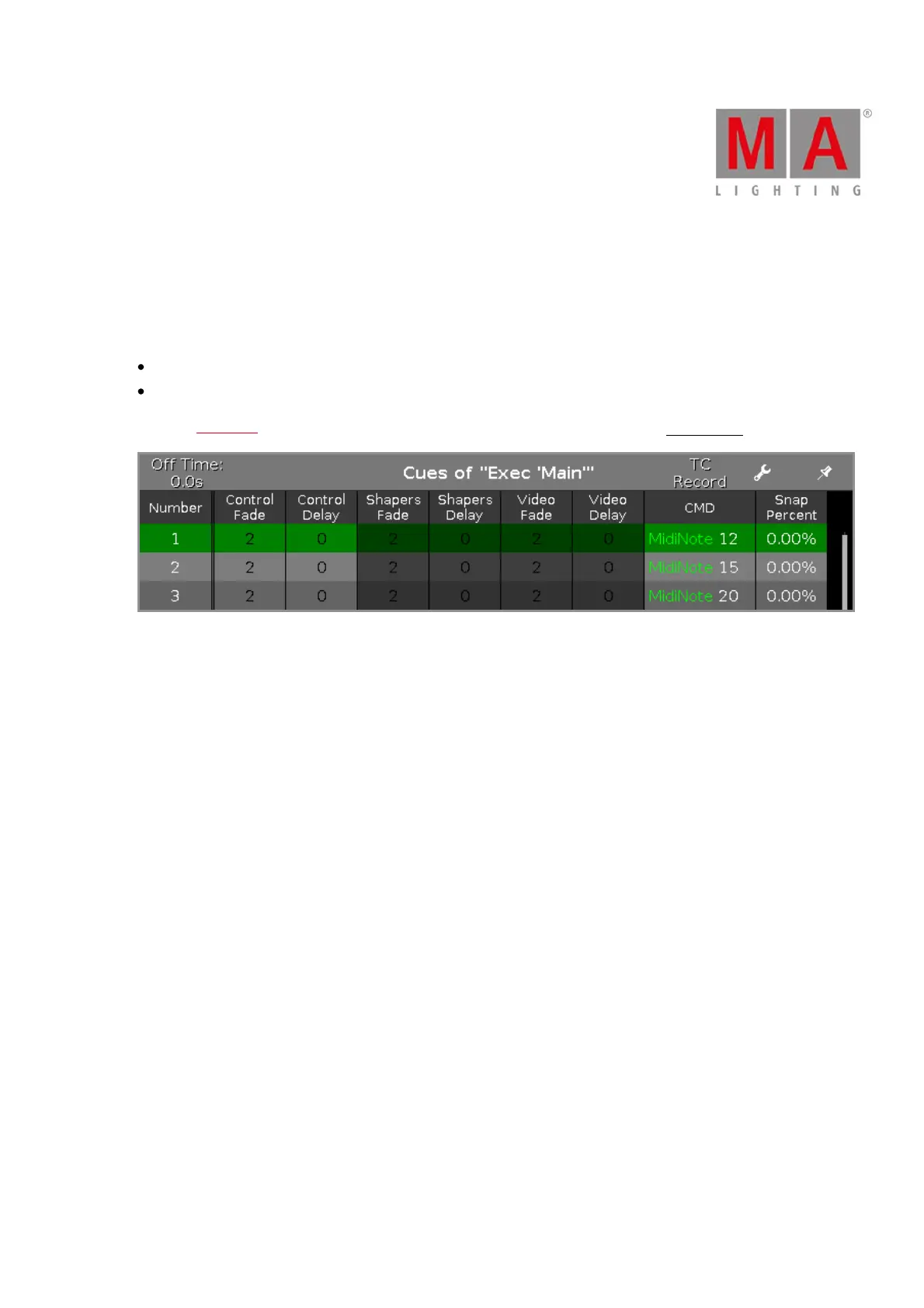
Open the cues view and type in the CMD (= command) column the following syntax: MidiNote 12
Figure 1: Cues View with MIDI Notes in the CMD column
The MIDI note will be send if the cue is executed and will trigger the connected sound station.



 To Next Page