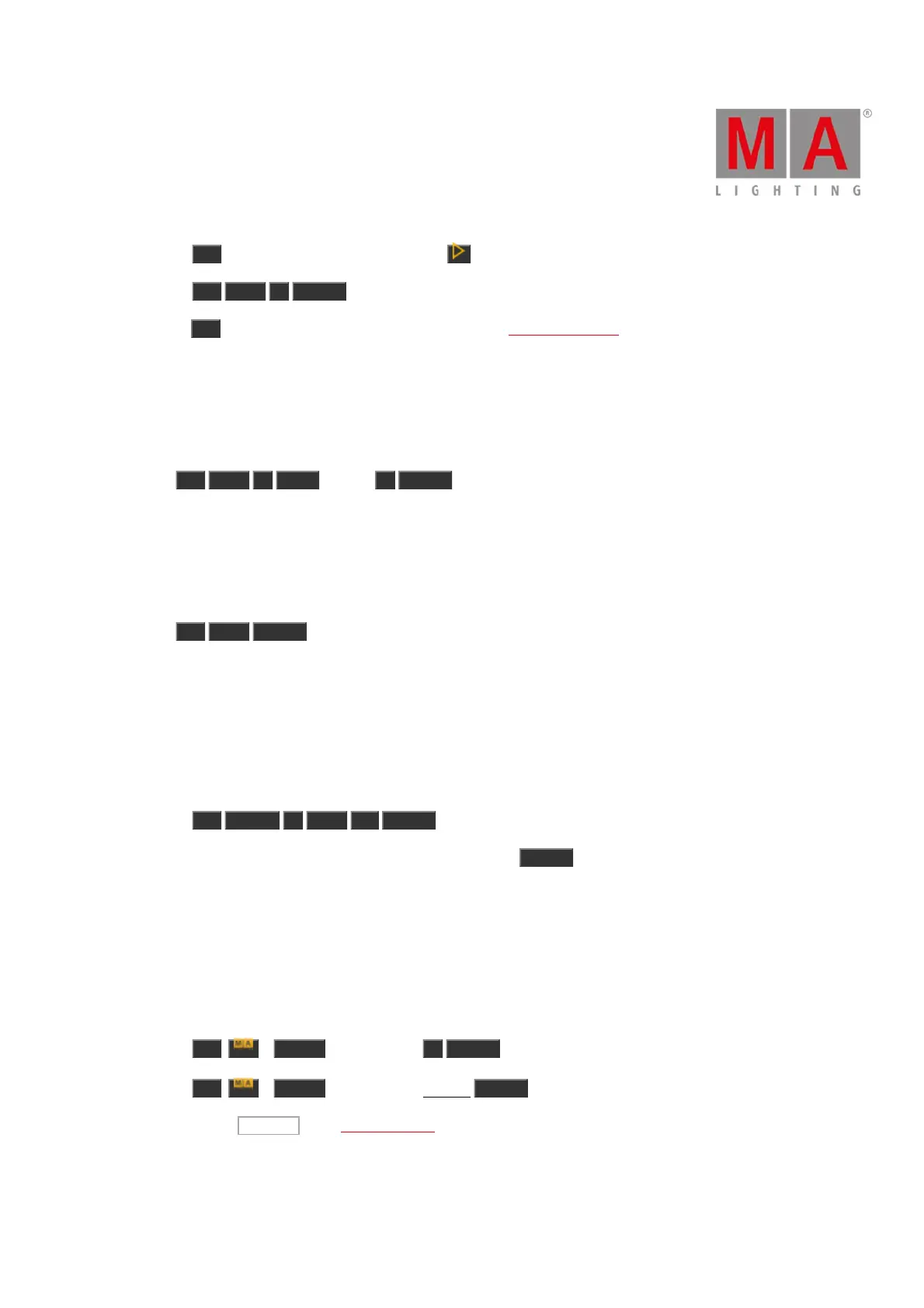
a) Press On , and the respective executor button .
b) Press On Exec 1 Please .
c) Press On , and tap the respective executor button in the executor bar view.
Executor 1 is on.
Example 2
Let´s assume, you will turn on executor 1 with a fade time of 2 seconds.
Press On Exec 1 Time (=Fade) 2 Please .
Executor 1 will go on with a fade time of 2 seconds.
Example 3
Let´s assume, you will turn on all normal executors with a cue list on the current page.
Press On Thru Please .
All normal executors with a cue list on the current page are turned on.
Example 4
Let´s assume, you will activate all values from fixture 1 thru 10 in the programmer.
There are two ways to do this:
a) Press On Fixture 1 Thru 10 Please .
b) Select fixture 1 thru 10 in the fixtures view and press twice Please .
All values from fixture 1 thru 10 are active in the programmer.
Example 5
Let´s assume, you will active all dimmer values for the selected fixtures in the programmer.
There are three ways to do this:
a) Press On + Preset (= PresetType) 1 Please .
b) Press On + Preset (= PresetType) Dimmer Please .
c) Double press Dimmer in the preset type bar.
The dimmer values from the selected fixtures are active in the programmer.



 To Next Page