If you want to change the fixture type then you press Setup and then Patch & Fixture Schedule . Then select
the fixture(s) you want to change and tap Change Fixture Type . This will open the Select Fixture Type.. window.
Here you can see all the current fixture types in your show. Here you can select one of the fixture types or you can
tap where it says Import in the title bar. This will open the Import Fixture Type window - here you can import a
new fixture type into your show.
When you have selected the fixture type you want then you can tap Ok in the upper right corner.
If you change the fixture type to something that uses a different amount on DMX channels, then you might need
to re-patch your fixtures.
Important:
Changing fixture types to fixture types that have more DMX channels does not delete the old patch,
instead it displays the invalid patch address in red.
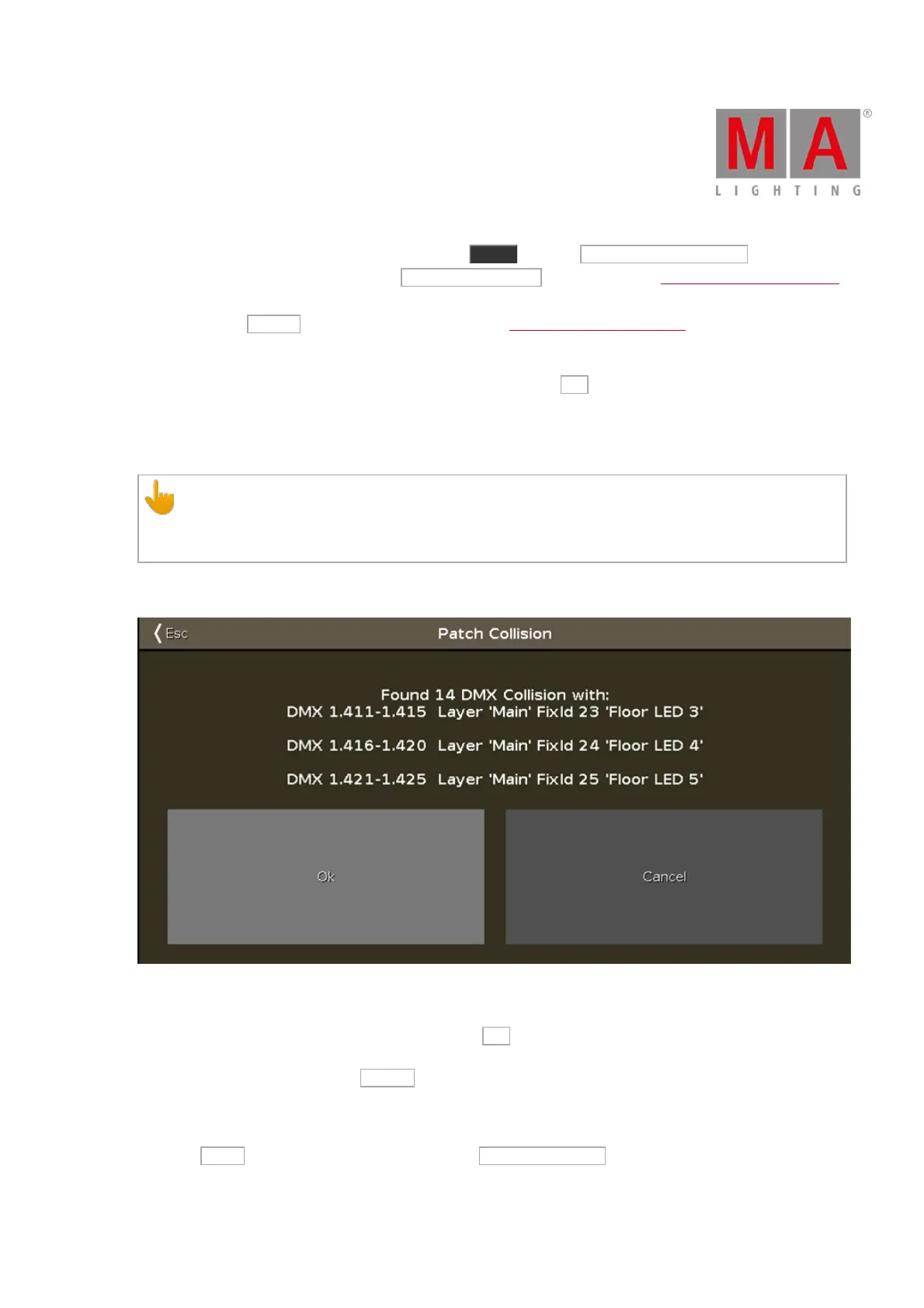
When changing fixture types to fixture types three instance can occur and as a result a warning pop-up appears:
Figure 1: Pop-up Patch Collision
1. Address overlap: Invalid patch addresses are displayed in red in the Patch and Fixture Schedule.
2. Address overlap and fixture collision: If you tap Ok in the pop-up Patch Collision, the patch addresses
are deleted. This is indicated by a minus in brackets.
3. Fixtures collision: If you tap Cancel in the pop-up Patch Collision, fixtures that overlap are displayed in
red. Fixtures that collided with other fixtures do not have patch addresses any longer. This is indicated by
a minus in brackets.
Then tap Done to exit the Fixture schedule and then Apply All Changes . Now you have changed the fixture
type. Now you should check your cues.



 To Next Page