© 2018 MA Lighting Technology GmbH - Dachdeckerstr. 16 - 97297 Waldbüttelbrunn - Germany
Phone +49 5251 688865-27 - support@ma-dot2.com - www.malighting.com
allows you to have a backup or remote DMX output.
dot2 Node4 (1K)
Connecting Node4s to your system works the same as described above.
Nodes cannot initialize a session, they are connected and listen to the conversation on the network. They then
take the DMX information in the session and convert it into real DMX output.
The dot2 Node4 (1K) allows you to control 1024 DMX channels if you connect a dot2 onPC and a dot2 Node4
(1K). A dot2 onPC can only control 1024 channels if it's not connected to a dot2 console.
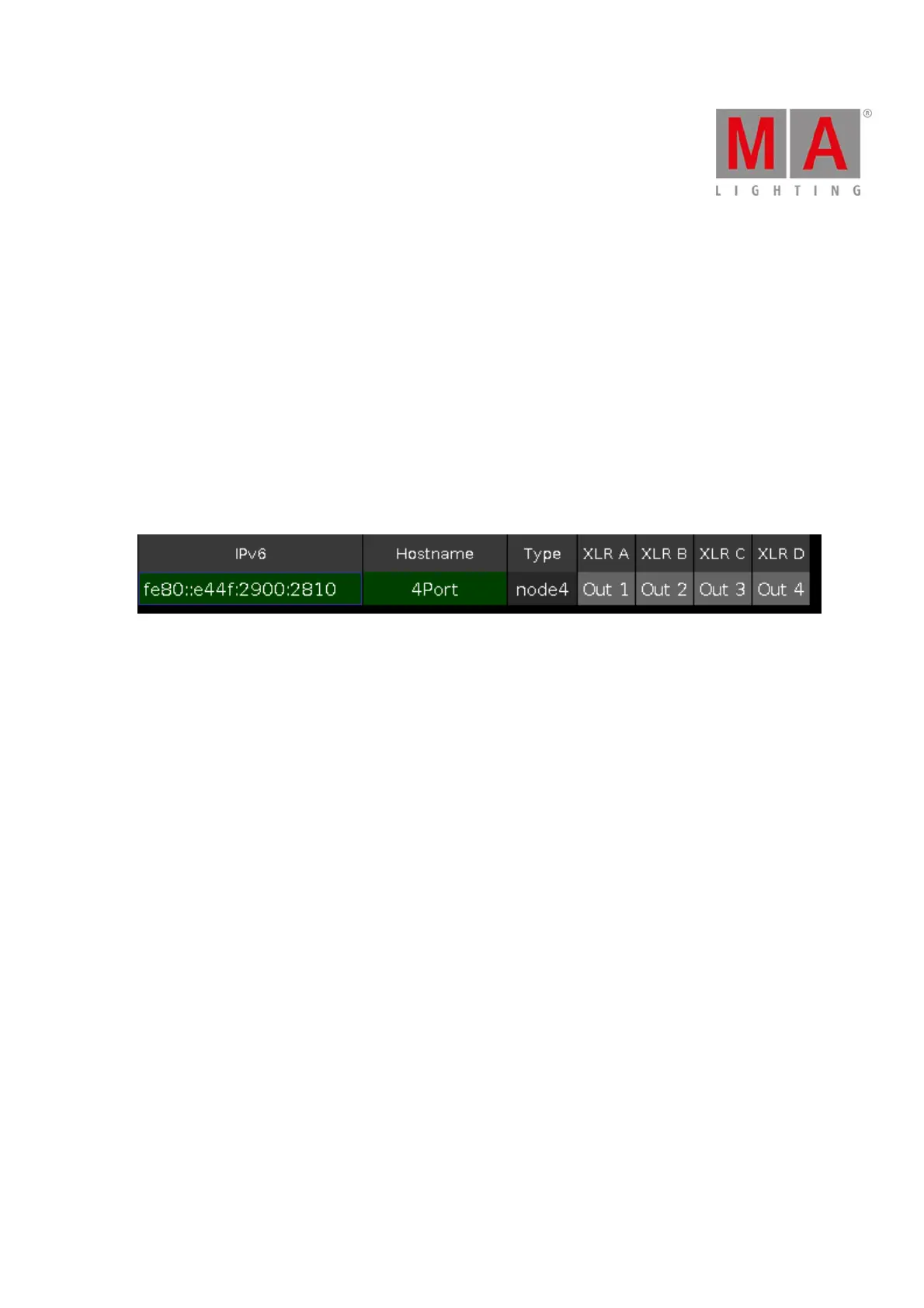
The nodes are little bit different in the Network setup view. You can set what universes the node outputs. In the
list it could look like this:
Figure 1: Node setup.
Here you can see the connected node output 4 universes. You can change which universes each port is
outputting by selecting the cell and tapping the right side encoder.
Each DMX port is independent from other ports. This means that each port can output any of the 8 available
DMX universes.
You can change the Hostname of the node by selecting the cell and tapping the right side encoder. Then type a
new name for the node.



 To Next Page