122 Dolby
®
IMS2000 Installation and User’s Manual
IMS.OM.004730.DRM Issue 3
13.6.6 Copying From an Existing Trigger Cue
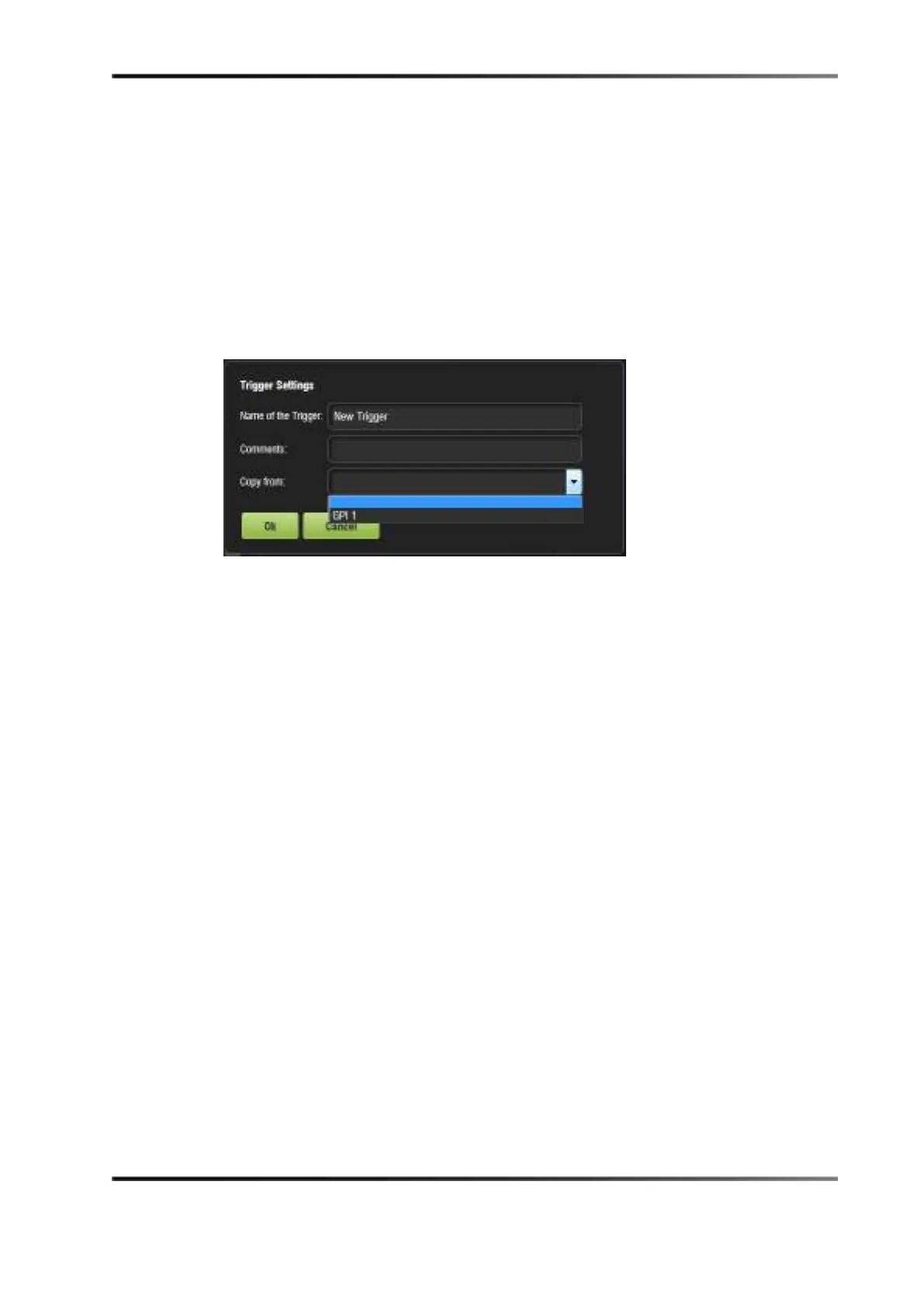
You will have the ability to copy an existing trigger cue using the Copy From drop-down
menu.
To perform the operation:
1. Select the
Copy From drop-down menu.
2. Name the new trigger cue and select a trigger to copy from. The macro, with the
accompanying event, appears in the
Trigger Cue window.
Figure 13-47 Trigger Settings Window
13.6.7 Predefined Macro Usage
If you have a predefined macros.xml file containing automation and trigger cue
definitions, then copy it into the
/doremi/etc/ folder, and the corresponding macros will be
visible in the macro editor GUI. You will then be able to update the cues, if needed, from
the macro editor GUI.
13.6.8 Default Cues
The default_cues.xml file can be used to load an automation and trigger cue playlist prior
to any playback. This is to avoid having to add a fire alarm trigger cue to each show. If
you are provided with a
default_cues.xml file, copy it into the /doremi/etc/ folder.
13.6.9 Startup Scripts
Copy the script to be executed automatically at boot in the /doremi/etc/rc.d/ folder.
13.6.10 Add a Trigger Cue to a Show Playlist
For information on how to add a macro to a show playlist, please see Chapter 15.



 To Next Page