Dolby
®
IMS2000 Installation and User’s Manual
IMS.OM.004730.DRM Issue 3 37
6.2 Installing the Hard-Disk Drives
Hard-disk drives are shipped out of their chassis. Upon initial installation, insert each
drive into the IMS2000 hard-disk drives chassis carrier prior to powering up the
projector. Do not insert or remove hard-disk drives if the unit is powered on. hard-disk
drives must be of the same make and model and with identical storage capacit y. We
prohibit intermixing SATA I drives with SATA II drives within the same RAID.
Each hard-disk drive has a silver latch mechanism that allows for unlatching of the drive
from the hard-drive cage.
To install the hard-disk drives:
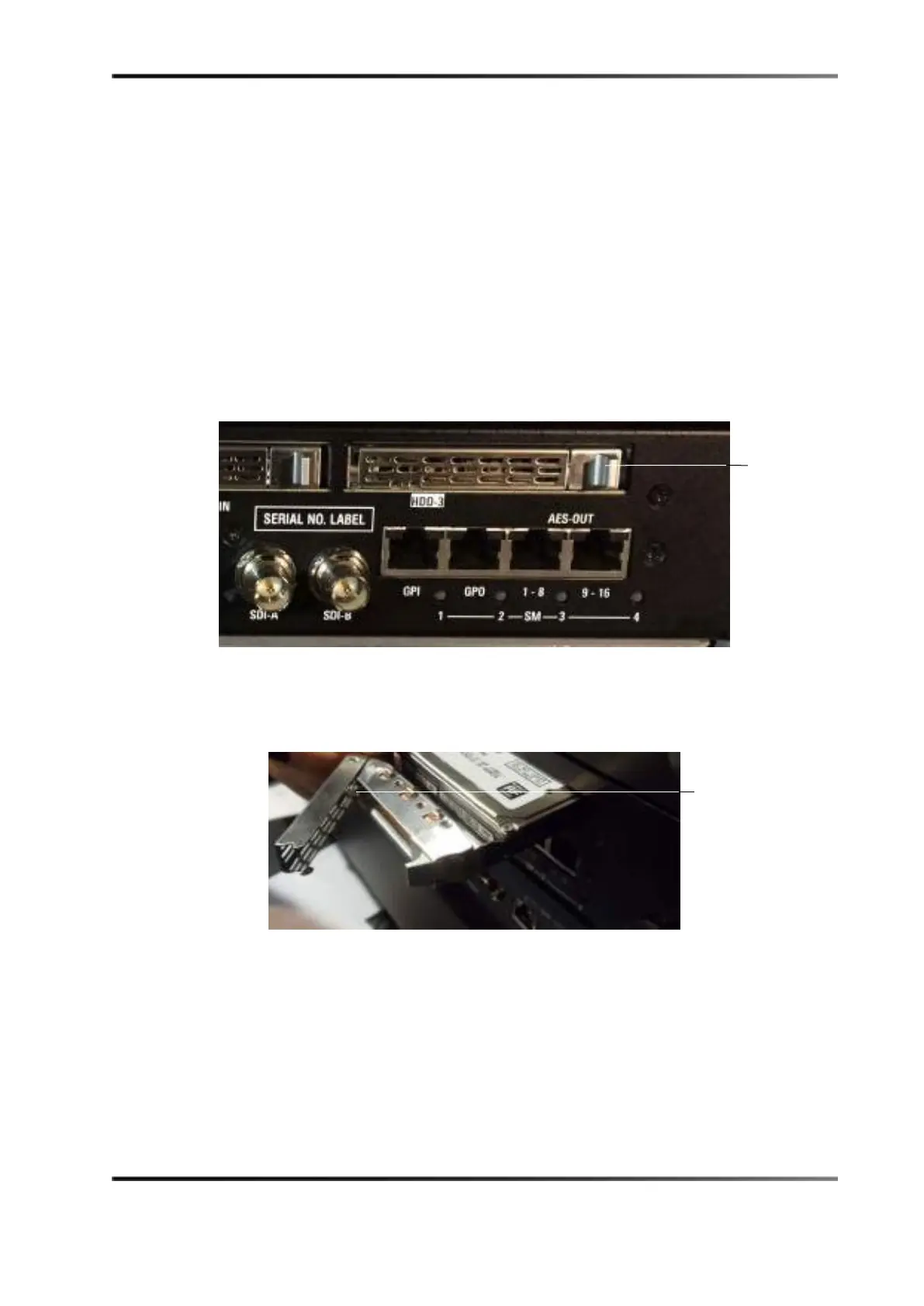
1. Release the lever of the hard-disk drive carrier by pressing the release tab.
Figure 6-5 Hard-Disk Drive Release Tab
2. Insert each hard-disk drive into the hard-disk drive slot with the handle open.
3. Push the handle in until it locks into place.
Figure 6-6 Inserting Hard-Disk Drive
4. Repeat steps 1–3 for the remaining hard-disk drives.
tab
carrier handle



 To Next Page