Dolby
®
IMS2000 Installation and User’s Manual
IMS.OM.004730.DRM Issue 3 209
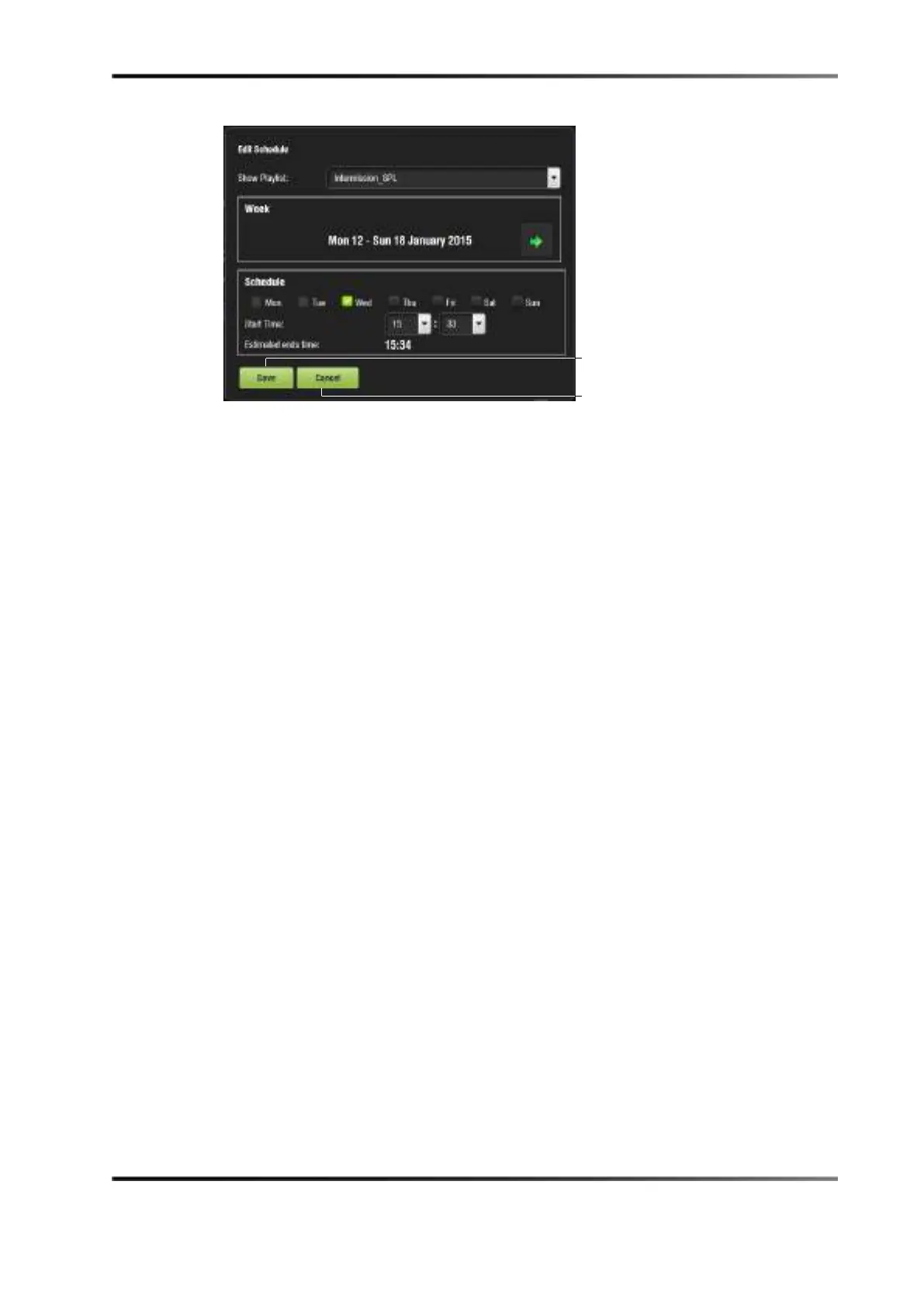
Figure 14-55 Edit Schedule Window
5. Select the show playlist to schedule for playback from the drop-down menu.
6. Use the left and right arrows to adjust the week to schedule the playback.
7. Select the days to schedule the playback by checking the corresponding boxes.
8. Select the start time for the scheduled playback by using the up and down arrows.
9. Click on the
Save button when finished or cancel the operation.
10. The
Schedule tab will be updated to reflect the recently added schedule.
11. To display outdated schedules, check the outdated schedule box.
14.8.2 Schedule Conflict
If you are trying to schedule playback and one already exists for the same time and date,
you will receive a schedule conflict message. The schedule conflict message displays the
time and date for which there is a conflict. You will also receive the conflict message if
you are trying to schedule playback that interrupts the scheduled time of another
playback.
14.8.3 Scheduled Show Did Not Start Error
If there is an error message stating The scheduled Show below did not start as expected.
This can be due to several reasons. Contact Dolby product specialists for assistance (See
Section 1.3).



 To Next Page