58 Dolby
®
IMS2000 Installation and User’s Manual
IMS.OM.004730.DRM Issue 3
7.9 Marriage
Once the projector and board have finished booting up, the lights on the side of the
projector illuminate in red and green, indicating that the board and the projector are not
married. The touch-panel controller attached to the projector will show a second error
window, indicating that the marriage has not occurred.
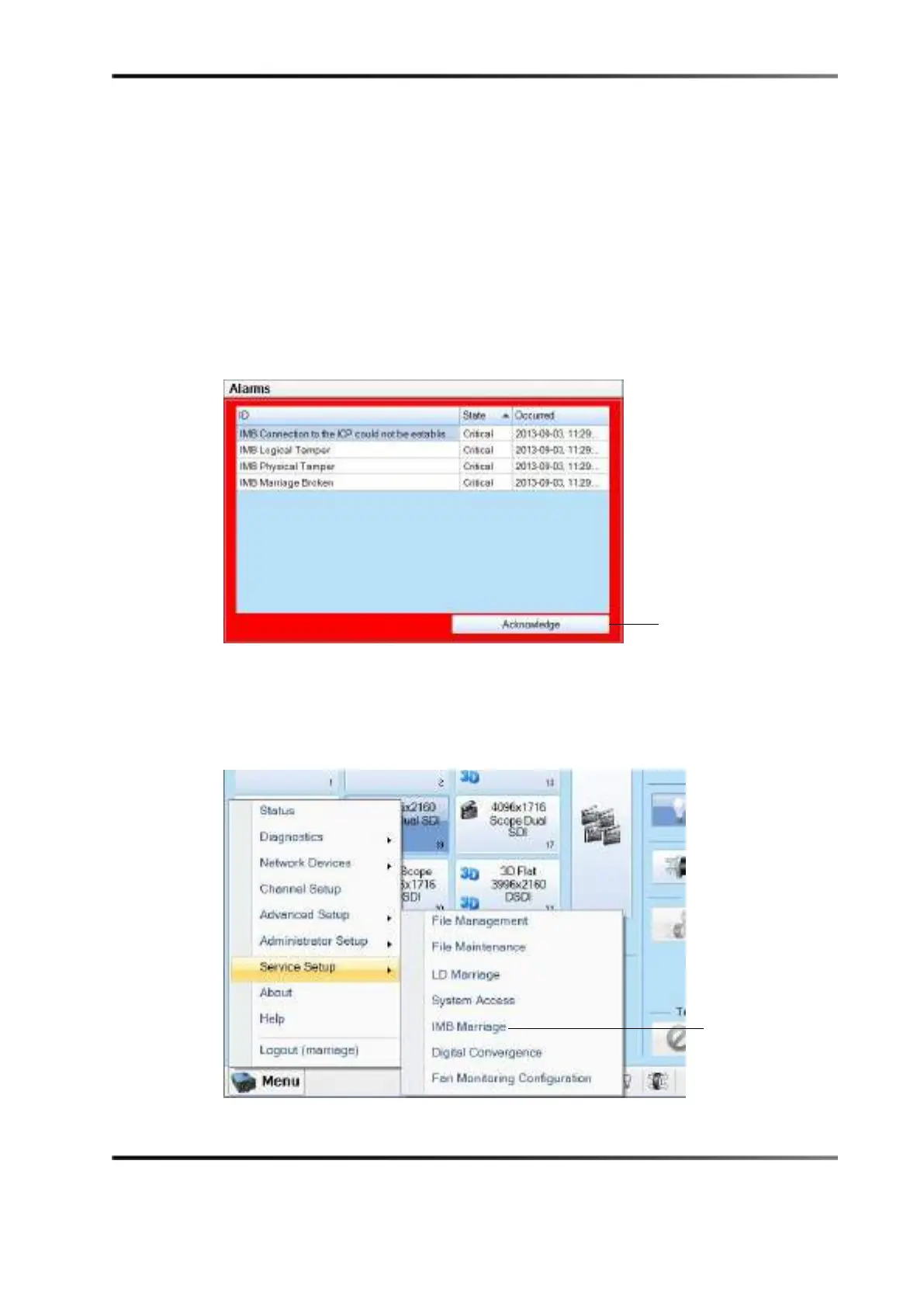
To perform the marriage:
1. Press the
Acknowledge button.
Figure 7-23 Projector Added
2. Select Menu > Service Setup > IMB Marriage.
The marriage wizard, on the touch-panel controller, guides you through the required
steps to complete the marriage.
Figure 7-24 IMB Marriage
button



 To Next Page