Dolby
®
IMS2000 Installation and User’s Manual
IMS.OM.004730.DRM Issue 3 287
19.3.1 Dolby CP850 Audio Processor Cable Configuration
To configure the cables on the Dolby CP850:
1. Connect an Ethernet cable to the
COMMAND port on the CP850, and connect the other
end of the cable to the network switch.
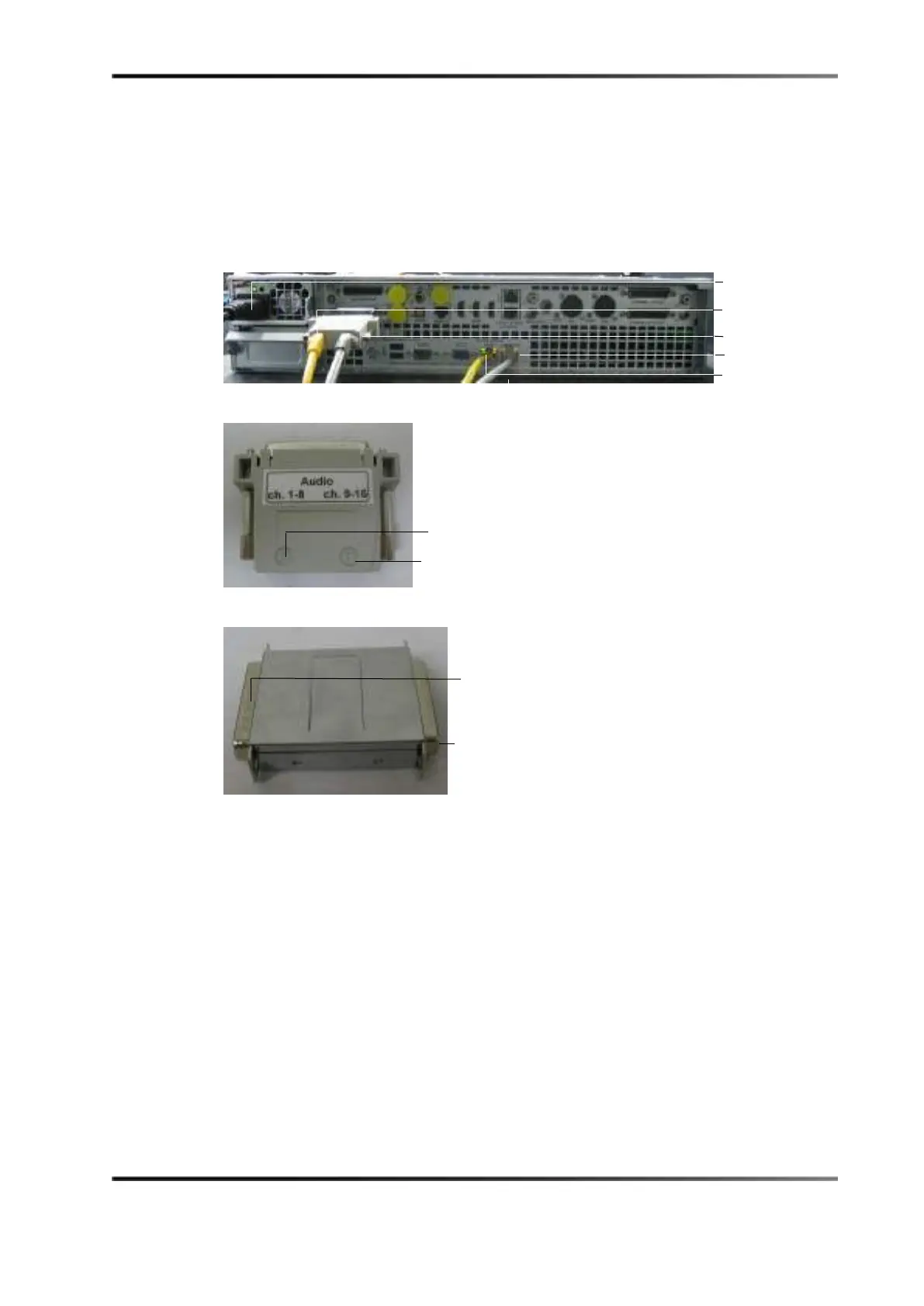
Figure 19-9 Dolby CP850 Audio Processor
Figure 19-10 Audio Adapter
Figure 19-11 Doremi to Dolby Audio Adapter
2. Connect the Doremi to Dolby audio adapter to the AES Input port on the Dolby
CP850.
3. Connect the audio adapter to the Doremi to Dolby audio adapter on the CP850.
4. Connect an Ethernet cable to port
A (channels 1–8) on the audio adapter, and connect
the other end to the
IMB AES port (channels 1–8).
5. Connect an Ethernet cable to port
B (channels 9–16) on the audio adapter, and connect
it to the
IMB AES port (channels 9–16).
6. Connect the power cable to the CP850 power port.



 To Next Page