22 Dolby
®
IMS2000 Installation and User’s Manual
IMS.OM.004730.DRM Issue 3
Connecting the Audio Cables
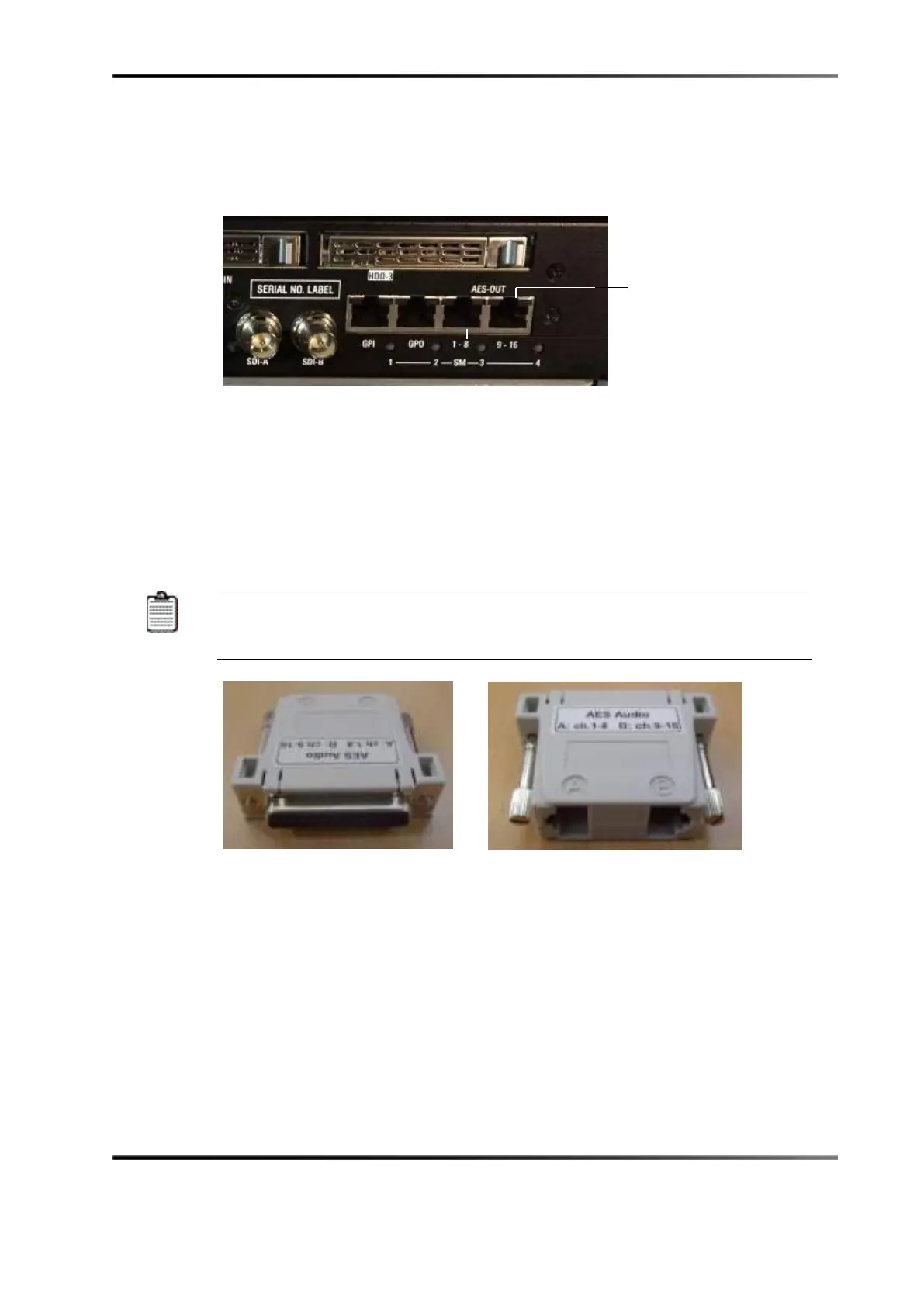
This section shows you how to connect the audio cables to the Dolby
®
IMS2000.
Figure 5-16 AES Audio Ports
To connect the audio cables:
1. Connect one end of a shielded CAT5 or CAT6 cable to the AES-OUT 1-8 port, then
connect the other end of the cable to the audio processor.
2. Connect one end of another shielded CAT5 or CAT6 cable to the AES-OUT 9-16 port,
then connect the other end of the cable to the audio processor.
If your audio processor does not have RJ-45 ports but has a single 25-pin
D-connector, you need to use the RJ-45 to 25-pin D-connector converter
that is provided with the IMS2000.
Figure 5-17 RJ-45 to 25-Pin D-Connector Converter



 To Next Page