Dolby
®
IMS2000 Installation and User’s Manual
IMS.OM.004730.DRM Issue 3 281
18.5 KDM Information
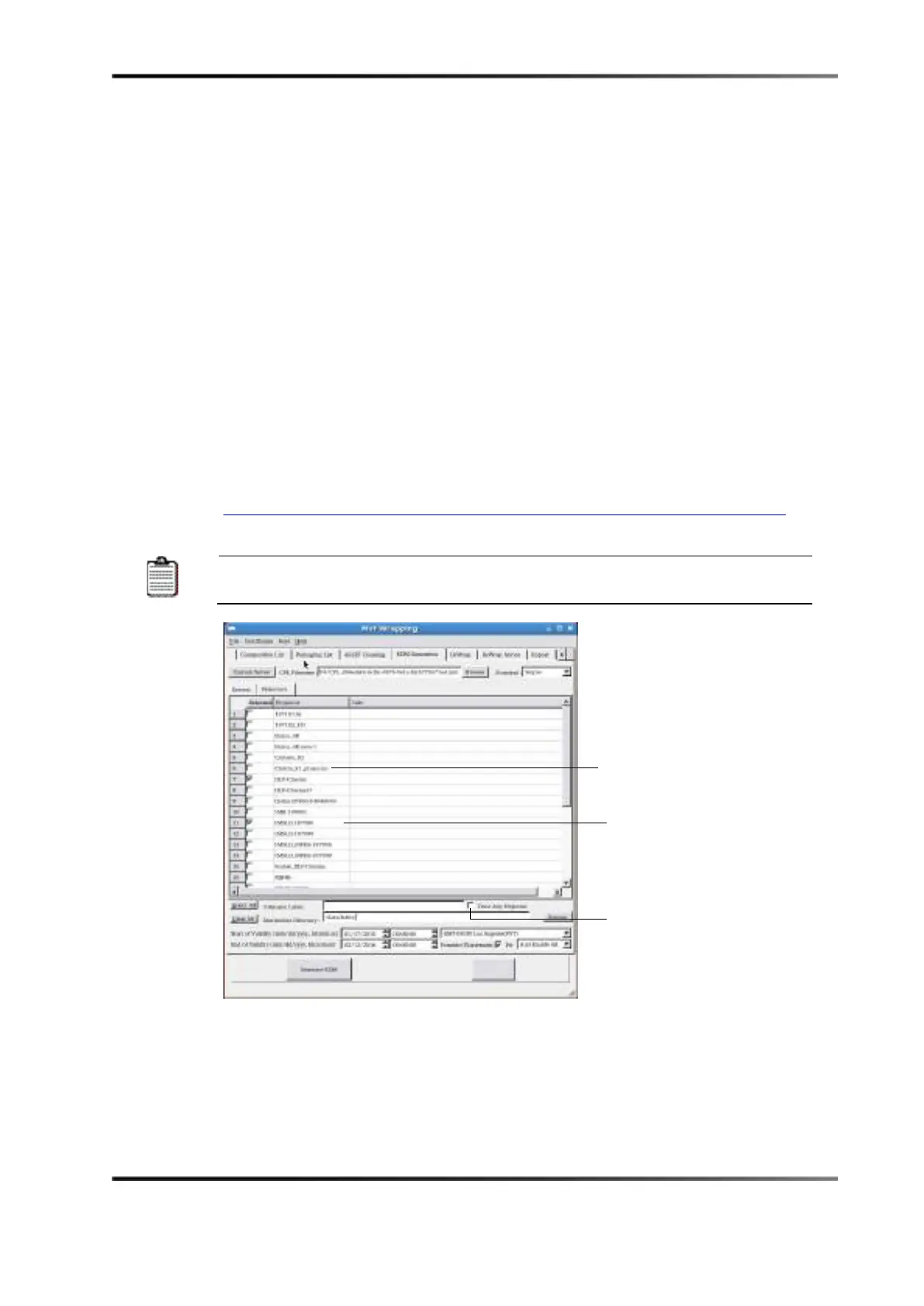
To enable playback for dual-projector setups, you must generate KDMs for the IMS2000
serial number that include the certificates for both the IMS2000 secondary projector and
the integrated cinema processor for the primary projector in the trusted device list. The
following figure shows the Dolby MXF mastering software with the Trust Any Projector
box unchecked, which is required for this KDM setup.
Only the following KDMs are acceptable for an IMS2000 dual-projector configuration:
• Multiple modified transitional 1: KDMs for Interop or SMPTE packages.
• DCI specific for SMPTE packages only with the DCI constraint for multiple-projector
auditoriums; one-to-one match of the trusted device list; assume trust certificate
thumbprint is rejected by the system.
Click the following URL for additional details that further define these KDMs.
http://isdcf.com/papers/ISDCF-Doc5-Guideline-formulations-Interop-and-SMPTE-KDMs.pdf
The assume trust certificate thumbprint is not accepted in dual-projector
configurations.
Figure 17-8 Certificates
Uncheck Trust Any Projector
Christie_S1_projector - certificate



 To Next Page