Chapter 3 ’Web User Graphical Interface’ — Operating Instructions (Tutorial)
112 Electra VS
-
Version 05.10
User Manual - Rev. A
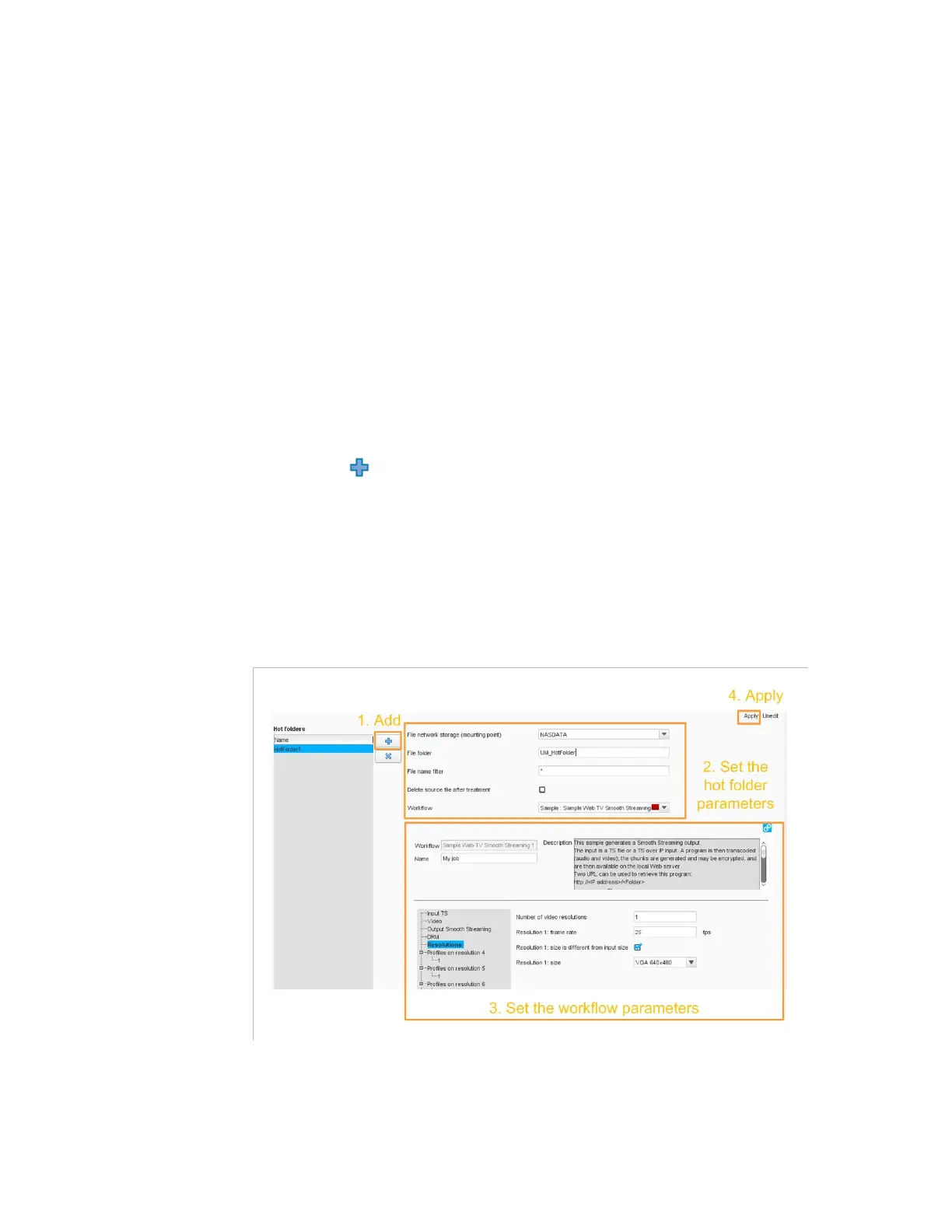
Hot Folder
In this section, you will learn how to use the hot folder. A hot folder is a
directory that, when you place a file in it, automatically detects the file
and creates a job based on the workflow that has been placed in the hot
folder.
Configuring the Workflow
Create the workflow that you wish to apply on the files that will be placed
on the hot folder. For instance, use the workflow procedure given in
section
’Example: Encoding a File’
on page 134.
Configuring the Hot Folder
1.
Go to the
Setup
tab and choose the
Hot folder
category.
2. Edit
the configuration.
3.
Click the
button and add a hot folder.
4.
Choose from the list the workflow you wish to apply on the files that
will be placed in the hot folder.
5.
Set the public parameters of the workflow.
6.
Apply the configuration.
Figure 3-46. Configuring the hot folder



 To Next Page