Chapter 3 ’Web User Graphical Interface’ — Workflow Library
258 Electra VS
-
Version 05.10
User Manual - Rev. A
MP4 Audio Extractor
Description
The
MP4 Audio Extractor
processing component lets you extract an
audio stream from an MP4 file. The output stream can be forwarded to a
decoder, for example.
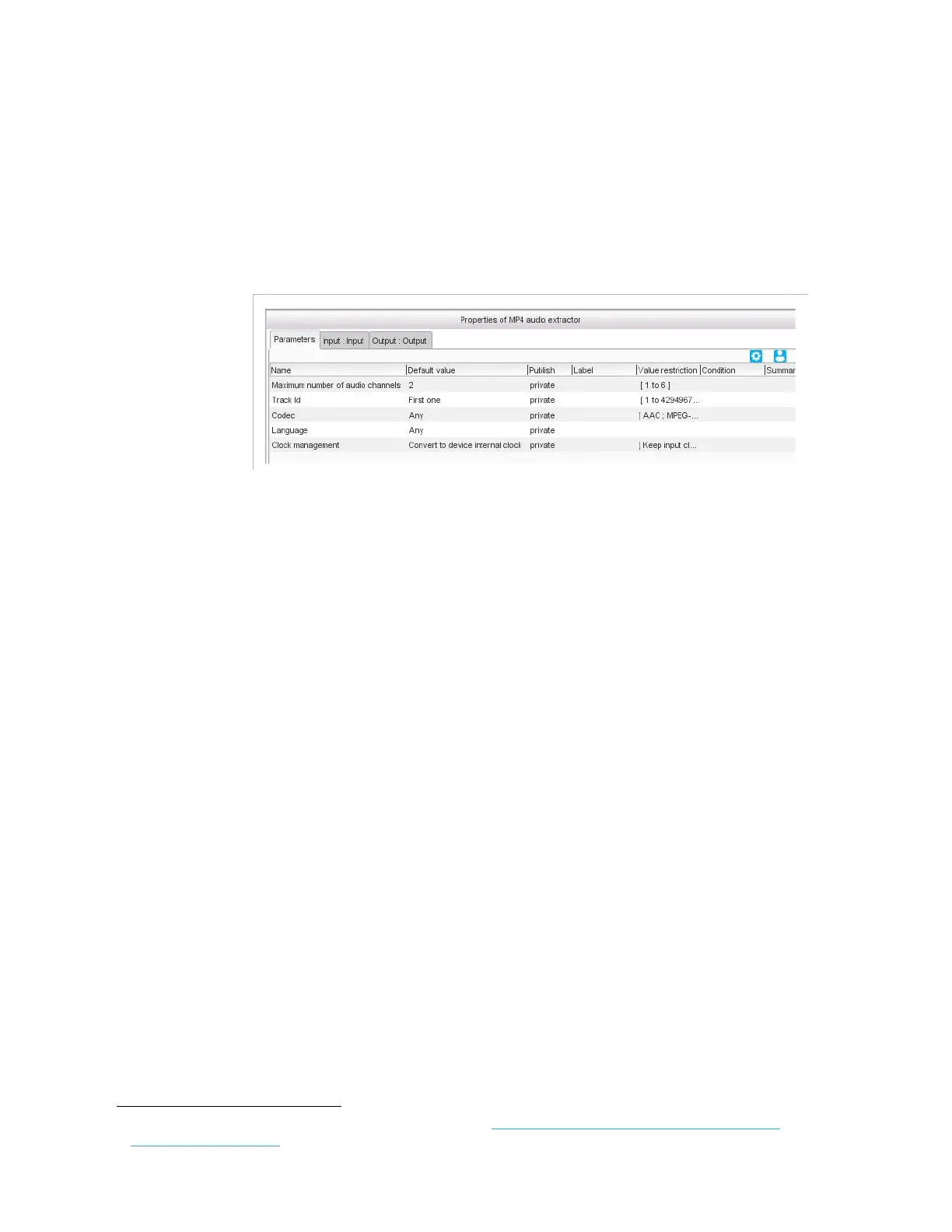
Figure 3-228. MP4 audio extractor parameters
Parameters
For this processing component, you must set the following parameters:
Maximum number of audio channels
: if the expected audio if
5.1, set this value to
6
, if it is stereo, set this value to
2
, and if it is mono,
set this value to
1
.
Tr ack I D
: you may enter the value directly in the field or use a
predefined value:
First one
: the first track that matches the criteria.
All
: all the tracks that match the criteria.
Codec
:
AAC
,
MPEG-1 Layer 2
,
AC3
or
Any
. If set to
Any
, the codec is
automatically detected.
Language
: leave to
Any
if you do not want to specify the language of
the audio component, or use the ISO codes
1
to specify it (for instance,
enter eng for English, spa for Spanish, etc.).
Clock management
: if set to
Convert to device internal clock
(default value), then the input clock is converted to the device clock. If
set to
Keep input clock
, then the input clock is kept. When you want to
multiplex components from different input programs, the clocks shall
be converted to the device clock.
1.
For the whole list of ISO codes, refer to: http://www-01.sil.org/iso639-3/codes.asp?or-
der=639_3&letter=%25



 To Next Page