Chapter 3 ’Web User Graphical Interface’ — Operating Instructions (Tutorial)
114 Electra VS
-
Version 05.10
User Manual - Rev. A
Using the Snapshot View
In this section, you will learn how to see your input contents as a tree in
a snapshot view so as to ease your configuration.
1.
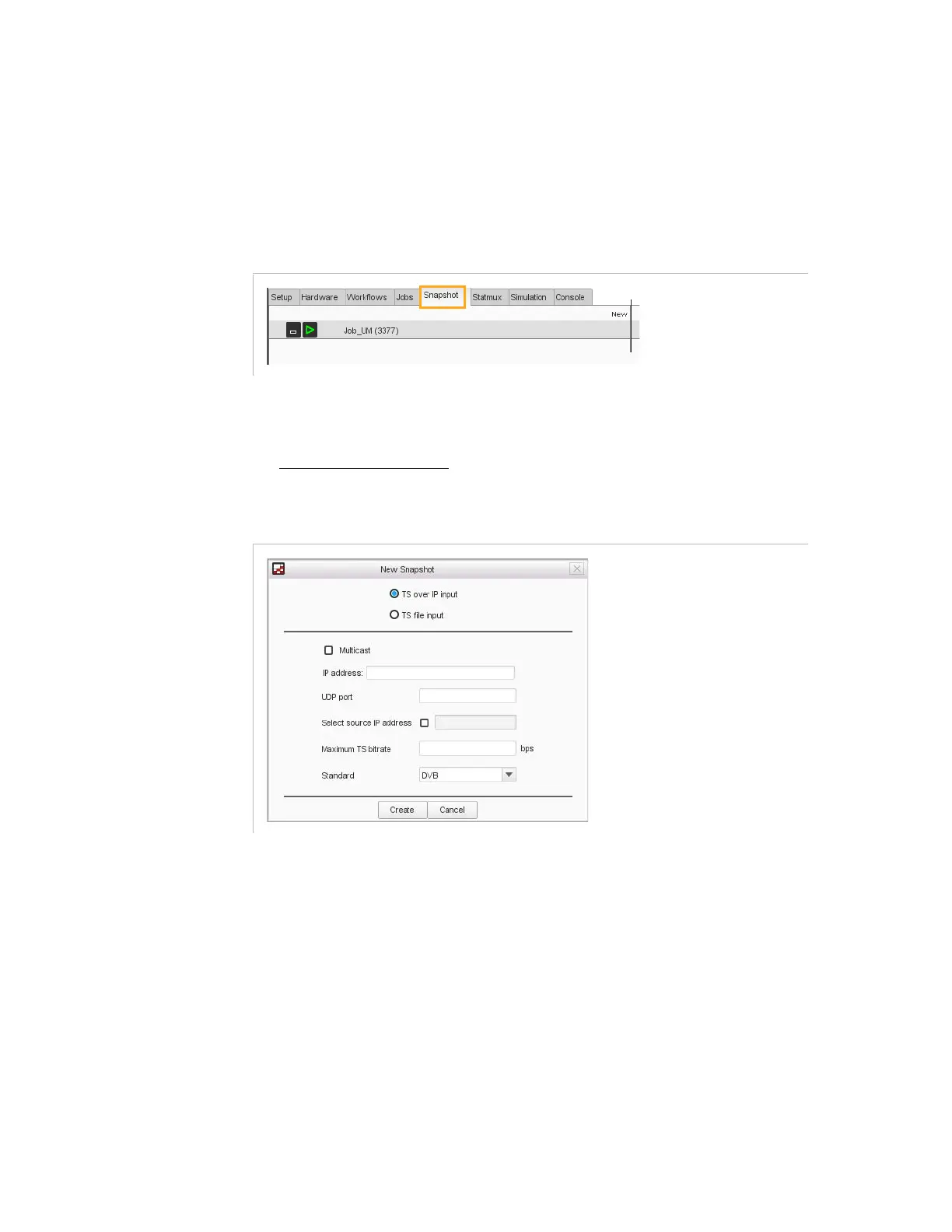
In the
Snapshot
tab top-right corner, click
New
.
Figure 3-47. Snapshot tab
2.
Choose the type of input: TS over IP or TS file.
3.
Depending on the type of input, set the following parameters:
For a TS over IP input:
Figure 3-48. Creating a new snapshot view for a TS over IP input
a.
If your input is multicast, check the corresponding box and set
the LAN.
b.
Enter the destination IP address and UDP port of the TS over IP
stream.
c.
If you want to choose the source of the stream, check the
Select
source IP address
box and fill in the field. You can specify
only one source IP address. If you do this, the operating mode
varies according to the type of IP stream (multicast or unicast)
and the IGMP version indicated in the Electra VS setup
parameters (Setup tab, IP category):
-
Multicast, IGMP v2: IGMP requests does not contain the
source IP address. The filtering on source is done in Electra
VS.



 To Next Page