Chapter 3 ’Web User Graphical Interface’ — Workflow Library
296 Electra VS
-
Version 05.10
User Manual - Rev. A
Video overlay
Description
The
Video overlay
processing component lets you insert an overlay
with or without effects. An overlay is a static or animated image (a logo,
for example), a scrolling text or a static text.
Parameters
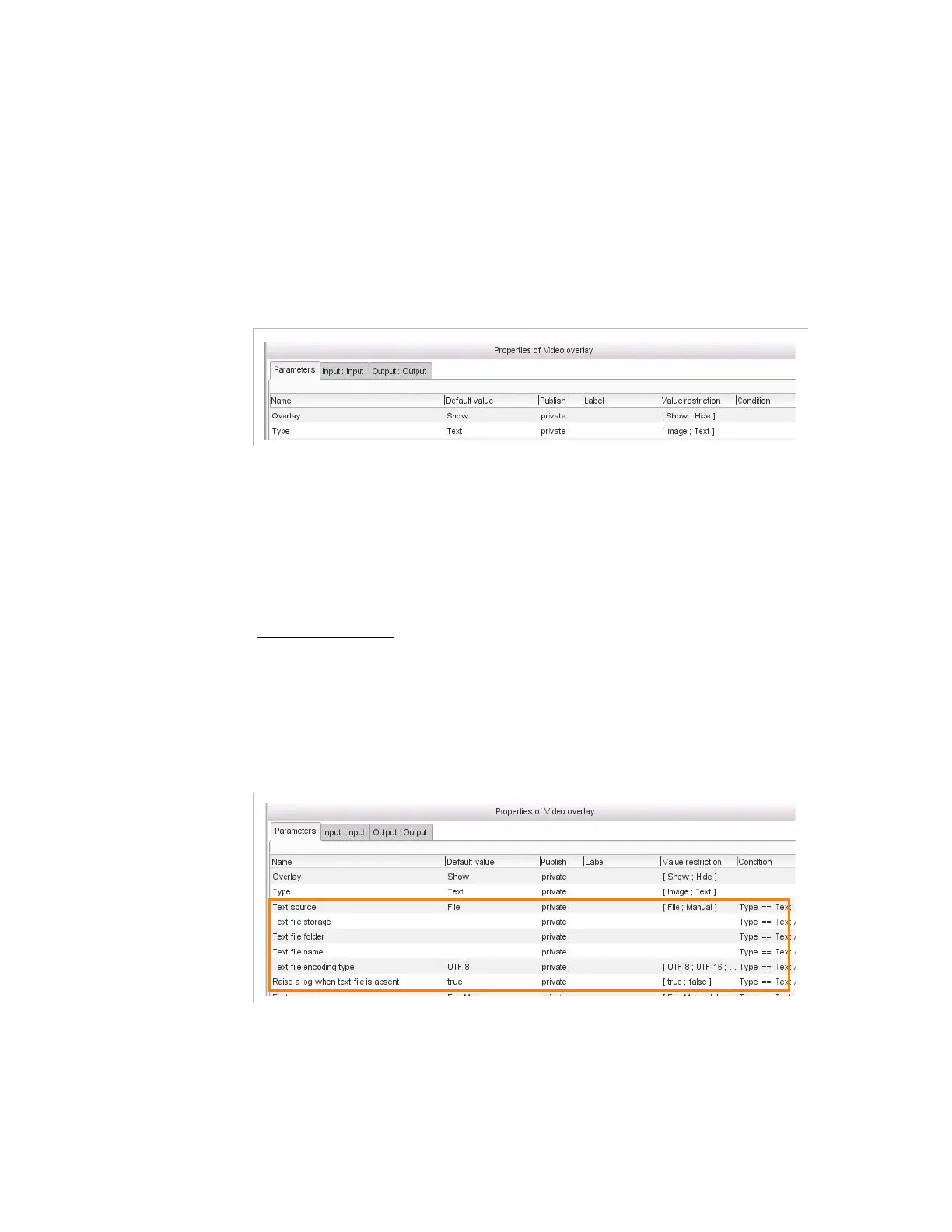
Figure 3-268. Video overlay parameters - Text or Image insertion
For this processing component, you must set the following parameters:
Overlay
: This parameter allows you to control the presence of the
overlay.
if set to
Show
the text or the image appears.
If set to
Hide
it disappears (with effects if configured).
Type
: The overlay may be
Tex t
or
Image
.
If you insert a text
Text source
: the text source can be stored in a file (
File
) or entered
by the user (
Manual
).
If you select to import a text file (
File
)
Figure 3-269. Video overlay parameters - Text insertion - File import
Text file storage
: server location where the text file is stored.
Several methods allows to define the location:
- Enter the name of network storage declared in the set up tab
(recommended) or



 To Next Page