Chapter 3 ’Web User Graphical Interface’ — Workflow Library
Electra VS
-
Version 05.10 247
User Manual - Rev. A
TS Audio Extractor
Description
This workflow extracts an audio stream from a TS.
The output audio elementary stream can be forwarded to an audio
decoder, for example.
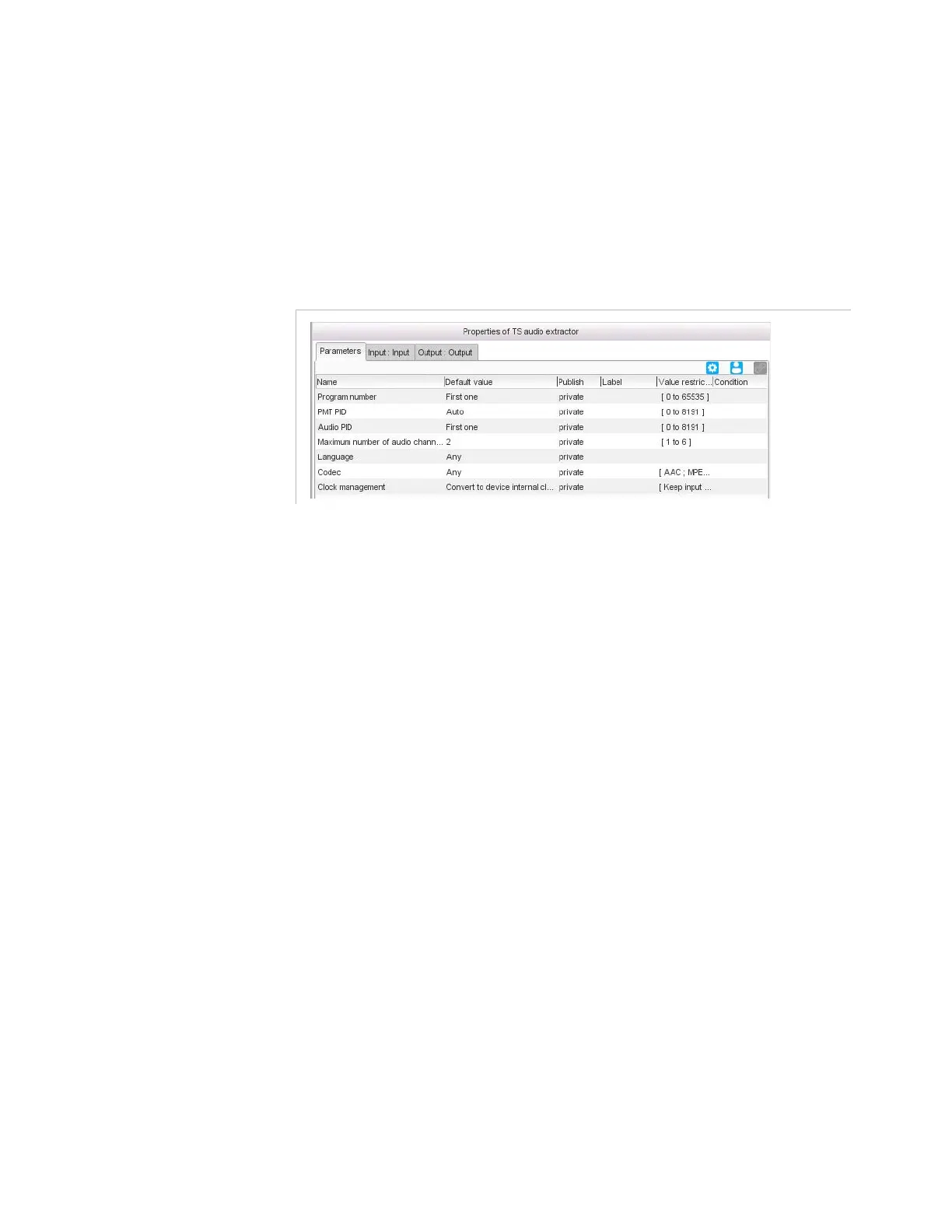
Figure 3-222. TS audio extractor parameters
Parameters
Program number
: program number (also known as Service ID in
DVB standard) of the program (or service) that contains the requested
audio stream. You can also use one of the predefined values:
First one
: the first program referenced by the PAT table is
considered. This value is suitable when the input TS is a single
program TS (SPTS).
All
: all the programs referenced by the PAT table are processed.
PMT PID
: PMT PID of the program that contains the requested audio
stream. When set to
Auto
, the value will be automatically discovered
by the device. This parameter is useful when you want to use the same
PMT PID for the output program: you can set a label to this parameter,
and link the output PMT PID parameter to this parameter.
Audio PID
: PID of the requested audio component. You can also use
one of the predefined values:
First one
: the first audio component that matches the global
criteria is processed.
All
: all the audio components that matches the global criteria are
processed.
Nth
: the component in the
audio PID position
that matches
the global criteria is processed.
You can optionally
Raise a log when the component is
absent
.



 To Next Page