Chapter 3 ’Web User Graphical Interface’ — GUI Description
Electra VS
-
Version 05.10 185
User Manual - Rev. A
Hardware Tab
The Hardware tab includes several panels, detailed in the coming
sections.
Hardware/Nodes Panel
The
Nodes
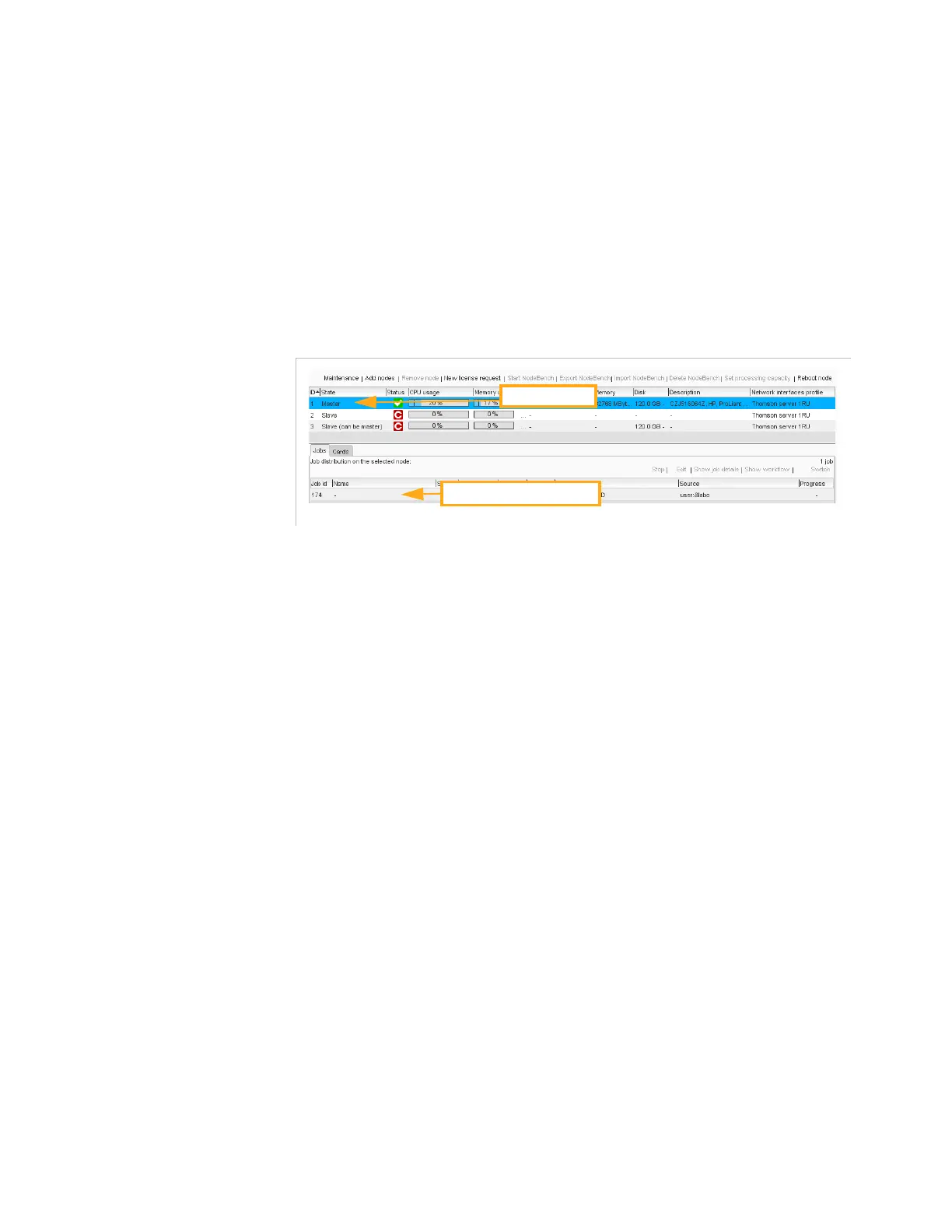
panel describes the nodes (i.e. blades or servers) of the
Electra VS
and the distribution of jobs in the nodes
.
Figure 3-143. Nodes panel
The
Nodes
sub-panel table contains the following processing
components:
ID
: identifier of the node. This ID cannot be modified.
State
:
Master
(possible only for a masterisable node) or
Slave
or
Slave (can be master) or Preparing maintenance job or In
maintenance
.
Status
(refer to
Table 3-1
for status details).
CPU usage
: allocated CPU, as a percentage. Measured usage is
indicated by a vertical bar and can temporarily be higher than
allocated. When a file encoding job is running on the node, the
measured CPU can also be much higher than allocated.
Processing Capacity
: maximal Processing capacity estimated for
the node. The Node processing capacity in association with the
estimated maximal cost of each job is used to determine on which
node a new job can be launched. It is set manually (
Set processing
capacity
), and can be calculated launching a NodeBench analyze on
the node (
Start NodeBench
) or importing the result of a analyse
(
Import NodeBench
). Refer to
Chapter 7 ’Tools’
, section
’Using
VOS Flex NodeBench’
on page 467.
The processing capacity configuration is reserved to the nodes
resulting from «Virtualization delivery» or «Software only delivery». It
can not be used with the nodes resulting from «Hardware delivery».
Memory usage
: allocated memory, as a percentage. Measured
usage is indicated by an horizontal bar.
CPU
: number and type of CPU.
Memory
: size.
Selected node
Job(s) in the selected node



 To Next Page