Chapter 2 ’Installation and Startup’ — Virtualization Delivery
72 Electra VS
-
Version 05.10
User Manual - Rev. A
Installing the OVA on the first Node (Master Node)
1.
Copy the OVA image from the " Virtualization Delivery " directory to
the PC.
2.
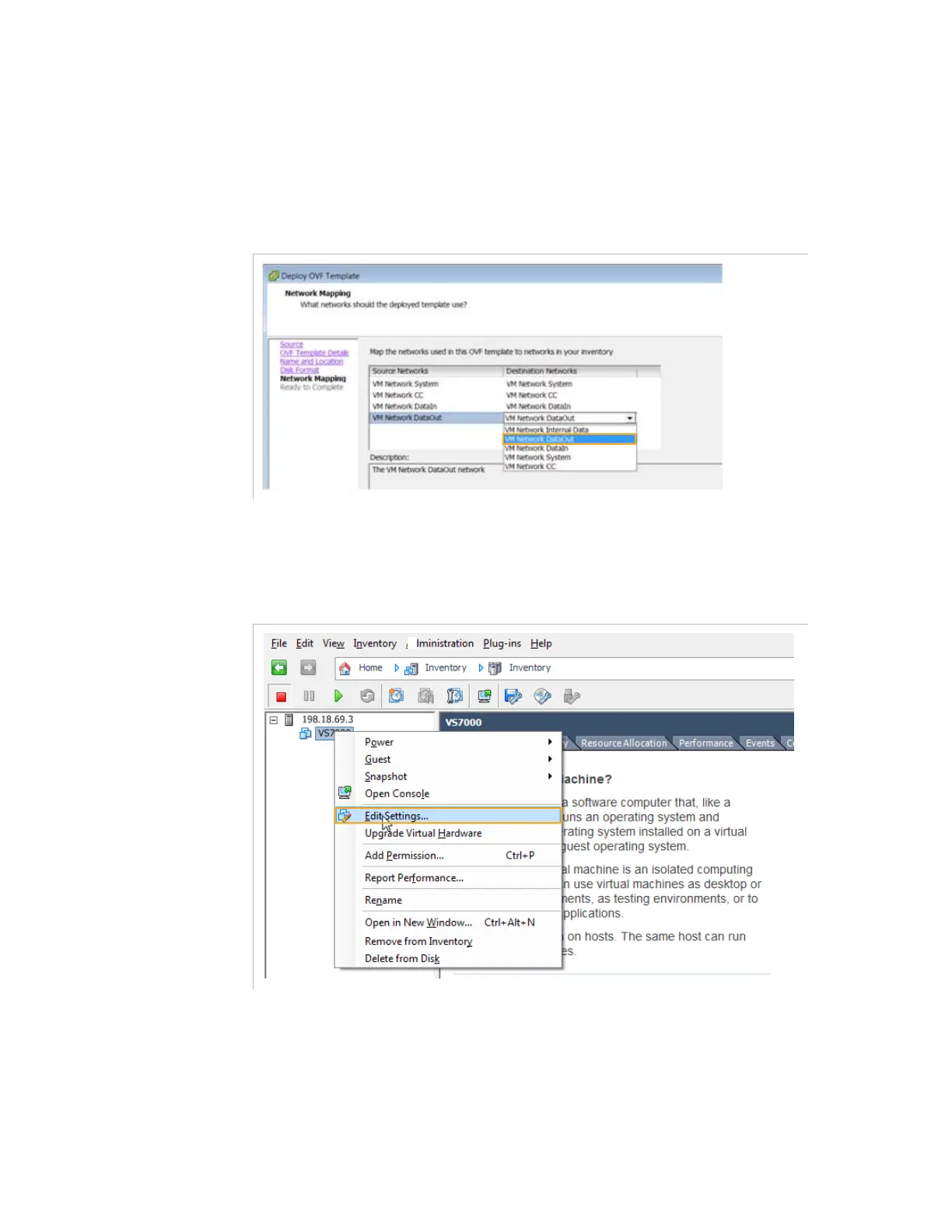
During the deployment of the OVA image, associate the networks of
the VM and the ones of the ESXi.
When the deployment is finished check the configuration as follows:
3.
Right-click the virtual machine name (for example Electra VS
_1
) >
Edit Settings...
.



 To Next Page