Chapter 5 ’Troubleshooting’ — Frequently Asked Questions
Electra VS
-
Version 05.10 457
User Manual - Rev. A
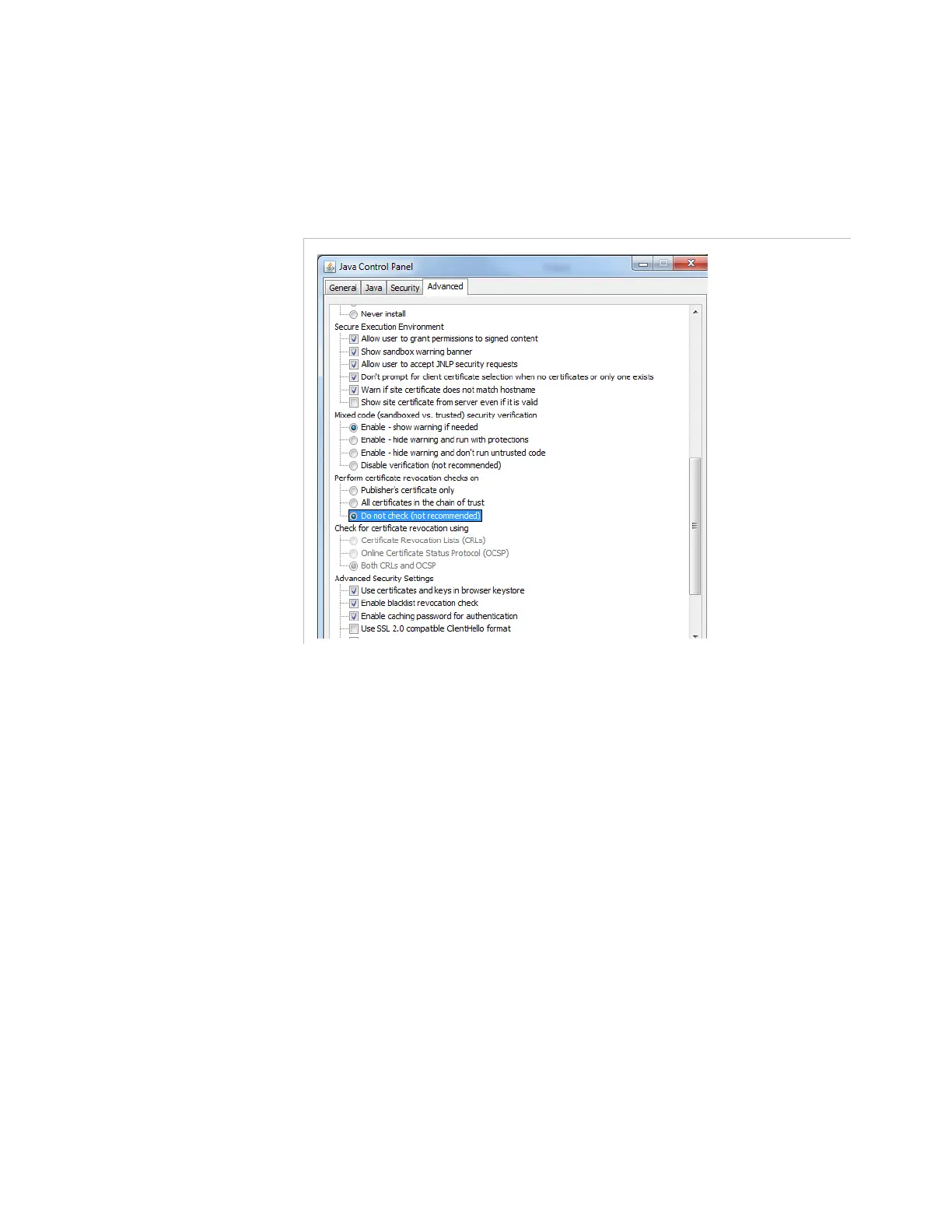
Solution 2
: Disable revocation checking on the client station.
Click the
Advanced
tab and check the
Do not check (not
recommended)
option.
Figure 5-3. Disable revocation checking
3.
Restart Internet Explorer to apply the changes.
I want to remove the bonding of one interface on my
1RU platform. How can I do this?
You can remove the bond between network interfaces on two 1RU
Electra VS platforms. By removing a bond, you add a new logical
interface, which you must associate with a new LAN.
1.
From the
Setup
tab, select
IP
, and then click
Edit
in the top right
corner to activate editing mode.
2.
Select the
Thomson server 1RU
profile and then click
Duplicate
selected profile
.
3.
In the
Profile Thomson server 1RU_1
dialog, move the
corresponding nodes from the
Other nodes profiles
column to the
Nodes list for this profile
, and then click
OK
.
The new profile is added to the list of
Network interfaces
profiles
.



 To Next Page