Chapter 5 ’Troubleshooting’ — Frequently Asked Questions
458 Electra VS
-
Version 05.10
User Manual - Rev. A
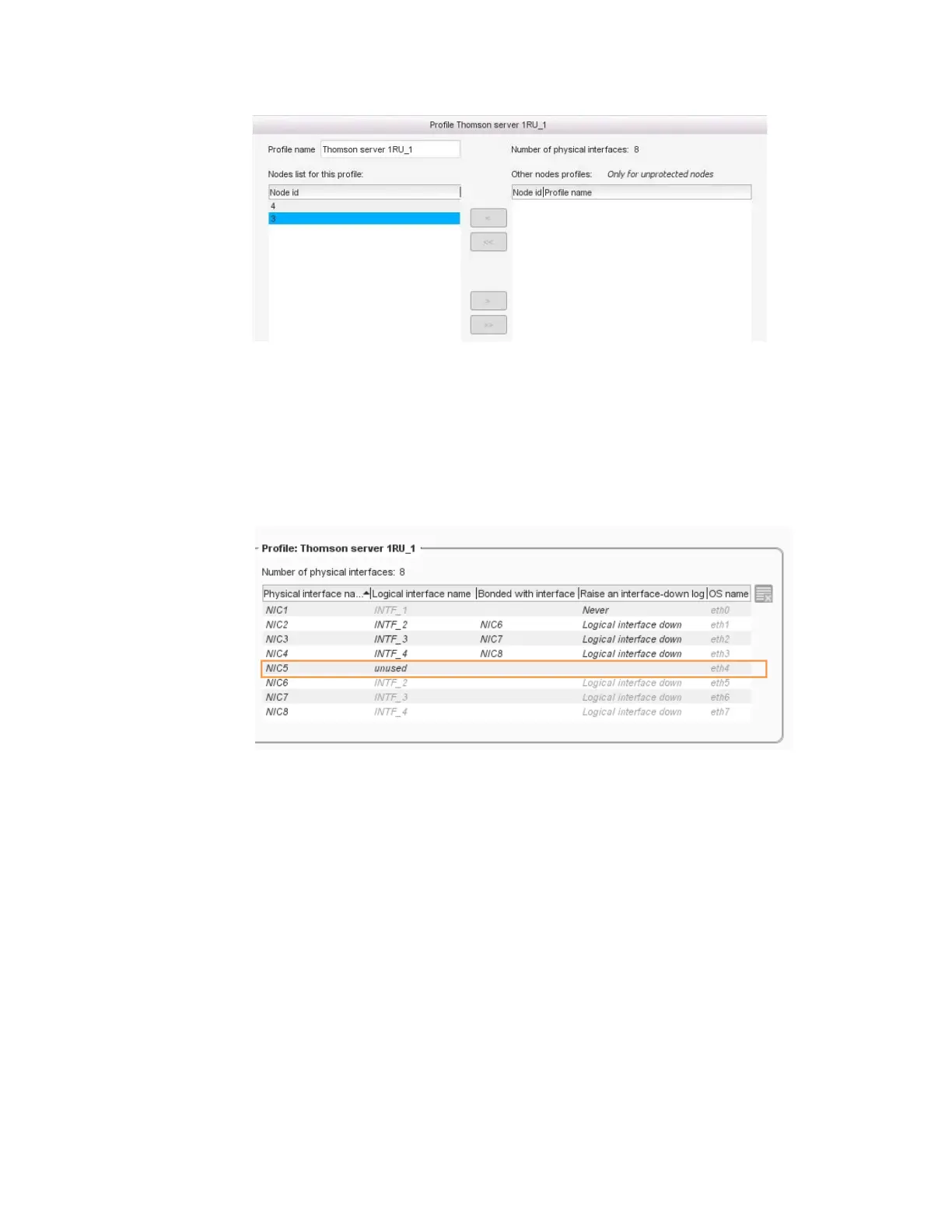
Figure 5-4. Move the corresponding nodes to the Nodes list for this profile column
4.
In the profile information table to the right, do the following:
a.
For the bond you wish to remove, change the
Bonded with
interface
value to
Blank
.
The bond is removed and the
Logical interface name
for the
unbonded NIC changes to “unused.”
Figure 5-5. Removing the bond between two NICs (NIC1 and NIC5)
b.
In the
Logical interface name
column, enter a new name for
the independent NIC.
c.
In the
Raise an interface-down log
column, select
Logical
interface down
.
5.
Click
Apply
to validate your changes.
6.
Add a new LAN and associate it with the new
Logical interface
name
you created in Step 4.



 To Next Page