Chapter 3 ’Web User Graphical Interface’ — GUI Description
208 Electra VS
-
Version 05.10
User Manual - Rev. A
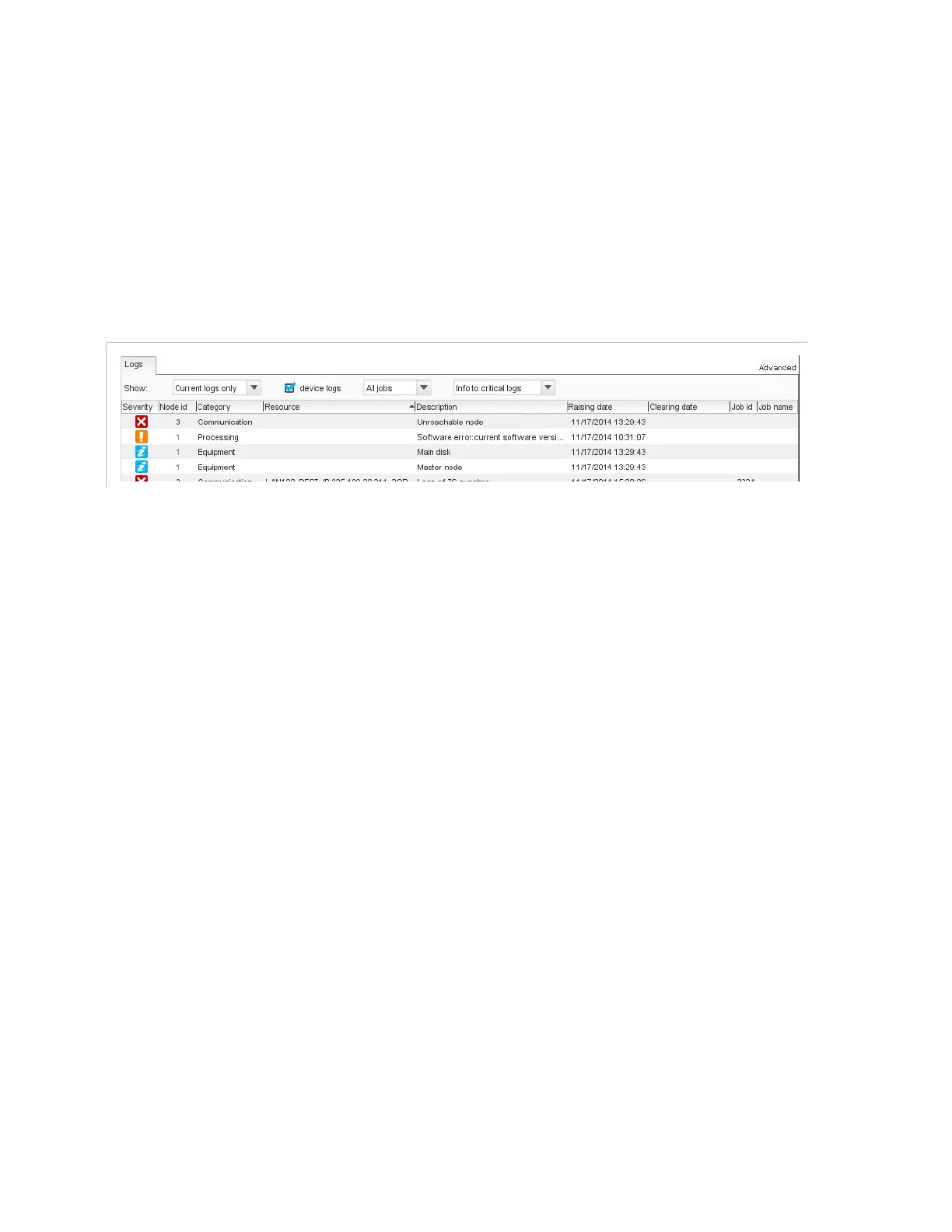
Logs Tab
Purpose
The
Logs
tab, at the bottom of the view, lists all current and past
equipment logs. It contains an array with the list of logs, filters and
sorting options. Logs (current and past) are saved in a database on
Electra VS hard drives.
Figure 3-172. Logs tab
Logs Array
The array provides the following information for each log:
Severity
: see
Table 3-1 ’Status pictograms’
on page 90.
Node Id
: identifier of the node on which the error occurred.
Category
: category of the log. See section
’Log Categories’
on
page 564 for the list of categories.
Resource
: resource to which the log refers.
Description
: log description.
Raising date
: raising log date and time.
Clearing date
(for closed logs only): falling log date and time.
Job Id
: identifier of the job to which the log relates, if applicable.
Job name
: name of the job to which the log relates, if applicable.
Raising file time
: in file mode, moment in the file when the log was
raised.
Clearing file time
: in file mode, moment in the file when the log
was cleared.
Filters and Sorting Options
You can filter and sort the logs to display only the ones on which you
want to focus. Filters and sorting options are located above the array. You
can apply several types of filters simultaneously.



 To Next Page